
キーワード Curve が含まれる動画 : 248 件中 1 - 32 件目
種類:
- タグ
- キーワード
対象:

中央本線 スーパーあずさE351系(VRM4)

VRM4で振り子動作が対応しているE351系のカーブを通過しているシーンです。
It is a scene that passes the curve of the E351 faction that responds the pendulum operation by VRM4.
【AviUtl】自動クリッピング.zip.001

LuaJITは入れておいて損はないので、入れておけ。
gometh兄貴の雑配布シリーズが非常に好きなので、僭越ながらリスペクトさせていただきました。
再現度が中途半端ですが、雑配布なので許してください!なn...
BGMやSEが違うのは、YouTubeにも投稿してるからだ...察してくれ...
2025年01月17日 追記
畏れ多くもσ軸さんに高速・機能追加eef版を作っていただけました、こっち使って→ sm44546499
リポジトリ
https://github.com/Mr-Ojii/AviUtl-AutoClipping_M-Script/
ダウンロードはこちらから
https://github.com/Mr-Ojii/AviUtl-AutoClipping_M-Script/releases
使用させていただいたもの
AviUtl + 拡張編集 (KENくん)
Curve Editor for AviUtl (みまらか)
InputPipePlugin (amate)
patch.aul (ePi / nazonoSAUNA)
x264guiEx (rigaya)
ひらがな小さ (gometh)
ティムさん風動画 スクリプト 矢印 (rikky)
テキスト編集補助プラグイン (oov)
黒窓 (蛇色)
輪郭追跡スクリプト (ティム)
BGM Ara-Nami (Fukagawa)
SE OtoLogic
爆発BB 特大(使用例あり) (イ云言兌)
(敬称略)
YouTube版
https://youtu.be/A6olgoC3fEk
【AviUtl】モザイク縁取り.zip.002

LuaJIT必須です
縁取りを0にすれば、ただの座標基準のモザイクにも使えるんじゃないですかね(適当)
雑配布シリーズリスペクトについてgometh兄貴からご公認をいただきました...(恐縮)
2号式動画講座系って「テキスト見本」あんま擦らないんですけど、エフェクト適用時の見本として丁度良いので私は擦る(確固たる意志)
発想元動画
sm43408503
リポジトリ
https://github.com/Mr-Ojii/AviUtl-MosaicBorder_M-Script/
ダウンロードはこちらから
https://github.com/Mr-Ojii/AviUtl-MosaicBorder_M-Script/releases
使用させていただいたもの
AviUtl + 拡張編集 (KENくん)
Curve Editor for AviUtl (みまらか)
InputPipePlugin (amate)
patch.aul (ePi / nazonoSAUNA)
x264guiEx (rigaya)
ひらがな小さ (gometh)
テキスト編集補助プラグイン (oov)
黒窓 (蛇色)
BGM Ara-Nami (Fukagawa)
SE OtoLogic
爆発BB 特大(使用例あり) (イ云言兌)
(敬称略)
YouTube版
https://youtu.be/l_MTGvw3gKI
【AviUtl】なめらか方向ブラー.zip.003

デフォのを拡大してみて、汚ねぇブラーだなぁと思ってしまったので
多分軽量化のためだと思うんですけど(名推理)
GLShaderKit必須です
リポジトリ
https://github.com/Mr-Ojii/AviUtl-DirBlur_M-Script/
ダウンロードはこちらから
https://github.com/Mr-Ojii/AviUtl-DirBlur_M-Script/releases
使用させていただいたもの
AviUtl + 拡張編集 (KENくん)
Curve Editor for AviUtl (みまらか)
GLShaderKit (karoterra)
InputPipePlugin (amate)
patch.aul (ePi / nazonoSAUNA)
Reactive Dialog (σ軸)
x264guiEx (rigaya)
ひらがな小さ (gometh)
テキスト編集補助プラグイン (oov)
アルティメットプラグイン (蛇色)
BGM Ara-Nami (Fukagawa)
SE OtoLogic
爆発BB 特大(使用例あり) (イ云言兌)
(敬称略)
YouTube版
https://youtu.be/kS6CkO2IP6o
【AviUtl】なめらか放射ブラー.zip.004

本当は方向ブラーの1週間後くらいに出すつもりだったんですけどね。
不具合をのんびり直していたら1か月経ってたよね。
PFもほぼ前回の使いまわしだね。(怠惰)
GLShaderKit必須です
リポジトリ
https://github.com/Mr-Ojii/AviUtl-RadBlur_M-Script/
ダウンロードはこちらから
https://github.com/Mr-Ojii/AviUtl-RadBlur_M-Script/releases
使用させていただいたもの
AviUtl + 拡張編集 (KENくん)
Curve Editor for AviUtl (みまらか)
GLShaderKit (karoterra)
InputPipePlugin (amate)
patch.aul (ePi / nazonoSAUNA)
Reactive Dialog (σ軸)
RadRotDirBlur_S (σ軸)
x264guiEx (rigaya)
ひらがな小さ (gometh)
テキスト編集補助プラグイン (oov)
アルティメットプラグイン (蛇色)
SE OtoLogic
爆発BB 特大(使用例あり) (イ云言兌)
(敬称略)
BGMクレジットはBGM規約により非掲載
YouTube版
https://youtu.be/JlSwSTuXC0c
【AviUtl】WebP読み込み.zip.005

他の汎用ファイルリーダーで読めないので。
今回は「入力プラグイン」なんで、Readmeをちゃんと読んでから使って、どうぞ。
説明が軽いのは、今後仕様変更を行う可能性が高いためという理由もある。(真面目)
リポジトリ
https://github.com/Mr-Ojii/AviUtl-WebPFileReader-Plugin/
ダウンロードはこちらから
https://github.com/Mr-Ojii/AviUtl-WebPFileReader-Plugin/releases
AviUtl ExEdit2用も作りました。
https://github.com/Mr-Ojii/AviUtl2-WebPFileReader-Plugin/releases
使用させていただいたもの
AviUtl + 拡張編集 (KENくん)
Curve Editor for AviUtl (みまらか)
ffmpegOut (rigaya)
InputPipePlugin (amate)
patch.aul (ePi / nazonoSAUNA)
Reactive Dialog (σ軸)
x264guiEx (rigaya)
ひらがな小さ (gometh)
テキスト編集補助プラグイン (oov)
アルティメットプラグイン (蛇色)
色ルーペ (σ軸)
SE OtoLogic
爆発BB 特大(使用例あり) (イ云言兌)
(敬称略)
BGMクレジットはBGM規約により非掲載
YouTube版
https://youtu.be/5iNOI81woCg
Synthesizer V の音声をケロケロボイス風にする【Synthesizer V スクリプト配布】
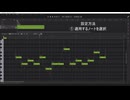
Synthesizer Vのユーザースクリプトで、ピッチカーブを操作してケロケロボイス(Auto-tuned like)にするものを作成しました。
以下の GitHub リポジトリにて、MIT ライセンスで公開しています。
※ 動作確認環境はSynthesizer V Studio 2 Pro (2.1.2)になります。他の環境での動作は保証していません。
https://github.com/Kagakuri/SynthesizerV_scripts
参考にさせていただいた記事:https://vocaloid.haruinoue.net/archives/4527
---
I have created a user script for Synthesizer V that manipulates the pitch curve to achieve an auto-tuned-like effect.
It is published under an MIT license in the following GitHub repository:
※ The verified operating environment is Synthesizer V Studio 2 Pro (version 2.1.2). Operation in other environments is not guaranteed.
https://github.com/Kagakuri/SynthesizerV_scripts
Reference article: https://vocaloid.haruinoue.net/archives/4527
easeの時代、始まらずに終了 ――――――
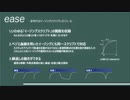
https://github.com/mimaraka/aviutl-plugin-curve_editor
https://github.com/mimaraka/aviutl-plugin-curve_editor
https://github.com/mimaraka/aviutl-plugin-curve_editor
https://github.com/mimaraka/aviutl-plugin-curve_editor
https://github.com/mimaraka/aviutl-plugin-curve_editor
blender練習 - ショルリとソソ

表情テクスチャは日曜モデリングさまから拝借したものを色変えしましたm(_ _ )m■テクスチャによる表情切り替え(ofs)。Armatureの歩きモーション繰り返し(ipo curve設定)。髪の揺れ(soft body)の設定がへたすぎる…。■BGM、効果音やる気なし。
【NScripter】effectlib.dll/line & circle & curve

NScripter用エフェクト型DLL"effectlib.dll"を作成しました。
この動画は、その機能の一つ"line"と"circle"と"curve"のデモンストレーションです。
http://d.hatena.ne.jp/eiji8pou/20110501/line
【PS3】GT5&Forza3 AI比較動画【Xbox360】

Fanboys are incoming. Guys, the AI in GT5 is just driving the racing line which makes it a bad AI. Both cars are blocking the racing line as you can see in the video. Firza 3 clearly has the better AI. The AI in GT5 didn't even break. Even if it was right infront of the curve, the AI HAS to break and chose another way like in any other driving game out there. I feel sorry that you siply can't handle the truth. ※つべより転載。神物理演算(バグ)sm12866826Gトロフィー救済措置?(裏技)sm12869120 投稿動画mylist/22362439
【MMD】補間曲線で円を描く

既出かもしれませんが、補間曲線で円を近似してみました
円のX移動は((46,0),(86,62)), Z移動は((41,65),(81,127))
放物線は((42,0),(85,42))と((42,85),(85,127))です
MMDでは入力できない?ので他のエディタを使うか
サンプル(https://github.com/hashi4/vmdgadgets/tree/master/sample/sine_curve)から
コピペで使ってみてください
お借りしたもの:
sm15645265, sm7634361
BGM: MusMus(http://musmus.main.jp/)

E233系&E351系(VRM4)

E233系とE351系がカーブを曲がるシーンです。
It is a scene that the E233 factionand the E351 faction go round a curve.

YouTube Volume Curve Designer
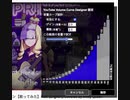
YouTube用に作ったんだけど、ニコニコでも需要はあるでしょうか。
音量の増加曲線をカスタマイズして、繊細な音の微調整や最大音量の引き上げを実現します。
https://greasyfork.org/ja/scripts/404756-youtube-volume-curve-designer
音楽: ロキ / ミルキークイーン
https://www.youtube.com/watch?v=fOf-RM05pHI
【パンヤ】PinkWind3Hole HoleInOne

status
power 65(+クリムゾンリング+ピンクダイヤモンドリング)
control 0
accuracy 0
spin 15
curve 8
使用キャディ ガネーシャポンタ
使用クラブセット エレメンタルクラブ
使用カード マックスSR*4+カディエSC+ロロSR+ピピンSC+タンプーSC+ピピンの応援
youtube:http://www.youtube.com/watch?v=hqpP5-8t32I
youtubeメイン:http://www.youtube.com/user/lanevodnext/videos
ブログ:http://next-surprise-pangya.blog.so-net.ne.jp/
ツイッター:https://twitter.com/lanevod
コミュニティ:http://com.nicovideo.jp/community/co2127419
熱海駅 160キロに減速して通過する東海道新幹線

熱海駅では、駅周辺にある大きなカーブの関係で新幹線でも160キロまで減速して通過します。
現在のN700系系統が出る以前は、通過速度が120キロでしたが、車両の性能が上がり160キロまで上がりました。
他の駅の通過と比べると100キロ以上違うので比較て通過列車を眺めやすいです。
通過した車両はN700S系です
Atami Station - Shinkansen trains slow down to 160km/h
At Atami Station, due to a large curve around the station, even Shinkansen trains slow down to 160km/h.
Before the current N700 series was introduced, the passing speed was 120km/h, but the performance of the trains has improved and it has increased to 160km/h.
Compared to passing at other stations, this speed is more than 100km/h faster, so it's easy to compare and watch the passing trains.
【パンヤ】PinkWind8HHIO

代理うp
test
status
power 65(+クリムゾンリング+ピンクダイヤモンドリング)
control 0
accuracy 0
spin 15
curve 8
使用キャディ ガネーシャポンタ
使用クラブセット エレメンタルクラブ
使用カード マックスSR*4+カディエSC+ロロSR+
ピピンSC+タンプーSC+ピピンの応援
ブログ↓
http://next-surprise-pangya.blog.so-net.ne.jp
youtube↓
http://www.youtube.com/watch?v=e4UYpplZU4E
mylist/37695736


120W Ehpro Cold Steel 100 TC Box MOD - BuyBest

Ehpro Cold Steel 100 Box MOD, which is a super powerful and portable box MOD co-designed with AmbitionZ VapeR which is a famous and professional Youtube reviewer from USA. With the fully metal construction and ultra-ergonomic design, the Cold Steel 100 MOD is durable to use, and with fantastic hand feeling. It is like a mechanical mod, but it's a multi-functional TC MOD in fact. Moreover, it is widely compatible with single 21700/20700/18650 battery and supports 120W max output with high performance PWR/TEMP/ CURVE /VOLT/BYPASS working modes. In addition with the convenient micro-USB port for charging and upgrade, the Ehpro Cold Steel 100 Box MOD is definitely an ideal vape device for easy daily vaping.
某計算機のポケモンを関数で表すサービスが凄い

http://www.wolframalpha.com/input/?i=Xatu%E2%80%90like+curve&lk=1&a=ClashPrefs_*PlaneCurve.XatuCurve-
ちなみにアイフォンを持ってるならSiriに「このポケモン書いて」と頼めば通じます。後、ポケモンじゃなくて初音ミクとかも普通にある。
スーパーモンキーボール2 SMAL 1-10 CURVE BRIDGE ポーズルート

やっぱり最初は待った方がいいみたい
これは8ポーズ以内にしたいけど力尽きた
マイリス→mylist/60512361
高画質版↓
https://youtu.be/64fHfT-uujE
座標指定して楕円運動できるイージングとアニメーション効果【AviUtl】
座標指定して楕円(円)運動させたいな~って要望に応えます。
テキストミス
×1以外ほかでも使える
○ほかでも使える(個数1、2を除く)
DL
三角関数移動.tra:https://scrapbox.io/korarei/%E4%B8%89%E8%A7%92%E9%96%A2%E6%95%B0%E7%A7%BB%E5%8B%95
楕円移動.anm:https://scrapbox.io/korarei/%E6%A5%95%E5%86%86%E7%A7%BB%E5%8B%95
curve editor
https://github.com/mimaraka/aviutl-plugin-curve_editor
BGM
https://commons.nicovideo.jp/works/nc30180
Blenderで紐を表現

Blenderで紐の表現に挑戦してみました。
作り方は以下のURLに書いてあります。
http://mizuishi.html.xdomain.jp/blender/physics/RigidBody/01_string/String.html
いろいろ試してみた結果、
(1)Rigid Bodyで紐の動きを表現させ
(2)紐自身を Curve で作り、
(3)Rigid Body と Curve を Hook によって関連付ける事によって表現
とするのが良さそうでした。
Blenderまとめ:mylist/53835934
暇クリ

何も考えずに作りました。何も考え無さ過ぎて曲の詳細を入れるのを忘れてしまいました。失敬。the slow curveさんのwarp music(http://wacca.fm/m/14670)という曲でございます。CC便利。あと最後の技は皆さんご存じの通り、皆大好きJasonLee氏のProtrusion(http://www.youtube.com/watch?v=OuF34D8e5sc)でございます。ていうか本家綺麗過ぎるだろ……どうなってんだよ……。■曲がちょっとイメージにそぐわんな……つべ版は曲が変わっとるかもです■■ヨーヨー動画→mylist/3716966
【パンヤ】pinkwind14Hole ホールインワン

pinkwind 14Hole Holeinone
配信中に撮れました。
まさかのホールインワンです笑
status
power 72(+クリムゾンリング+ピンクダイヤモンドリング)
control 0
accuracy 0
spin 15
curve 8
使用キャディ ガネーシャポンタ
使用クラブセット エレメンタルクラブ
使用カード マックスSC*4+カディエSC+ロロSR+ピピンSC+タンプーSC+ピピンの応援
ブログ:http://next-surprise-pangya.blog.so-net.ne.jp/
ツイッター:https://twitter.com/lanevod
こんな配信が見れるコミュニティはこちらhttp://com.nicovideo.jp/community/co2127419

Lissajous curve/リサジュー曲線

I tried to draw Lissajous curve with a script control of AviUtlAviUtlのスクリプト制御でリサジュー曲線を描いてみた
BGM:INNOCENCE nc87808
YouTubeHD版:youtu.be/BraHA3KDF04