
キーワード Import が含まれる動画 : 2436 件中 65 - 96 件目
種類:
- タグ
- キーワード
対象:

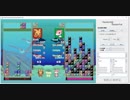
CODE VS Reborn RandomFallに勝てるAI
https://codevs.jp/
# coding: utf-8
from sys import stdout
from random import randint
# ENDがn回出てくるまで読み飛ばす
def read_end(n):
for _ in range(n):
while raw_input()!="END":
pass
print "RandomSkill"
stdout.flush()
read_end(500)
while True:
for _ in range(3):
input()
skill_gauge = input()
read_end(2)
if skill_gauge<80:
print randint(0, 8), randint(0, 3)
else:
print "S"
stdout.flush()

パックマン 7
Pythonで使用できるレトロゲームエンジンpyxelを使用した動画です。
ゆっくり進行です。
・・・月1になってますね汗
ファイルをimportしてみて、
動かなかったパターンですw
調べて、テストが必要ですねー
楽しんで頂ければ幸いです。
音楽:魔王魂様
QR Code and labels printing Software
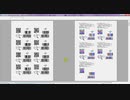
It's about a powerful automated printing solution to easily create and maintain an array of flexible designs.
Create any of your own barcodes;
Create any of your labels and reports;
Print on demand via capturing any data;
I can easily create any variable barcodes, variable graphics, variable formatted texts, data import and much more, via SmartVizor Variable Data Publishing Software.
UCCSOFT SmartVizor software Design the template test:
1)Workflow preview
2)Select data source
3)Insert file of background with template format of .pdf/.jpg/.doc/.tif/etc..
4)Insert the 2D barcodes
5)Insert variable images
6)Insert dynamic charts
REEDS / The Game 1984 ITALO-DISCO
テイストはガゼボに良く似ているが、全くの別物が出来上がったわけなので比べるのはナンセンスだな。
O sabor é muito parecido com o do gazebo, mas não faz sentido comparar porque é uma coisa completamente diferente.
Review from discogs:
" Fantastic piece....Almost as Gazebo as Gazebo! So happy to have a beautiful copy after so many years! Italo Disco is a wealth of beautiful unappreciated masterpieces! " -luc9
If you liked vinyl, italo-disco and 80's electronic music, plz enjoy it
Label: Il Discotto Productions – 1036, Il Discotto Productions – LP 1036
Format: Vinyl, 12", Single, 45 RPM
Country: Italy
Released: 1984
Genre: Electronic
Style: Italo-Disco
Using turntables: audio-technica AT-PL300 Record Player [Japanese Edition]
Import version of AT-LP60.
(C) 1984 Il Discotto Production, Italy.
Sphinx - LP 1983 ITALO-DISCO
CD化されてないので貴重。音質が良くないのはご了承。
É valioso porque não é feito em um CD. Observe que a qualidade do som não é boa.
Using turntables: audio-technica AT-PL300 Record Player [Japanese Edition]
Import version of AT-LP60.
GENRE: Electronic, Italo-Disco
DATE: 1983
PERFORMER: Sphinx
LABEL: System Music - SM 33001
TITLE: Sphinx
Conductor, Arranged by - Luciano Ninzatti, Stefano Pulga
Computer, Programmed by - Piero Cairo
Design by - Marco Cambieri
Drums - Bruno Bergonzi
Engineer, Mixed by - Massimo Noe
Keyboards - Stefano Pulga
Mastered by [Cutting by] - Elettroformati
Photography by [Cover] - Isaia Cassani
Producer - Luciano Ninzatti, Matteo Bonsanto, Stefano Pulga
TRACK 01 "Bad Girl" #00:00-
TRACK 02 "When I'm in Love" #05:16-
TRACK 03 "Collision" #10:45-
TRACK 04 "Love in C Minor" #16:04-
TRACK 05 "Counting Song" #24:59-
Copyright goes to System Music and other labels.
ヴィラン 歌ってみた by水怜

作家のことを Import you
↑さっ カマボコ って聞こえるの僕だけ?(ポテチ)
どうも、水怜と申します。iPhone勢です。
とある赤い高音の方に憧れた水の人。
vocal:水
MIX:怜
最強素敵な本家 てにをは様様↓
sm36332327
Twitterもやってますの(コタツ)→@suiren774r
前曲ボッカデラベリタ→
https://nico.ms/sm36918777?cp_webto=share_others_iosapp
次曲 ??
ようつべにも上がってます↓
https://youtu.be/OCG7p-Gtt80

初投稿!MIX初心者がセクシーにヴィランを歌ってみた❗

初めまして!〜K〜 (けい)です!
MIX初心者が本気で歌ってみたをアップロードさせて頂きます!
VOCAL
MIX
共に自分でやってみました!
まだまだつたないですが、好きになって貰えたら嬉しいです♪
応援よろしくお願いします(;´༎ຶ༎ຶ`)
歌詞
きっと手を繋ぐだけでゾッとされる
馬鹿げた競争(ラットレース)一抜けたら通報される
突然変異(ミュータント)じゃない ただの僕さ
XとかYとか
べき論者様は善悪多頭飼い
僕が君を"侵害"するって言いふらしてる
Oh...
Mr.Crazy Villain Villain
夜行性の花弁
違う服着て君の前では男子のフリする
拝啓 Dr.Duran Duran
迎えにきて下さい
顔も知らない誰かにとって僕はもうヴィラン
蛇蝎(だかつ)ライフ
挙句の糜爛(びらん)
逸脱の性(さが)をまたひた隠す
雄蕊(おしべ)と雄蕊じゃ立ち行かないの?
ねぇ知ってんのか乱歩という作家のことを Import you
造花も果ては実を結ぶ
ぶるってんじゃねーよ 多種多様の性
愛(かな)しい哀しい話をしよっか ゼラチン質の
「で?」
Mr.Crazy Villain Villain
可能性に幸あれ
僕のハート1LDK 嫉妬くらいはさせてよ
Hi there モットーYOLO
微熱愛でいいのに
誰も知らない 知られたくない皮膚の下
素晴らしき悪党共に捧げる唄
骨まで演じ切ってやれ悪辣に
残酷な町ほど綺麗な虹が立つ
猥雑(わいざつ)広告に踊るポップ体の愛
Oh Mr.Crazy Villain Villain
夜行性の花弁
違う服着て君の前では男子のフリを!
拝啓 Dr.Duran Duran
ここだよ
顔も知らない誰かにとって僕はもうヴィラン
蛇蝎ライフ
挙句の果ての糜爛
wslにalpine linuxをimportする方法を紹介します
軽量linuxのalpine linuxをwslにimportする方法を紹介します。
alpine linux
https://www.alpinelinux.org/


Cellophane - Gimme Love 1983 ITALO-DISCO
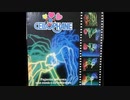
伝説的レコードだと思う。本当に言うことがないほど最高。とにかく聞き、感じ、踊ろう。
A legendary Rimini club Cellophane Club anthem that has available during eighties.
Label: S.P.Q.R. – SPQR 1118, S.P.Q.R. – SPQR MCXVIII
Format: Vinyl, 12", 33 ⅓ RPM
Country: Italy
Released: 1983
Genre: Electronic
Style: Italo-Disco
Using turntables: audio-technica AT-PL300 Record Player [Japanese Edition]
Import version of AT-LP60.
(C) Best Record Italy
【歌ってみた】ヴィラン / てにをは (Covered by Yullion_N) 【イヤホン・ヘッドホン推奨】

本家
・https://youtu.be/p9FJXfGHtDA
Music / てにをは
・Twitter https://twitter.com/edogawa_sampo
Illustration / えむお
・Twitter https://twitter.com/sukepom
・Instagram https://www.instagram.com/emmmmmmmm.o/
Cover Vocal / ゆりおん
・Twitter https://twitter.com/Yullion_N
Mix / 音のなんでも屋さん『オトヤ』
・Twitter https://twitter.com/Otoya_Official
・HP https://www.otoyasound.com/
歌詞
きっと手を繋ぐだけでゾッとされる
馬鹿げた競争(ラットレース)一抜けたら通報される
突然変異(ミュータント)じゃない ただの僕さ
XとかYとか
べき論者様は善悪多頭飼い
僕が君を”侵害”するって言いふらしてる
Oh…
Mr.Crazy Villain Villain
夜行性の花弁
違う服着て君の前では男子のフリする
拝啓 Dr.Durand-Durand
迎えにきて下さい
顔も知らない誰かにとって僕はもうヴィラン
蛇蝎ライフ
挙句の糜爛
逸脱の性(さが)をまたひた隠す
雄蕊と雄蕊じゃ立ち行かないの?
ねぇ知ってんのか乱歩という作家のことを Import you
造花も果ては実を結ぶ
ぶるってんじゃねーよ 多種多様の性
愛(かな)しい哀しい話をしよっか ゼラチン質の
「で?」
Mr.Crazy Villain Villain
可能性に幸あれ
僕のハート1LDK 嫉妬くらいはさせてよ
Hi there モットーYOLO
微熱愛でいいのに
誰も知らない 知られたくない
皮膚の下
素晴らしき悪党共に捧げる唄
骨まで演じ切ってやれ悪辣に
残酷な町ほど綺麗な虹が立つ
猥雑広告に踊るポップ体の愛
Oh Mr.Crazy Villain Villain
夜行性の花弁
違う服着て君の前では男子のフリを!
拝啓 Dr.Durand-Durand
ここだよ
顔も知らない誰かにとって僕はもうヴィラン
蛇蝎ライフ
挙句の果ての糜爛
【Processingで遊ぶにゃ♪】「ブロック崩し」の遊び方

1.最近の「Processingで遊ぶにゃ♪」関連の配信を開きます。
・配信でいじってるブロック崩しのダウンロード先です
に書いてあるURLを開いて「block_kuzushi.zip」をダウンロードしてください。
2.適当なところに展開してください。
3.block_kuzushi\ProcessingCustom\【カスタマイしたProcessing4のIDE】にゃー\build\windows\work\processing.exe
をダブルクリックして起動してください。
4.音をならすために「minim」というライブラリをインストールします。
(1)メニューの「Sketch/Import Library.../Add Library...」を選びます。
(2)「Libraries」タブの「Filter」のところに"minim"と入力してください。
(3)表示された一覧の
Minim | An audio library ~
をクリックしてください。
(4)画面右下の「Install」ボタンを押してください。
(5)メイン画面に戻ってメニューの「Sketch/Import Library...」で表示されるメニューの一番下に「Minim」が表示されていればOKです。
5.block_kuzushi\block_kuzushi.pdeをダブルクリックしてください。
6.表示された画面左上にある「右向き矢印アイコン」をクリックしてください。
7.「ブロック崩し」が動き出せば(20数秒かかりますm(__)m)OKです。
。。。お疲れさまでした♪
家族で時事放談554目 【需給ひっ迫回避のためのプランBはあるのか?】金融マーケットは自然エネルギー寄りで化石燃料、原子力大規模開発にはファイナンスがつかない【ロシア産LNGの輸入比率は約9%】
Is there Plan B to avoid tight supply and demand? ] The financial market is closer to renewable energy, fossil fuels, and large-scale nuclear power development cannot be financed [Russian LNG import ratio is about 9%]

【初心者向け】UnityにVRoidで作ったVRMのモデルをCharaterControllerで移動させてみた #8【Unityプログラミング】

歩くモーションから走るモーションに切り替えるモーションブレンドを実装したので、
今回は、実際に移動させてみました。
youtubeからの転載です。
GitHub(年収チェッカー)にリポジトリを作りました。
https://github.com/Syungetu/UnitytoVRMProject
興味あったらいじってみてね!
(AssetStoreのデータはPushしてないので各自Importしてください)
●UMotion Community ($Free)
https://assetstore.unity.com/packages/tools/animation/umotion-community-animation-editor-95986?locale=ja-JP
アニメーション作成アセットです
→UMotion Pro ($66)
https://assetstore.unity.com/packages/tools/animation/umotion-pro-animation-editor-95991
こちらのほうが高機能ですので、本格的にモーション作成する場合は
こちらを購入することをおすすめします
●Modern Guns: Handgun ($Free)
https://assetstore.unity.com/packages/3d/props/guns/modern-guns-handgun-129821
フリーの拳銃はこちらを使用しました
●Unityバージョン:Unity2019.4.15f1
UniVRMバージョン:v0.64.0
●あらすじBGM
White_Colors_Inc. written by Anonyment;
https://dova-s.jp/_contents/author/profile028.html
●本編BGM
サイバーホリデー written by クラウンジ
https://dova-s.jp/bgm/play13876.html
●Unity
https://unity.com/ja
●UniVRM
https://vrm.dev/
この動画ではユニティちゃんのアニメーションデータを使用しています
© Unity Technologies Japan/UCL
Blender(帽子モデル)
https://www.blender.org/
【初心者向け】UnityにVRoidで作ったVRMのモデルとカメラをアクションゲームのような移動にしてみた #9 【Unityプログラミング】

前回のプレイヤーオブジェクトの動きに合わせてカメラオブジェクトも移動させてみました。
プレイヤーオブジェクトの移動も改良してみました。
youtubeからの転載です。
GitHub(年収チェッカー)にリポジトリを作りました。
https://github.com/Syungetu/UnitytoVRMProject
興味あったらいじってみてね!
(AssetStoreのデータはPushしてないので各自Importしてください)
●UMotion Community ($Free)
https://assetstore.unity.com/packages/tools/animation/umotion-community-animation-editor-95986?locale=ja-JP
アニメーション作成アセットです
→UMotion Pro ($66)
https://assetstore.unity.com/packages/tools/animation/umotion-pro-animation-editor-95991
こちらのほうが高機能ですので、本格的にモーション作成する場合は
こちらを購入することをおすすめします
●Modern Guns: Handgun ($Free)
https://assetstore.unity.com/packages/3d/props/guns/modern-guns-handgun-129821
フリーの拳銃はこちらを使用しました
●Unityバージョン:Unity2019.4.15f1
UniVRMバージョン:v0.64.0
●あらすじBGM
White_Colors_Inc. written by Anonyment;
https://dova-s.jp/_contents/author/profile028.html
●本編BGM
サイバーホリデー written by クラウンジ
https://dova-s.jp/bgm/play13876.html
●Unity
https://unity.com/ja
●UniVRM
https://vrm.dev/
この動画ではユニティちゃんのアニメーションデータを使用しています
© Unity Technologies Japan/UCL
Blender(帽子モデル)
https://www.blender.org/
家族で時事放談672日目【日本の排他的経済水域から発見される大埋蔵量のガス田開発が全然進まない理由】将来の成果物が現在価値に割引いて換算すると、海外から輸入したほうが遥かに低コストだから
現在価値を導く係数に「経済安全保障」を加え、予算を確保し化石燃料自前調達手段を持つべきである。メタンハイドレート、五浦海岸沖、島根・山口県沖、対馬海峡西水道付近、尖閣付近での開発は、隣国や石油メジャー、米国などとの政治諸懸案を払底しすぐにとりかかるべき事案である。
[Reasons why the development of large reserves of gas discovered in Japan's exclusive economic zone has not progressed at all]
When future products are discounted and converted to present value, it is much cheaper to import from overseas.
[We should add “economic security” to the coefficient that leads to the present value, secure a budget, and have means of procuring fossil fuels on our own. 】
家族で時事放談693日【日本を代表する水素ガスのメガサプライヤー】 褐炭を設備で「蒸し焼き」にしてガス化し、水素を取り出し液化、日本に輸入する官民PJに参加【岩谷産業】
[Japan's leading mega-supplier of hydrogen gas]
Participated in a public-private project to "steam" lignite in a facility, gasify it, extract hydrogen, liquefy it, and import it to Japan.
[Iwatani Industry]
GTA SA MOD開発講座 - XPSからSAモデルへの変換 PART1
Part1紹介.
1. Tools:
(1) 3dsmax 2010 (why 2010? It's stable. Completed support script.)
(2) kam tools (3dsmax Script)
(3) XPS
2. Prepare XPS model you want to mod: EX. ロストジャッジメント - 小鳥遊 舞夏
3. Export XPS model to obj.
4. Import obj. in 3dsmax
5. Use kam tools Import gta sa model's dff in 3dsmax
➤ Kam tools:https://www.gtagarage.com/mods/show.php?id=9172
➤ Xnalara:https://www.deviantart.com/xnalara
➤ 3dsmax 2010 : https://archive.org/details/3ds-max-2010_full-cracked
(Installation: Need 3dsmax 2010 keygen to activate)
GTA SA MOD開発講座 - XPSからSAモデルへの変換 PART2 ( DFF作成 初級 )
Part2紹介.
1. Merge your model part to one
2. Align the imported .dff model with your own model
3. Modify bone
4. Export modified .dff model, then import it
5. Rig skin
6. Check your model (If something wrong go back to step 3)
7. Use Kam Tool to export your own model to .dff
➤ Kam tools:https://www.gtagarage.com/mods/show.php?id=9172
➤ Xnalara:https://www.deviantart.com/xnalara
➤ 3dsmax 2010 : https://archive.org/details/3ds-max-2010_full-cracked
(Installation: Need 3dsmax 2010 keygen to activate)
GTA SA MOD開発講座 - XPSからSAモデルへの変換 PART3 (TXD作成、MODの導入)
Part3紹介.
1. Prepare tools:
(1) Magic.TXD (M.T can open and edit txd file)
(2) Spark (Import your skin in game)
(3) GTA Anim Manager (GAM can be used to check dff model)
2. Mod you must need:
(1) CLEO
(2) ASI loader
(3) Skin selector (My version is 2.1)
3. Use spark and open gta3.img, you can find some npc's dff and txd files
4. Export npc's TXD then open it
5. Add model texture in TXD, it can find on obj directory
(Magic.TXD can change texture size and image type)
7. Use GTA Anim Manager check model
8. Test in game
Modding Tools:
➤ Kam tools:https://www.gtagarage.com/mods/show.php?id=9172
➤ Xnalara:https://www.deviantart.com/xnalara
➤ 3dsmax 2010 : https://archive.org/details/3ds-max-2010_full-cracked
(Installation: Need 3dsmax 2010 keygen to activate)
➤ Magic.TXD、Spark、GTA Anim Manager (Search on Google)
Modding Patch:
➤ CLEO、ASI loader (Search on Google)
CLEO mod:
➤ Skin Selector:https://libertycity.net/files/gta-san-andreas/4485-skin-selector-v2.1.html
【初心者向け】敵の動きをナビメッシュエージェントで実装 #10 【Unityプログラミング】

プレイヤーの動きができたので、今度は敵の動きを作ってみました。
なんか編集大変だなぁと思ったら動画時間19分もあった(汗
youtubeからの転載です。
GitHub(年収チェッカー)にリポジトリを作りました。
https://github.com/Syungetu/UnitytoVRMProject
興味あったらいじってみてね!
(AssetStoreのデータはPushしてないので各自Importしてください)
●UMotion Community ($Free)
https://assetstore.unity.com/packages/tools/animation/umotion-community-animation-editor-95986?locale=ja-JP
アニメーション作成アセットです
→UMotion Pro ($66)
https://assetstore.unity.com/packages/tools/animation/umotion-pro-animation-editor-95991
こちらのほうが高機能ですので、本格的にモーション作成する場合は
こちらを購入することをおすすめします
●Modern Guns: Handgun ($Free)
https://assetstore.unity.com/packages/3d/props/guns/modern-guns-handgun-129821
フリーの拳銃はこちらを使用しました
●Unityバージョン:Unity2019.4.15f1
UniVRMバージョン:v0.64.0
●あらすじBGM
White_Colors_Inc. written by Anonyment;
https://dova-s.jp/_contents/author/profile028.html
●本編BGM
サイバーホリデー written by クラウンジ
https://dova-s.jp/bgm/play13876.html
●Unity
https://unity.com/ja
●UniVRM
https://vrm.dev/
この動画ではユニティちゃんのアニメーションデータを使用しています
© Unity Technologies Japan/UCL
Blender(帽子モデル)
https://www.blender.org/
【初心者向け】プレイヤーの攻撃処理を実装するよ #11 【Unityプログラミング】
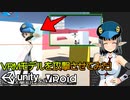
攻撃処理を実装してみました。
1つの動画にせずに2,3回に分ければよかったですね……
youtubeからの転載です。
GitHub(年収チェッカー)にリポジトリを作りました。
https://github.com/Syungetu/UnitytoVRMProject
興味あったらいじってみてね!
(AssetStoreのデータはPushしてないので各自Importしてください)
●UMotion Community ($Free)
https://assetstore.unity.com/packages/tools/animation/umotion-community-animation-editor-95986?locale=ja-JP
アニメーション作成アセットです
→UMotion Pro ($66)
https://assetstore.unity.com/packages/tools/animation/umotion-pro-animation-editor-95991
こちらのほうが高機能ですので、本格的にモーション作成する場合は
こちらを購入することをおすすめします
●Modern Guns: Handgun ($Free)
https://assetstore.unity.com/packages/3d/props/guns/modern-guns-handgun-129821
フリーの拳銃はこちらを使用しました
●Unityバージョン:Unity2019.4.15f1
UniVRMバージョン:v0.64.0
●あらすじBGM
White_Colors_Inc. written by Anonyment;
https://dova-s.jp/_contents/author/profile028.html
●本編BGM
サイバーホリデー written by クラウンジ
https://dova-s.jp/bgm/play13876.html
●Unity
https://unity.com/ja
●UniVRM
https://vrm.dev/
この動画ではユニティちゃんのアニメーションデータを使用しています
© Unity Technologies Japan/UCL
Blender(帽子モデル)
https://www.blender.org/
【初心者向け】UnityにVRoidで作ったVRMのモデルで、今までの作成した処理を使ってゲームを作っていくよ #12 【Unityプログラミング】
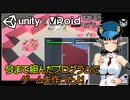
今まで紹介したものを使ってゲームを作ってみました!
アプリ化して配布しようかな?どうしようかな?
youtubeからの転載です。
GitHub(年収チェッカー)にリポジトリを作りました。
https://github.com/Syungetu/UnitytoVRMProject
興味あったらいじってみてね!
(AssetStoreのデータはPushしてないので各自Importしてください)
●UMotion Community ($Free)
https://assetstore.unity.com/packages/tools/animation/umotion-community-animation-editor-95986?locale=ja-JP
アニメーション作成アセットです
→UMotion Pro ($66)
https://assetstore.unity.com/packages/tools/animation/umotion-pro-animation-editor-95991
こちらのほうが高機能ですので、本格的にモーション作成する場合は
こちらを購入することをおすすめします
●Modern Guns: Handgun ($Free)
https://assetstore.unity.com/packages/3d/props/guns/modern-guns-handgun-129821
フリーの拳銃はこちらを使用しました
●Unityバージョン:Unity2019.4.15f1
UniVRMバージョン:v0.64.0
●あらすじBGM
White_Colors_Inc. written by Anonyment;
https://dova-s.jp/_contents/author/profile028.html
●本編BGM
サイバーホリデー written by クラウンジ
https://dova-s.jp/bgm/play13876.html
●Unity
https://unity.com/ja
●UniVRM
https://vrm.dev/
この動画ではユニティちゃんのアニメーションデータを使用しています
© Unity Technologies Japan/UCL
Blender(帽子モデル)
https://www.blender.org/
ニコニコ立体でVRMを魅力的に展示する方法についての一つの解

久々に動画編集したので、初投稿です。
VroidStudio使っている人の参考になれば幸いです。
対戦よろしくお願いします。
【ブレンダー入手参考動画】3DCGソフトで何ができるの?Blenderを導入してみよう!
https://youtu.be/0DrICEeAPYc
【アドオン入手】GithHUB saturday06/VRM_Addon_for_Blender
https://github.com/saturday06/VRM_Addon_for_Blender
【アドオン導入の参考になるHP】
https://jp.renderpool.net/how-to-import-vroid-to-blender/#VroidBlender
使用した素材とかはEDに記載
撮影
VRM Live Viewer ver.3.5.2
https://booth.pm/ja/items/1783082
3tene free V3
VMagicMirror
https://booth.pm/ja/items/1272298
出演3Dモデル
自作して配布してます。配布元はいいねで!
scriptタグでのJSファイルの読み込みコピペしてるとハマる?!【defer】
JavaScriptのファイルって実は読み込む場所を間違えると思ったように動作しない経験ってありませんか?
自分は最初の頃よく遭遇していて、ググってもイマイチ理解できませんでした。
本来なら読み込みについては軽くスキップせずに理解すべきなんですが、
学習教材やYoutubeではそこまで触れられていません。
小さなミスで時間を取られないようにJSファイルの読み込みの基本をまとめてみました。
テキストで確認したい方はこちら↓
https://lorem-co-ltd.com/js-file-import
この動画はReact初心者のWebデザイナーが勉強したことや初めて知ったことを復習と共有を目的に投稿します。
学習教材のような動画ではありませんが、Reactでのコーディング、Reduxでの状態管理など、多くのことを学びますので一緒にハンズオンで作業して頂く形で視聴していただくことができると思います。
また僕自身がreactの予備知識は必要ありませんので、
同じような初心者の方はもちろん、
「Web制作でコーディングは出来るけどReactもやってみたい」という方に見て頂けると嬉しいです。
ブログ:https://lorem-co-ltd.com/
Twitter:https://twitter.com/rubyprogram
引用元:https://youtu.be/v2tJ3nzXh8I