
キーワード LINUX が含まれる動画 : 2088 件中 193 - 224 件目
種類:
- タグ
- キーワード
対象:
AV Linux (42) ユーザ設定1

●もくじ
42 ユーザ設定1
① インストール
●AV Linux マイリスト mylist/64257007
●全体のもくじ
https://fumidtm.blogspot.com/2019/03/av-linux.html
sm34838411←前の動画 次の動画→sm34838498
#6[はーとふる彼氏]実況プレイですし![HatofulBoyfriend]
![#6[はーとふる彼氏]実況プレイですし![HatofulBoyfriend]](https://nicovideo.cdn.nimg.jp/thumbnails/35102329/35102329.71019)
前←sm35098685
次→sm35102389
パート1→sm35090478
୨୧┈┈┈┈┈┈┈┈┈┈┈┈┈┈┈୨୧
日本では平和の象徴の鳩ですが、他の国では食べちゃうんだって!美味しいんだって!
ニコ動の方をtubeより早く動画投稿してるんだよ!ってね。
୨୧┈┈┈┈┈┈┈┈┈┈┈┈┈┈┈୨୧
[Twitter]
https://twitter.com/YGOUMOUY
[nana]
https://nana-music.com/users/7719777
[YouTube ch]
http://bit.ly/2XLkOOo
୨୧┈┈┈┈┈┈┈┈┈┈┈┈┈┈┈୨୧
[これまでの実況動画]
はーとふる彼氏→ mylist/65480293
はーとふる彼氏ホリデースター→mylist/66255238
チャイルドオブライト→ mylist/sm35277269
青鬼3→マイリスト→mylist/66030482
リトルドラゴンズカフェ →https://www.nicovideo.jp/series/56767
フィンチ家の奇妙な屋敷でおきたこと→ mylist/65253550
HEAVY RAIN → mylist/64112173
ღごうのおすすめマイリストღ→mylist/66464345
୨୧┈┈┈┈┈┈┈┈┈┈┈┈┈┈┈୨୧
ジャンル: ビジュアルノベル、 恋愛シミュレーションゲーム、 乙女ゲーム、 泣きゲー
開発元: Hato Moa、 メディアトニック、 The Irregular Corporation
プラットフォーム: PlayStation 4、 Android、 PlayStation Vita、 iOS、 Microsoft Windows、 Linux、 Classic Mac OS、 macOS
୨୧┈┈┈┈┈┈┈┈┈┈┈┈┈┈┈୨୧
ルート 藤代 嘆(ふじしろ なげき)
エンディング エンド ED4
୨୧┈┈┈┈┈┈┈┈┈┈┈┈┈┈┈୨୧
shredコマンドで消去ミスを起こさず安全に使う工夫

以前、「shredコマンドを使って、ハードディスクの内容を完全消去する」のページで、Linuxのshredコマンドの紹介をしました。
shredコマンドは、使い勝手は良いのですが、反面調子に乗って、間違えて消さなくていいファイルも消してしまったりと、取り扱い注意なコマンドなので、コマンドを実行する際は自己責任で行ってくださいとお話ししました。
shredコマンドは便利ですが、間違えてファイルを消去してしまったときのダメージも大きく、危険で取り扱い注意なコマンドなのは確かなのですが、shredコマンドを使用する時、自己ルールを決めておくことによって、ある程度、消去ミスの事故を未然に防ぐことができます。
今回はshredコマンドで消去ミスを起こさず安全に使う工夫についてのお話です。
テキストはこちら
https://www.enzanbu.com/
![[10秒Linux]ざっくりわかる「egrep」](https://nicovideo.cdn.nimg.jp/thumbnails/40732448/40732448.38330484)
![[10秒Linux]ざっくりわかる「type」](https://nicovideo.cdn.nimg.jp/thumbnails/41154371/41154371.90658932)
![[10秒Linux]ざっくりわかる「whereis」](https://nicovideo.cdn.nimg.jp/thumbnails/41154424/41154424.27382801)
![[10秒Linux]総集編④ 疑似デバイス](https://nicovideo.cdn.nimg.jp/thumbnails/41362354/41362354.92999267)
空 タイムラプス動画 2017年12月 1日 : 曇り時々晴れ

Webカメラで空の様子を撮影したものをタイムラプス動画にしました。
タイムラプスマイリスト : mylist/60345025
音楽は作曲ソフトで適当に作ったものです。
撮影、動画作成、作曲にはLinuxを使っています。
使用ソフト
撮影:fswebcam
動画:ffmpeg
作曲:Sonic Pi
空 タイムラプス動画(長野) 2018年3月12日 : おおむね晴れ

Webカメラで空の様子を撮影したものをタイムラプス動画にしました。
タイムラプスマイリスト : mylist/60345025
音楽は作曲ソフトで適当に作ったものです。
撮影、動画作成、作曲にはLinuxを使っています。
使用ソフト
撮影:fswebcam
動画:ffmpeg
作曲:Sonic Pi
#11[はーとふる彼氏]実況プレイですし![HatofulBoyfriend]
![#11[はーとふる彼氏]実況プレイですし![HatofulBoyfriend]](https://nicovideo.cdn.nimg.jp/thumbnails/35130543/35130543.54344)
前←sm35126671
次→sm35139221
パート1→sm35090478
୨୧┈┈┈┈┈┈┈┈┈┈┈┈┈┈┈୨୧
学校の秘密に迫る!こういう展開いいね!
ありがちょ!
୨୧┈┈┈┈┈┈┈┈┈┈┈┈┈┈┈୨୧
[Twitter]
https://twitter.com/YGOUMOUY
[nana]
https://nana-music.com/users/7719777
[YouTube ch]
http://bit.ly/2XLkOOo
୨୧┈┈┈┈┈┈┈┈┈┈┈┈┈┈┈୨୧
[これまでの実況動画]
はーとふる彼氏→ mylist/65480293
はーとふる彼氏ホリデースター→mylist/66255238
チャイルドオブライト→ mylist/sm35277269
青鬼3→マイリスト→mylist/66030482
リトルドラゴンズカフェ →https://www.nicovideo.jp/series/56767
フィンチ家の奇妙な屋敷でおきたこと→ mylist/65253550
HEAVY RAIN → mylist/64112173
ღごうのおすすめマイリストღ→mylist/66464345
୨୧┈┈┈┈┈┈┈┈┈┈┈┈┈┈┈୨୧
ジャンル: ビジュアルノベル、 恋愛シミュレーションゲーム、 乙女ゲーム、 泣きゲー
開発元: Hato Moa、 メディアトニック、 The Irregular Corporation
プラットフォーム: PlayStation 4、 Android、 PlayStation Vita、 iOS、 Microsoft Windows、 Linux、 Classic Mac OS、 macOS
୨୧┈┈┈┈┈┈┈┈┈┈┈┈┈┈┈୨୧
ルート 坂咲 優夜(さかざき ゆうや)
エンディング エンド ED
୨୧┈┈┈┈┈┈┈┈┈┈┈┈┈┈┈୨୧
Memorandum (PC Doujin) - Sample

Memorandum (also known as: Memo) is a visual novel (+13) slice of life built with the Ren'Py engine. It was developed by: Doomfest and released as freeware in 2010.
As in most visual novels, the playthrough is viewed from the protagonist's perspective; in this case, from Hasegawa Seji, a boy who was transferred to another city and where he met two other characters: Liz and Kazumi. of course, most of the plot revolves around the narrative and from time to time, the player will be asked to make decisions that will change the course of history.
The story itself is short (-2 hours); But, to see all the endings, you must go through the plot several times making different decisions to see alternative CGs.
Currently, it is available for Windows, Mac OS, Linux and Android. It is also available in several languages: English, Russian and French respectively.
In this sample, play the first 10 minutes of walkthrough and here below I leave the link to download it for free from its original web-site:
Link to download free Memorandum:
https://web.archive.org/web/20161111081500/http://www.doomfest.com/memo/
Thanks for watching the video.
Can't Just Add Water (PC Indie) - Sample

Can't Just Add Water is a very short visual novel (for all ages) that tells a slice of life story about a girl and her older brother. It was written on the Ren'Py engine by Kxela Works and released as freeware in 2009 for PC (Windows, Mac OS and Linux).
The plot is very short (-2 hours); but, it has extra content at the end of the story; all as part of a Flash-Fiction project by its author: Alex Kobayashi.
Like many other visual novels, the story is based on humor and moe; thus, it is entertaining and enjoyable.
In this sample, play the first 10 minutes of walkthrough and here below I leave the link to download it for free:
Link to download free Can't Just Add Water:
https://vnkxela.weebly.com/downloads.html
Thanks for watching the video.
SCA SUSE Linux Enterprise Server 15 sca_sles15 Exam Questions

If you are going to take SUSE Certified Administrator in SUSE Linux Enterprise Server 15 sca_sles15 exam,we're here to provide high quality sca_sles15 Exam Dumps that will help you in the preparation of sca_sles15 exam which eventually will take you to the position of clearing this SUSE sca_sles15 exam.All you have to do is to make sure that you go through our sca_sles15 Exam Dumps at least one time to mark your success.It helps you practice in the sca_sles15 dumps so that you can have more confidence to pass your sca_sles15 exam before the actual test.
https://www.passcert.com/sca_sles15.html
![[10秒Linux]ざっくりわかる「ハードリンク」](https://nicovideo.cdn.nimg.jp/thumbnails/40762112/40762112.74397370)
![[10秒Linux]ざっくりわかる「bg」](https://nicovideo.cdn.nimg.jp/thumbnails/40862577/40862577.78829426)
![[LMMS]ぼうっとするのBGM、ドチダチ_ドドダチ〜](https://nicovideo.cdn.nimg.jp/thumbnails/41354107/41354107.72311116)
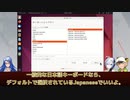
【第30話】Ubuntu Desktop 22.04 LTSをインストールするには(Part 3)
【動画の説明】
「Ubuntu Desktop 22.04 LTS」のインストール方法を紹介します。
今回は「Part 3」です。
【サイト】
・ウェブサイト:https://kledgeb.blogspot.com
・Youtube:http://bit.ly/3zpwuKT
・Twitter:https://twitter.com/kledgeb
【VOICEVOX】
・VOICEVOX:https://voicevox.hiroshiba.jp/
・pixivFANBOX:https://hiho.fanbox.cc(支援サイト)
【CV】
・VOICEVOX:後鬼
・VOICEVOX:白上虎太郎
・VOICEVOX:No.7
【Credits】
・Ubuntu:https://ubuntu.com/
・Pixabay:https://pixabay.com/
・Pixels Videos & Pixels Photos:https://www.pexels.com・videvo.net Stock footage provided by Videvo, downloaded from videvo.net :https://www.videvo.net/profile/videvohttps://www.videvo.net
【BGM】
・Lucky Baby:https://dova-s.jp/bgm/play16230.html
・In the Breeze:https://dova-s.jp/bgm/play16963.html
・夏色スムージー:https://dova-s.jp/bgm/play16984.html
・Bright Daytime:https://dova-s.jp/bgm/play16789.html
・STARDUST LEMON:https://dova-s.jp/bgm/play16781.html
![[10秒Linux]ざっくりわかる「route」](https://nicovideo.cdn.nimg.jp/thumbnails/42101795/42101795.14531025)
balena Etcherのダウンロード、LiveUSBの作成方法

参考さしていただいたホームページ
balenaEtcherrのダウンロードサイト
https://www.balena.io/etcher#download-etcher
BGM
ねこワークショップ
https://commons.nicovideo.jp/material/nc240070
効果音
打撃音
https://commons.nicovideo.jp/material/nc233726
画像
(雑)打撃・爆破
https://commons.nicovideo.jp/material/nc150054
過去の関連動画
LiveUSBの作成アプリオススメ4選
ユーチューブ
https://youtu.be/tbuX7goIHxk
ニコニコ動画
https://www.nicovideo.jp/watch/sm42009302?ref=garage_share_other
インストールコマンド
curl -1sLf 'https://dl.cloudsmith.io/public/balena/etcher/setup.deb.sh' | sudo -E bash
sudo apt-get update
sudo apt-get install balena-etcher-electron
このコマンドは、ウブンツ、デビアン派生のLinuxデストリビューションで使用してください。
下手な編集となってますが、
見てもらえると、
幸いです。
フォロー
チャンネル登録
コメント、評価
お願いします。(^-^)/
空 タイムラプス動画 2017年12月15日 : 晴れ時々曇り

Webカメラで空の様子を撮影したものをタイムラプス動画にしました。
タイムラプスマイリスト : mylist/60345025
音楽は作曲ソフトで適当に作ったものです。
撮影、動画作成、作曲にはLinuxを使っています。
使用ソフト
撮影:fswebcam
動画:ffmpeg
作曲:Sonic Pi
空 タイムラプス動画 2017年12月23日 : おおむね晴れ (一時雪)

Webカメラで空の様子を撮影したものをタイムラプス動画にしました。
タイムラプスマイリスト : mylist/60345025
音楽は作曲ソフトで適当に作ったものです。
撮影、動画作成、作曲にはLinuxを使っています。
使用ソフト
撮影:fswebcam
動画:ffmpeg
作曲:Sonic Pi
AV Linux (16) アップグレード

●もくじ
16 アップグレード
① アップグレード
●AV Linux マイリスト mylist/64257007
●全体のもくじ
https://fumidtm.blogspot.com/2019/03/av-linux.html
sm34837822←前の動画 次の動画→sm34837868
AV Linux (22) Synapticパッケージマネージャ

●もくじ
22 Synapticパッケージマネージャ
① Synapticパッケージマネージャ
●AV Linux マイリスト mylist/64257007
●全体のもくじ
https://fumidtm.blogspot.com/2019/03/av-linux.html
sm34837958←前の動画 次の動画→sm34838001
AV Linux (18) デスクトップの設定など

●もくじ
18 デスクトップの設定など
① デスクトップアイコンの設定
② ワークスペースの設定
③ ウインドウの透明度の設定
●AV Linux マイリスト mylist/64257007
●全体のもくじ
https://fumidtm.blogspot.com/2019/03/av-linux.html
sm34837868←前の動画 次の動画→sm34837895
![[10秒Linux]ざっくりわかる「groupdel」](https://nicovideo.cdn.nimg.jp/thumbnails/40470697/40470697.73337517)
![[10秒Linux]ざっくりわかる「xz」](https://nicovideo.cdn.nimg.jp/thumbnails/40715159/40715159.78169706)
![[10秒Linux]ざっくりわかる「which」](https://nicovideo.cdn.nimg.jp/thumbnails/40762051/40762051.73973216)
【第49話】Ubuntu Desktop 22.04 LTSのデスクトップとドックをカスタマイズしよう(中編)
【動画の説明】
「Ubuntu Desktop 22.04 LTS」のデスクトップやドックを、設定アプリからカスタマイズする方法を紹介します。
今回の動画は「中編」です。
【サイト】
・ウェブサイト:https://kledgeb.blogspot.com
・Youtube:https://www.youtube.com/@kledgeb
・Twitter:https://twitter.com/kledgeb
【VOICEVOX】
・VOICEVOX:https://voicevox.hiroshiba.jp/
・pixivFANBOX:https://hiho.fanbox.cc(支援サイト)
【CV】
・VOICEVOX:後鬼
・VOICEVOX:白上虎太郎
・VOICEVOX:No.7
・VOICEVOX:もち子(cv 明日葉よもぎ)
【BGM】
・Lucky Baby:https://dova-s.jp/bgm/play16230.html
・お菓子作り:https://dova-s.jp/bgm/play17037.html
・STARDUST LEMON:https://dova-s.jp/bgm/play16781.html
空 タイムラプス動画 2017年12月10日 : 晴れ時々曇り

Webカメラで空の様子を撮影したものをタイムラプス動画にしました。
タイムラプスマイリスト : mylist/60345025
音楽は作曲ソフトで適当に作ったものです。
撮影、動画作成、作曲にはLinuxを使っています。
使用ソフト
撮影:fswebcam
動画:ffmpeg
作曲:Sonic Pi
空 タイムラプス動画 2017年12月31日 : 曇りのち晴れ

Webカメラで空の様子を撮影したものをタイムラプス動画にしました。
タイムラプスマイリスト : mylist/60345025
音楽は作曲ソフトで適当に作ったものです。
撮影、動画作成、作曲にはLinuxを使っています。
使用ソフト
撮影:fswebcam
動画:ffmpeg
作曲:Sonic Pi
空 タイムラプス動画 2018年1月9日 : 曇り時々晴れ

Webカメラで空の様子を撮影したものをタイムラプス動画にしました。
タイムラプスマイリスト : mylist/60345025
音楽は作曲ソフトで適当に作ったものです。
撮影、動画作成、作曲にはLinuxを使っています。
使用ソフト
撮影:fswebcam
動画:ffmpeg
作曲:Sonic Pi