
キーワード Local が含まれる動画 : 1392 件中 1121 - 1152 件目
種類:
- タグ
- キーワード
対象:
Local Rank Hero

Here at Local Rank Hero, we do things differently than other marketing agencies. Instead of trying to sell you on complex marketing strategies or the latest flashy tactics, we get you consistent results by focusing on the fundamentals. We build professional websites that help you get more leads and use Local SEO to get your business found by potential customers. It really is as simple as that. If you’re feeling lost when it comes to growing your business online, or you’ve invested in marketing already but haven’t seen the results you want, reach out to us today! We’ll take a look at your current marketing and help you with a straightforward plan to hit your goals. No fluff. No frills. Just practical strategies that get you real results.
Local Rank Hero
872 Higuera St Suite 321, San Luis Obispo, CA 93401
(408) 905-8776
https://localrankhero.com/san-luis-obispo-web-design-company
Local Rank Hero

Here at Local Rank Hero, we do things differently than other marketing agencies. Instead of trying to sell you on complex marketing strategies or the latest flashy tactics, we get you consistent results by focusing on the fundamentals. We build professional websites that help you get more leads and use Local SEO to get your business found by potential customers. It really is as simple as that. If you’re feeling lost when it comes to growing your business online, or you’ve invested in marketing already but haven’t seen the results you want, reach out to us today! We’ll take a look at your current marketing and help you with a straightforward plan to hit your goals. No fluff. No frills. Just practical strategies that get you real results.
Local Rank Hero
1900 Camden Ave Suite 203-2, San Jose, CA 95124
(669) 444-0244
https://localrankhero.com/san-jose-web-design-company

[Tsinghua University & Tencent AI Lab, oral] Multi-scale Motion Retargeting at IJCNN 2024, Yokohama
![[Tsinghua University & Tencent AI Lab, oral] Multi-scale Motion Retargeting at IJCNN 2024, Yokohama](https://nicovideo.cdn.nimg.jp/thumbnails/43746917/43746917.67387578)
Abstract:
We present a simple yet effective method for skeleton-agnostic motion retargeting. Previous methods transfer motion between high-resolution meshes, failing to preserve the inherent local-part motions in the mesh. Addressing this issue, our proposed method learns the correspondence in a coarse-to-fine fashion by disentangling the retargeting process within multi-scale meshes. First, we propose a mesh-pooling module that pools the mesh representations for better motion transfer. This module improves the ability to handle small-part motion and preserves the local motion interdependence between neighboring mesh vertices. Furthermore, we leverage a multi-scale refinement procedure to complement missing mesh details by gradually refining the low-resolution mesh output with a higher-resolution one. We evaluate our method on several well-known 3D character datasets, and it yields an average improvement of 25% on point-wise mesh Euclidean distance (PMD) against the start-of-art method. Qualitative results show that our method is significantly helpful in preserving the moving consistency of different body parts on the target character due to disentangling body-part structures...
[Tsinghua University, oral] Graph Shortest-path Distance Estimation at IJCNN 2024, Yokohama
![[Tsinghua University, oral] Graph Shortest-path Distance Estimation at IJCNN 2024, Yokohama](https://nicovideo.cdn.nimg.jp/thumbnails/43746835/43746835.68382850)
Abstract:
We propose an effective hybrid approach jointly leveraging local and global features for shortest-path (SP) distance estimation in domain-agnostic large-scale graphs. Previous works struggle to make estimations either from node-wise local embeddings or by compressing a global SP distance matrix, causing insufficient learning at some distance and loss of accuracy. Unlike them, we find a way to better preserve local distance on node embeddings, and then integrate them with a global process for accurate estimation at every distance. First, we propose a distance-consistent embedding method that better preserves the distance between each node and its local neighbors due to resampling node occurrence on random walks. Second, we train a feed-forward network with boosting techniques (FFN-BT) to estimate SP distance from these embeddings plus existing global features. Experimental results show that our approach averagely yields 10% improved accuracy and 20% reduced time when compared to existing methods on a broad class of graphs.
【DOAXVV】 16K解像度 最高画質設定(被写界深度OFF)
【FHD→16K fix】
80 07 00 00 38 04
↓
00 3C 00 00 C0 21
ーーーーーーーーーーーーーーーーーーーーーーーーー
新【4Kモニターを16K解像度に変更する方法】
※2880×2160pを作り使用するとOSが壊れたので、Cドライブのバックアップ必須。(2回検証済)
※5760×4320p・7860×4360p・11520×8640p・15360×8640pで無事に解像度変更できることを確認済み。
※16Kに変更するとき、いちいちPCを再起動しなくて済む。
h ttps://framedsc.com/GeneralGuides/custom_dsr_resolutions.htm
ーーーーーーーーーーーーーーーーーーーーーーーーー
旧【4Kモニターを16K解像度に変更する方法】
※16Kに変更するとき、いちいちPCを再起動しなくてはいけない。
レジストリエディダ
↓
コンピューター\HKEY_LOCAL_MACHINE\SYSTEM\ControlSet001\Control\GraphicsDrivers\Configuration\DELA137F28YVW2_10_07E4_34^BBCBA60A0961B97FC7DFC87230EB3628\00
↓
PrimSurfSize.cx→15360
PrimSurfSize.cy→8640
↓
PC再起動
ーーーーーーーーーーーーーーーーーーーーーーーーー
【PC Spec】
Monitor:Dell ALIENWARE AW5520QF(4K 120Hz)
CPU:i9 12900K(5.2GHz)
GPU: INNO3D GeForce RTX 4090 X3 OC WHITE
M/B:Asrock z690 steel legend wifi 6e/d5
RAM:DDR4 3200MHz 4×8GB
PSU:Super Flower「Leadex Platinum 2000W」
OS SSD:Samsung960 PRO 1TB
Game SSD:Samsung PM1725a 6.4TB
【デレステ】『バベル』16K解像度で動かしてみた。
【画質設定】
《モード》
・3Dリッチ
《オプション》
[観客表示設定]・3D/シルエットあり
[解像度設定]・高画質
ーーーーーーーーーーーーーーーーーーーーーーーーー
りんすき様ブログ
『デレステのウィンドウをリサイズして疑似フルスクリーンにしたりするやつを作った【StarlightResize】』
→https://rinsuki.hatenablog.jp/entry/2021/09/05/234445
ーーーーーーーーーーーーーーーーーーーーーーーーー
新【4Kモニターを16K解像度に変更する方法】
※2880×2160pを作り使用するとOSが壊れたので、Cドライブのバックアップ必須。(2回検証済)
※5760×4320p・7860×4360p・11520×8640p・15360×8640pで無事に解像度変更できることを確認済み。
※16Kに変更するとき、いちいちPCを再起動しなくて済む。
https://framedsc.com/GeneralGuides/custom_dsr_resolutions.htm
ーーーーーーーーーーーーーーーーーーーーーーーーー
旧【4Kモニターを16K解像度に変更する方法】
※16Kに変更するとき、いちいちPCを再起動しなくてはいけない。
レジストリエディダ
↓
コンピューター\HKEY_LOCAL_MACHINE\SYSTEM\ControlSet001\Control\GraphicsDrivers\Configuration\DELA137F28YVW2_10_07E4_34^BBCBA60A0961B97FC7DFC87230EB3628\00
↓
PrimSurfSize.cx→15360
PrimSurfSize.cy→8640
↓
PC再起動
ーーーーーーーーーーーーーーーーーーーーーーーーー
【PC Spec】
Monitor:Dell ALIENWARE AW5520QF(4K 120Hz)
CPU:i9 12900K(5.2GHz)
GPU: INNO3D GeForce RTX 4090 X3 OC WHITE
ーーーーーーーーーーーーーーーーーーーーーーーーー
YouTube8K版→https://youtu.be/AXRgLtNBVTU
【グルーヴコースター4MAX】 オンライン対戦イベント(エミュ鯖)
「GC-local-server-rewrite」と「GCRelayServer」を使用して、オンライン対戦イベントを実装してみました。
以下の手順で動画内でプレイしているオンライン対戦イベントをプレイできます。
設定手順
1.イベント設定ファイルをダウンロードし解凍する。
https://drive.google.com/file/d/1bTCByGElVmUde-SaC-h8Iqvcfua5xmbg/view?usp=sharing
2.GC-local-server-rewriteの「wwwroot」フォルダへ、先ほど解凍したフォルダ「Events」をコピーする。
3.グルーヴコースター4MAX Ver4.74以外のバージョンで使用する場合は、テキストエディタで「event_103_20201125.evt」を開き、「ver = 」の箇所を使用するバージョンに書き換える。
4.GC-local-server-rewriteのevents.jsonを開き、「UseEvents」の「false」を「true」に書き換える。
5.「GCRelayServer」を起動する。
6.「GC-local-server-rewrite」を起動する。
7.グルーヴコースター4MAXを起動してしばらく待つ。
起動後1分待ってもイベントが表示されない場合はグルーヴコースター4MAXを再起動する。
GC-local-server-rewrite
https://github.com/asesidaa/GC-local-server-rewrite
GCRelayServer
https://github.com/asesidaa/GC-local-server-rewrite/releases/tag/v3.1.0-beta
【グルーヴコースター4MAX】 ソロイベントテスト(エミュ鯖)

グルーヴコースター4MAXのソロイベントをエミュ鯖(GC-local-server-rewrite)で実装してみました。
以下の手順で動画内でプレイしているソロイベントをプレイできます。
設定手順
1.イベント設定ファイルをダウンロードし解凍する。
https://drive.google.com/file/d/1uxFS5qwMwiSkRkn382xq0brBERYo-3M_/view
2.GC-local-server-rewriteの「wwwroot」フォルダへ、先ほど解凍したフォルダ「Events」をコピーする。
3.グルーヴコースター4MAX Ver4.74以外のバージョンで使用する場合は、テキストエディタで「event_103_20201125.evt」を開き、「ver = 」の箇所を使用するバージョンに書き換える。
4.GC-local-server-rewriteのevents.jsonを開き、「UseEvents」の「false」を「true」に書き換える。
5.「GC-local-server-rewrite」を起動する
6.グルーヴコースター4MAXを起動してしばらく待つ。
起動後1分待ってもイベントが表示されない場合はグルーヴコースター4MAXを再起動する。
GC-local-server-rewrite
https://github.com/asesidaa/GC-local-server-rewrite
【グルーヴコースター4MAX】RHYTHMVADERSチュートリアル
RHYTHMVADERSチュートリアルです。
「GC-local-server-rewrite」の楽曲DBを改造してプレイできるようにしました。
改造方法
GC-local-server-rewriteの「Database」フォルダ内の「music474omni.db3」をSQLiteが編集できるソフトで開く
「music_extra」テーブルを開き、以下のレコードを追加する
music_id=952,title=a,artist=a,release_date=2017-01-01 08:00:00,end_date=2030-01-01 08:00:00
GC-local-server-rewrite
https://github.com/asesidaa/GC-local-server-rewrite
【グルーヴコースター 4MAX】「The Star-Spangled Banner(没曲)」 [Hard]
![【グルーヴコースター 4MAX】「The Star-Spangled Banner(没曲)」 [Hard]](https://nicovideo.cdn.nimg.jp/thumbnails/43732699/43732699.64996193)
スマホ版にのみ収録されている曲です。
アーケード版にも移植はされていますが、通常はプレイ不可です。「GC-local-server-rewrite」を使用することによってプレイ可能にしています。
譜面はスマホ版と同じようです。
GC-local-server-rewrite:https://github.com/asesidaa/GC-local-server-rewrite
【グルーヴコースター 4MAX】「Streetwalker(没曲)」 [Hard]
![【グルーヴコースター 4MAX】「Streetwalker(没曲)」 [Hard]](https://nicovideo.cdn.nimg.jp/thumbnails/43732685/43732685.17998073)
スマホ版にのみ収録されている曲です。
アーケード版にも移植はされていますが、通常はプレイ不可です。「GC-local-server-rewrite」を使用することによってプレイ可能にしています。
譜面はスマホ版と同じようです。
GC-local-server-rewrite:https://github.com/asesidaa/GC-local-server-rewrite
【グルーヴコースター 4MAX】「Eclipse Landscape(没曲)」 [Hard]
![【グルーヴコースター 4MAX】「Eclipse Landscape(没曲)」 [Hard]](https://nicovideo.cdn.nimg.jp/thumbnails/43732668/43732668.77461897)
スマホ版にのみ収録されている曲です。
アーケード版にも移植はされていますが、通常はプレイ不可です。「GC-local-server-rewrite」を使用することによってプレイ可能にしています。
譜面はスマホ版と同じようです。
GC-local-server-rewrite:https://github.com/asesidaa/GC-local-server-rewrite
【グルーヴコースター 4MAX】「Eurythmics Trip(没曲)」 [Hard]
![【グルーヴコースター 4MAX】「Eurythmics Trip(没曲)」 [Hard]](https://nicovideo.cdn.nimg.jp/thumbnails/43731815/43731815.34874447)
スマホ版にのみ収録されている曲です。
アーケード版にも移植はされていますが、通常はプレイ不可です。「GC-local-server-rewrite」を使用することによってプレイ可能にしています。
譜面はスマホ版と同じようです。
GC-local-server-rewrite:https://github.com/asesidaa/GC-local-server-rewrite
【グルーヴコースター 4MAX】 「You've Gatta Luv(没曲)」 [Hard]
![【グルーヴコースター 4MAX】 「You've Gatta Luv(没曲)」 [Hard]](https://nicovideo.cdn.nimg.jp/thumbnails/43731809/43731809.97253171)
スマホ版にのみ収録されている曲です。
アーケード版にも移植はされていますが、通常はプレイ不可です。「GC-local-server-rewrite」を使用することによってプレイ可能にしています。
譜面はスマホ版と同じようです。
GC-local-server-rewrite:https://github.com/asesidaa/GC-local-server-rewrite
【グルーヴコースター 4MAX】「 Invader GIRL!」 [EXTRA(没譜面)]
![【グルーヴコースター 4MAX】「 Invader GIRL!」 [EXTRA(没譜面)]](https://nicovideo.cdn.nimg.jp/thumbnails/43731594/43731594.64715100)
グルーヴコースター 4MAXの「Invader GIRL!」の没譜面です。
譜面はSteam版と同じようです。
「GC-local-server-rewrite」の楽曲DBを改造することでプレイ可能にしています。
改造方法
GC-local-server-rewriteの「Database」フォルダ内の「music474omni.db3」をSQLiteが編集できるソフトで開く
「music_extra」テーブルを開き、以下のレコードを追加する
music_id=124,use_flag=1
GC-local-server-rewrite:https://github.com/asesidaa/GC-local-server-rewrite
【グルーヴコースター 4MAX】 グルーヴコースター 3 Ver.3.00 チュートリアル
グルーヴコースター 3のVer.3.00にのみ存在していたチュートリアルです。
通常ではプレイは不可能ですが、「GC-local-server-rewrite」を使用することによってプレイ可能にしています。
GC-local-server-rewrite
github.com/asesidaa/GC-local-server-rewrite
【グルーヴコースター 4MAX】 プレイ動画(エミュ鯖)
グルーヴコースター4 MAXを新規NESiCAでプレイした際の動画です。
エミュ鯖(GC-local-server-rewrite)に接続している影響で、通常プレイとは一部仕様が異なります。
GC-local-server-rewrite:https://github.com/asesidaa/GC-local-server-rewrite
リワード画面には通常「LINK LINK FEVER」は表示されませんが、設定を変更することで表示可能です。
リワードから解禁する以外にプレイ手段がないので、プレイしたい方は以下の手順で設定を変更してください。
設定手順
GC-local-server-rewriteの「Configurations」フォルダ内にある「game.json」を開く
以下の設定情報を変更する
変更前
{
"RewardId": 1,
"RewardType": "Item",
"TargetId": 1,
"TargetNum": 1,
"KeyNum": 1
}
変更後
{
"RewardId": 1,
"RewardType": "Music",
"TargetId": 474,
"TargetNum": 1,
"KeyNum": 1
}
同じ曲が大量に表示される現象を回避するには以下のファイルを置き換えてください。
対象ファイル
Game.exeが入っているフォルダ\data\boot\stage_param.datを以下のファイルに置き換える。
https://mega.nz/file/nkk2zKJI#GxR7dfuBLAgpolBtvTKuzn1SRoy4n-_ByE38B8fA5Kg%C2%A0
【タイムリープべんちまーく】8K (5760×4320p) 無理やり4:3比率に対応させてみた。

16K 4:3(11520×8640p) 4:3最適化動画→sm43758205
■バイナリ変更箇所→https://gyazo.com/f55d0b8219b6f604f48fd053823af0a2
(800×600を8K、1024×768を4Kに置き換えています)
【4Kモニターで8K (5760×4320p)でプレイする方法】
①ゲームバイナリ書き換え https://gyazo.com/f55d0b8219b6f604f48fd053823af0a2
②4KモニターをDSR×4で8Kにする。(←これをしないとバイナリを8Kに書き換えてもゲームランチャーの解像度選択に8Kが出てこない。)
③レジストリエディダで「コンピューター\HKEY_LOCAL_MACHINE\SYSTEM\CurrentControlSet\Control\GraphicsDrivers\Configuration\DELA137F28YVW2_10_07E4_34^BBCBA60A0961B97FC7DFC87230EB3628\00」を開きPrimSurfSize.cx→9600
PrimSurfSize.cy→4320にする。
④PC再起動するとディスプレイ解像度が9600×4320pになる。
⑤ゲームをウィンドウモードの7860×4320pで立ち上げる。
〖解説〗
バイナリで8Kに対応させると、内部レンダリング5760×4320pが7680×4320pの枠に引き延ばされます。
2880×2160pの時とは違って、NVIDIAコントロールパネルで疑似8Kを4:3比率にはできない。
レジストリでモニター解像度を5760×4320pにしても、ゲーム側が5760×4320pを認識しない。
物理的16:9比率モニターに仮想20:9比率画面を映して、横の比率-4引き延ばされている分を、左右圧縮させ12:9(4:3)にしました。
※キャラモデリングの比率は正常になりますが、テキスト文字は縦長になってしまいます。
説明へたくそですみません。
結論:8K TV買った方が楽
【タイムリープ体験版】はFANZA GAMEで体験版DL可能。
バイナリ参考サイト→https://www.wsgf.org/article/common-hex-values
【バニーガーデン】16K 解像度
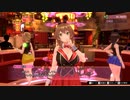
モニター解像度のレジストリ設定を16Kに変更して、55インチ 4Kモニターでプレイ。
ーーーーーーーーーーーーーーーーーーーーーーーーー
新【4Kモニターを16K解像度に変更する方法】
※2880×2160pを作り使用するとOSが壊れたので、Cドライブのバックアップ必須。(2回検証済)
※5760×4320p・7860×4360p・11520×8640p・15360×8640pで無事に解像度変更できることを確認済み。
※16Kに変更するとき、いちいちPCを再起動しなくて済む。
h ttps://framedsc.com/GeneralGuides/custom_dsr_resolutions.htm
ーーーーーーーーーーーーーーーーーーーーーーーーー
旧【4Kモニターを16K解像度に変更する方法】
※16Kに変更するとき、いちいちPCを再起動しなくてはいけない。
レジストリエディダ
↓
コンピューター\HKEY_LOCAL_MACHINE\SYSTEM\ControlSet001\Control\GraphicsDrivers\Configuration\DELA137F28YVW2_10_07E4_34^BBCBA60A0961B97FC7DFC87230EB3628\00
↓
PrimSurfSize.cx→15360
PrimSurfSize.cy→8640
↓
PC再起動
ーーーーーーーーーーーーーーーーーーーーーーーーー
タスクマネージャーからバニーガーデンを最大化
(Steam起動オプションでも解像度変更可)
-screen-width 15360 -screen-height 8640 -popupwindow
ーーーーーーーーーーーーーーーーーーーーーーーーー
【PC Spec】
Monitor:Dell ALIENWARE AW5520QF(4K 120Hz)
CPU:i9 12900K(5.2GHz)
GPU: INNO3D GeForce RTX 4090 X3 OC WHITE
M/B:Asrock z690 steel legend wifi 6e/d5
RAM:DDR4 3200MHz 4×8GB
PSU:Super Flower「Leadex Platinum 2000W」
OS SSD:Samsung960 PRO 1TB
Game SSD:Samsung PM1725a 6.4TB
ーーーーーーーーーーーーーーーーーーーーーーーーー
4K版動画YouTube→https://youtu.be/4Jxt-thNfBs
百年前の日本人の写真と神社巡り 元はお寺の鎮守 鍛冶稲荷神社

100年前の日本人の写真とともに 東京神社
鍛冶稲荷神社 東京都荒川区西日暮里2-50
出典
Blacksmiths - Cutting a Piece of Iron in Two.about 1873 - 1883.Shinichi Suzuki.The Getty Museum
https://www.getty.edu/art/collection/...
PIGGY BACK PRAYER AT THE LOCAL TEMPLE IN JAPAN
https://flic.kr/p/4JNokF
Library of Congress,A Japanese blacksmith.1896.2020638003
Blacksmiths - Cutting a Piece of Iron in Two.about 1873 - 1883.Shinichi Suzuki.The Getty Museum
https://www.getty.edu/art/collection/...
PIGGY BACK PRAYER AT THE LOCAL TEMPLE IN JAPAN
Library of Congress,Japanese blacksmith.Japanese blacksmith.2020637749
東大寺大鐘明治5年(1872)R-1158
https://colbase.nich.go.jp/collection...
BGM
甘茶の音楽工房
Juniper JN0-460 Mist AI Wired, Specialist (JNCIS-MistAI-Wired)試験問題集-日本語版と英語版

Juniper JN0-460試験は、Juniper Networks Certified Internet Specialist (JNCIS-SP)認定の一部であり、主にサービスプロバイダー向けのルーティング、スイッチング、およびサービスに関連する技術に焦点を当てています。以下は、JN0-460試験の一般的な内容です:
Junosソフトウェアシステムのアーキテクチャ: JuniperのJunosオペレーティングシステムの概要と基本的なコンポーネントに関する理解。Junosの構成と管理方法、およびJunosの機能とアーキテクチャに関する知識が含まれます。
ルーティングプロトコル: OSPF(Open Shortest Path First)、BGP(Border Gateway Protocol)、IS-IS(Intermediate System to Intermediate System)などのルーティングプロトコルの概要と設定に関する理解。ルーティングポリシーの実装、トラフィックエンジニアリング、および高度なルーティング機能に焦点を当てることもあります。
サービスプロバイダーネットワーキングテクノロジー: MPLS(Multiprotocol Label Switching)、L2VPN(Layer 2 Virtual Private Network)、L3VPN(Layer 3 Virtual Private Network)など、サービスプロバイダー環境で使用されるネットワーキングテクノロジーの理解。
IPv6: IPv6プロトコルの概要、IPv6アドレス構造、IPv6ルーティングとアドレス割り当ての理解。IPv6トンネリング、IPv6ルーティングプロトコル(OSPFv3、BGP4+)などに関する知識。
以太ネットワーキング: イーサネットテクノロジー、VLAN(Virtual Local Area Network)の概要と設定、スイッチング機能(STP、VSTP、RSTPなど)の理解。
Juniper JN0-460試験は、サービスプロバイダー向けのネットワーキング技術に関する幅広い知識と理解を評価します。試験の内容はJuniperの最新のテクノロジーとベストプラクティスに基づいており、ネットワークエンジニアが実際の環境で効果的に作業するためのスキルを備えていることを確認します。
最新試験参考書:https://www.gowukaku.com/jn0-460-mondaishu.html
【人気女性漫画家】3年で2億所得での脱税を告発され「もう払いました」ファンも擁護しまくるもしっかり起訴されてしまうw知りませんでしたの言い訳も名前晒され打ち切り危機に!!

もう大丈夫!!の後にしっかり起訴されるw□
参考リンク
https://www.yomiuri.co.jp/local/kyushu/news/20240402-OYTNT50041/
https://www.yomiuri.co.jp/national/20240405-OYT1T50048/
https://ja.wikipedia.org/wiki/ねこクラゲ
https://x.com/takigare3sub/status/1774743849858175032
気になるニュースをもとみつが話ししていきます。
知識が多いわけではないですが、少しずつ勉強しながらお伝えできたら思います。
よろしくお願いします。
【楽曲提供:株式会社アイリング】
twitter
→https://twitter.com/M62185059
#薬屋のひとりごと
#ねこクラゲ

【PV】Namewee 黃明志 DANNOK

Listen to this song while eating LEAVES and you will fly~□
Dannok, a vibrant gem nestled at the Thailand-Malaysia border, beckons travelers with its unique blend of culture, cuisine, and charm. Here, visitors can immerse themselves in an array of enchanting attractions, from serene temples to bustling markets. The region's culinary landscape is a feast for the senses, offering an array of mouth-watering Thai delicacies, from spicy Tom Yum soup to the sweet, subtle flavors of Mango Sticky Rice. Dannok's beauty extends beyond its landscape, embodied in the warm smiles and hospitality of its people. The nightlife buzzes with energy, presenting an opportunity to experience the local culture in its most colorful form...
北海道郷土料理いももちを圧縮して食べました。I ate compressed sweet potato mochi, a local Hokkaido dish.

北海道郷土料理いももちを圧縮して食べました。I ate compressed sweet potato mochi, a local Hokkaido dish.
ハレンチ懇親会問題 品性がないのが政治家

自民和歌山ハレンチ懇親会の仰天実態…“チップ口移し”は世耕弘成氏「新旧秘書」の低俗コラボだった!
https://news.yahoo.co.jp/articles/d1ba89808702c97b5b2fb5583de8a09f31521781
「時代錯誤」「火に油」 自民ダンサー問題、与野党が批判
https://news.yahoo.co.jp/articles/04900eae1504e96bea434e0c9d11af9be1d8e783
女性ダンサー問題で自民内から批判多数、後任の鈴木貴子青年局長「火に油を注ぐ事態で心苦しい」
https://news.yahoo.co.jp/articles/bb4d6604b2bab380e1f48c096d25ee4670d0150e
自民党の「緩み・たるみ・おごり」頂点に ハレンチ懇親会、青年局関係の行事でこれほど幼稚でふざけた話は聞いたことがない
https://www.zakzak.co.jp/article/20240314-4YRYOXNC5NJ4JOS5DQWI257FLM/2/
橋下徹氏 自民党ハレンチ懇親会の時代錯誤ぶりに辟易「これからの時代担う政治家が…めまいが」
https://news.yahoo.co.jp/articles/0c3e4054ff8c4f88855a40631a8b9fc4a322d424
橋下維新 主な「不祥事」記録
https://satoshi-fujii.com/ishin_scandal/
維新、不祥事続発…新人大幅増、教育に手が回らず
https://www.yomiuri.co.jp/local/kansai/news/20230613-OYO1T50000/
立憲・重徳和彦衆院議員(52)にわいせつ疑惑 「報道は事実無根」と否定 「強引に体触られた」と50代女性が被害届
https://news.yahoo.co.jp/articles/8bae22c16d2998742639deaf32d9f7891337d78a
相次ぐ立民の不祥事 自民には「援護射撃」
https://www.sankei.com/article/20220516-OIYUOX3QOJLJFL5MQRHM6NQ7BQ/
立憲民主党、早くも2人目の“セクハラ”処分
https://news.tv-asahi.co.jp/news_politics/articles/000113629.html
思った以上に酷い甲賀市消防本部のいじめ

ハラスメント背景か 甲賀消防本部 今年度、全職員の1割退職
https://news.yahoo.co.jp/articles/91fb2229ec312f37546b83353b5deee4deb2965f
「重大な人権侵害」第三者委指摘 コロナワクチン未接種職員を廊下脇に隔離、接種を執ように要請
https://news.yahoo.co.jp/articles/31ef66498efa85af64f3ae7a9a651dede42bfc96
ワクチン未接種の消防職員隔離は「重大ハラスメント」 第三者委
https://news.yahoo.co.jp/articles/d6359a9cf41d4324596b70d0c44652a5c93299d1
ワクチン未接種女性の業務を区分、「いじめで重大な人権侵害」
https://www.yomiuri.co.jp/local/kansai/news/20231227-OYO1T50009/
甲賀市のワクチンいじめ 重大な人権侵害と結論
https://www.nicovideo.jp/watch/sm43207507
甲賀市消防本部 いじめ退職さらに3人
https://www.nicovideo.jp/watch/sm42395233
ワクチン非接種者への陰湿ないじめ
https://www.nicovideo.jp/watch/sm42300365
皆でパズル!!「アジア数独選手権(ASC)国内予選2024」を振り返る会3日目(終)【ニコ生】2024/01/23
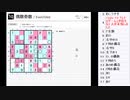
2023/12/2(土)に開催された「アジア数独選手権(ASC)国内予選2024」に向けて、
視聴者の皆さんと共に、じっくりまったり振り返ってまいります。
2024/01/23にニコ生で放送したものです(co51591)。
問題ファイルのダウンロードはこちら。
https://jppuzzles.com/download_asc2024local/
偶数奇数、アウトサイドを実施。
難しすぎない中級者にも優しい良問ですが、早く解くとなると……難しい(笑)。
そして、日本パズル連盟のクリスマスパズルにも着手を開始。
易しいものからは歯ごたえのあるもの、更に年賀もあるので長く楽しめそう。
それにしても……お絵描きヤバかった(汗)。
2007年のエロゲ【タイムリープべんちまーく】8K RTX4090

4:3最適化動画→sm43758205
画質設定→https://gyazo.com/19578f2b175ebc81a5964cad563c173f
ソフトフィルタとHDRを同時に有効にするとダメみたいです。
HDR有効にした場合、ベンチマーク結果は61FPSでした。
バイナリ変更箇所→https://gyazo.com/f55d0b8219b6f604f48fd053823af0a2
(800×600を8K、1024×768を4Kに置き換え)
□※4Kの場合、「00 0F」ではなく「40 0B」にして2880にすれば、2880×2160pでアスペクト比を崩さず4Kでプレイできました。
NVIDIAコントロールパネル→「デスクトップのサイズと位置の調整」→「サイズ」→「サイズ変更」からデスクトップのサイズを2880×2160pにできるようにしないと、ゲームランチャーに2880×2160pが選択肢に出てきません。
ゲームプレイ時2880×2160pにしておく必要はなく、あくまでWindowsのディスプレイ設定の解像度選択に2880×2160pが存在していればOK。
□8K(5760×4320)は、4KモニターDSR×4では認識しないため不可。(レジストリ「コンピューター\HKEY_LOCAL_MACHINE\SYSTEM\CurrentControlSet\Control\GraphicsDrivers\Configuration\DELA137F28YVW2_10_07E4_34^BBCBA60A0961B97FC7DFC87230EB3628\00\00」をいじって5760×4320にしても、ゲームランチャー側で5760×4320を認識しない)
YouTubeに高解像度版アップします。
【PC Spec】
Dell ALIENWARE AW5520QF(4K 120Hz)
i9 12900K(5.2GHz)
INNO3D GeForce RTX 4090 X3 OC WHITE
Asrock z690 steel legend wifi 6e/d5
DDR4 3200MHz 4×8GB
Super Flower「Leadex Platinum 2000W」
Samsung960 PRO 1TB
Samsung PM1725a 6.4TB
サンタさんってなあに?

YouTubeに投稿しているものを転載しました。
12月25日に因んでサンタクロースの解説動画です。
加工済み
YouTube:https://youtube.com/@movie_dropper
Twitter:https://twitter.com/movie_dropper
ご意見・情報提供・問題等あればTwitterのDMにてお願いします。
映像:NHKクリエイティブ・ライブラリー
声:音読さん