
キーワード Pixels が含まれる動画 : 756 件中 129 - 160 件目
種類:
- タグ
- キーワード
対象:
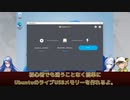
【第27話】UbuntuのライブUSBメモリーを作るには・ライブUSBメモリーの作成方法と注意事項
【動画の説明】
今回は、UbuntuのライブUSBメモリーの役割や作成方法、作成する上で必要な事前準備や注意事項を紹介します。
この動画ではWindows上でライブUSBメモリーを作成していますが、macOSやLinuxでも利用可能な作成方法を紹介しています。
【サイト】
・ウェブサイト:https://kledgeb.blogspot.com
・Youtube:http://bit.ly/3zpwuKT
・Twitter:https://twitter.com/kledgeb
【VOICEVOX】
・VOICEVOX:https://voicevox.hiroshiba.jp/
・pixivFANBOX:https://hiho.fanbox.cc(支援サイト)
【CV】
・VOICEVOX:後鬼
・VOICEVOX:白上虎太郎
・VOICEVOX:No.7
【Credits】
・Ubuntu:https://ubuntu.com/
・Pixabay:https://pixabay.com/
・Pixels Videos & Pixels Photos:https://www.pexels.com・videvo.net Stock footage provided by Videvo, downloaded from videvo.net :https://www.videvo.net/profile/videvohttps://www.videvo.net
【BGM】
・Lucky Baby:https://dova-s.jp/bgm/play16230.html
・Wind Motion:https://dova-s.jp/bgm/play16724.html
・夏色スムージー:https://dova-s.jp/bgm/play16984.html
・Bright Daytime:https://dova-s.jp/bgm/play16789.html
・STARDUST LEMON:https://dova-s.jp/bgm/play16781.html
フィクサー【オリジナルMV作ってみた】
ぬゆり様の「フィクサー」のMVを作ってみました。
本家:ぬゆり様( https://nico.ms/sm30868619 )
カバー:No.7(MIX:木原公生様 https://youtu.be/hZkxPXKZ30A)
MV素材:pixabay、pixels
綾崎鷹之丞(Twitter:https://twitter.com/ochadukuri )
私のオリジナルMVでの歌ってみた動画を検討してくださる方、Twitterまでご連絡ください!
【第26話】LXQt 1.2の新機能と変更点の紹介
【動画の説明】
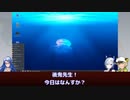
今回は2022年11月5日にリリースされた「LXQt 1.2」の新機能と変更点の紹介します。
「LXQt」はデスクトップ環境です。
「Lubuntu」で採用されているデスクトップ環境としても有名でしょう。
【サイト】
・ウェブサイト:https://kledgeb.blogspot.com
・Youtube:http://bit.ly/3zpwuKT
・Twitter:https://twitter.com/kledgeb
【VOICEVOX】
・VOICEVOX:https://voicevox.hiroshiba.jp/
・pixivFANBOX:https://hiho.fanbox.cc(支援サイト)
【CV】
・VOICEVOX:後鬼
・VOICEVOX:白上虎太郎
・VOICEVOX:No.7
【Credits】
・Ubuntu:https://ubuntu.com/
・Pixabay:https://pixabay.com/
・Pixels Videos & Pixels Photos:https://www.pexels.com・videvo.net Stock footage provided by Videvo, downloaded from videvo.net :https://www.videvo.net/profile/videvohttps://www.videvo.net
【BGM】
・Lucky Baby:https://dova-s.jp/bgm/play16230.html
・Wind Motion:https://dova-s.jp/bgm/play16724.html
・Bright Daytime:https://dova-s.jp/bgm/play16789.html
・STARDUST LEMON:https://dova-s.jp/bgm/play16781.html
【第25話】Ubuntu 22.04 LTSからUbuntu 22.10へアップグレードするには
【動画の説明】
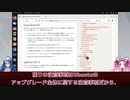
今回は「Ubuntu 22.04 LTS」から「Ubuntu 22.10」へアップグレードする方法を、実際にアップグレードしながら紹介します。
Ubuntuをアップグレードする時に参考にして頂ければと思います。
【サイト】
・ウェブサイト:https://kledgeb.blogspot.com
・Youtube:http://bit.ly/3zpwuKT
・Twitter:https://twitter.com/kledgeb
【VOICEVOX】
・VOICEVOX:https://voicevox.hiroshiba.jp/
・pixivFANBOX:https://hiho.fanbox.cc(支援サイト)
【CV】
・VOICEVOX:四国めたん
・VOICEVOX:後鬼
【Credits】
・Ubuntu:https://ubuntu.com/
・Pixabay:https://pixabay.com/
・Pixels Videos & Pixels Photos:https://www.pexels.com
・videvo.net Stock footage provided by Videvo, downloaded from videvo.net :https://www.videvo.net/profile/videvohttps://www.videvo.net
【BGM】
・Lucky Baby:https://dova-s.jp/bgm/play16230.html
・お菓子作り:https://dova-s.jp/bgm/play17037.html
・STARDUST LEMON:https://dova-s.jp/bgm/play16781.html
【第24話】Ubuntuをアップグレードする時に気をつけること10選
【動画の説明】
今回は「Ubuntuをアップグレードする時に気をつけること10選」を紹介します。
Ubuntuをアップグレードする時に参考にして頂ければと思います。
【サイト】
・ウェブサイト:https://kledgeb.blogspot.com
・Youtube:http://bit.ly/3zpwuKT
・Twitter:https://twitter.com/kledgeb
【VOICEVOX】
・VOICEVOX:https://voicevox.hiroshiba.jp/
・pixivFANBOX:https://hiho.fanbox.cc(支援サイト)
【CV】
・VOICEVOX:四国めたん
・VOICEVOX:後鬼
【Credits】
・Ubuntu:https://ubuntu.com/
・Pixabay:https://pixabay.com/
・Pixels Videos & Pixels Photos:https://www.pexels.com
・videvo.net Stock footage provided by Videvo, downloaded from videvo.net :https://www.videvo.net/profile/videvohttps://www.videvo.net
【BGM】
・Lucky Baby:https://dova-s.jp/bgm/play16230.html
・お菓子作り:https://dova-s.jp/bgm/play17037.html
・Radio:https://dova-s.jp/bgm/play16432.html
【欲音ルコ】Buttterfly dream【オリジナル曲】
メタル系の音色をベースに、パーカッションをボンゴ、ストリングス枠で大正琴、鳴り物に神楽鈴といった布陣で臨みました…
面白い出来にはなったかなと思います。
ムービーに関しては、Pixelsから動画素材を持ってきました。
本当はゴリラゴリラのドラミング素材が欲しかったんですが…
テーマ:キモい
無間空間
タイトル通り、胡蝶の夢
【第23話】2022年10月のLinuxニュース・Ubuntu 22.10のリリースやUbuntu 23.04の開発コードなど
【動画の説明】
今回は2022年10月のLinuxニュースを紹介します。
主にUbuntuのニュースがメインです。
【サイト】
・ウェブサイト:https://kledgeb.blogspot.com
・Youtube:http://bit.ly/3zpwuKT
・Twitter:https://twitter.com/kledgeb
【VOICEVOX】
・VOICEVOX:https://voicevox.hiroshiba.jp/
・pixivFANBOX:https://hiho.fanbox.cc(支援サイト)
【CV】
・VOICEVOX:四国めたん
・VOICEVOX:ずんだもん
・VOICEVOX:春日部つむぎ
・VOICEVOX:雨晴はう
・VOICEVOX:波音リツ
・VOICEVOX:玄野武宏
・VOICEVOX:白上虎太郎
・VOICEVOX:青山龍星
・VOICEVOX:冥鳴ひまり
・VOICEVOX:九州そら
・VOICEVOX:もち子(cv 明日葉よもぎ)
・VOICEVOX:剣崎雌雄
・VOICEVOX:WhiteCUL
・VOICEVOX:後鬼
・VOICEVOX:No.7
【Credits】
・Ubuntu:https://ubuntu.com/
・Linux Mint:https://linuxmint.com/
・VirtualBox:https://www.virtualbox.org/
・Pixabay:https://pixabay.com/
・Pixels Videos & Pixels Photos:https://www.pexels.com
・videvo.net Stock footage provided by Videvo, downloaded from videvo.net :https://www.videvo.net/profile/videvohttps://www.videvo.net
【BGM】
・番組オープニング:https://dova-s.jp/bgm/play12413.html
・Sporting News:https://dova-s.jp/bgm/play16683.html
・Radio:https://dova-s.jp/bgm/play16432.html
『ドライフラワー/優里』feat.さとうささら【カバー曲】
JPOPカバー祭2022投稿作品になります!
【vocalodカバー】
『ドライフラワー/優里』feat.さとうささら
唄:さとうささら【voisona】
作詞・作曲:優里
音源制作・動画制作・ギター:キッキ
動画素材:pixels from filmora
『ドライフラワー』
作詞 作曲 優里
多分、私じゃなくていいね
余裕のない二人だったし
気付けば喧嘩ばっかりしてさ
ごめんね
ずっと話そうと思ってた
きっと私たち合わないね
二人きりしかいない部屋でさ
貴方ばかり話していたよね
もしいつか何処かで会えたら
今日の事を笑ってくれるかな
理由もちゃんと話せないけれど
貴方が眠った後に泣くのは嫌
声も顔も不器用なとこも
全部全部 嫌いじゃないの
ドライフラワーみたい
君との日々もきっときっときっときっと
色褪せる
多分、君じゃなくてよかった
もう泣かされることもないし
「私ばかり」なんて言葉も
なくなった
あんなに悲しい別れでも
時間がたてば忘れてく
新しい人と並ぶ君は
ちゃんとうまくやれているのかな
もう顔も見たくないからさ
変に連絡してこないでほしい
都合がいいのは変わってないんだね
でも無視できずにまた少し返事
声も顔も不器用なとこも
多分今も 嫌いじゃないの
ドライフラワーみたく
時間が経てば
きっときっときっときっと色褪せる
月灯りに魔物が揺れる
きっと私もどうかしてる
暗闇に色彩が浮かぶ
赤黄藍色が胸の奥
ずっと貴方の名前を呼ぶ
好きという気持ち
また香る
声も顔も不器用なとこも
全部全部 大嫌いだよ
まだ枯れない花を
君に添えてさ
ずっとずっとずっとずっと
抱えてよ
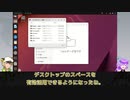
【第22話】Ubuntu 22.10リリース!Ubuntu Desktop 22.10の新機能と変更点を多数紹介!
【動画の説明】
2022年10月20日に、Ubuntu 22.10がリリースされました。
今回はUbuntu Desktop 22.10の新機能と変更点を紹介します。
【サイト】
・ウェブサイト:https://kledgeb.blogspot.com
・Youtube:http://bit.ly/3zpwuKT
・Twitter:https://twitter.com/kledgeb
【VOICEVOX】
・VOICEVOX:https://voicevox.hiroshiba.jp/
・pixivFANBOX:https://hiho.fanbox.cc(支援サイト)
【CV】
・VOICEVOX:白上虎太郎
・VOICEVOX:九州そら
【Credits】
・Ubuntu:https://ubuntu.com/
・Pixabay:https://pixabay.com/
・Pixels Videos & Pixels Photos:https://www.pexels.com
・videvo.net Stock footage provided by Videvo, downloaded from videvo.net :https://www.videvo.net/profile/videvohttps://www.videvo.net
【BGM】
・Lucky Baby:https://dova-s.jp/bgm/play16230.html
・In the Breeze:https://dova-s.jp/bgm/play16963.html
・Wind Motion:https://dova-s.jp/bgm/play16724.html
・Bright Daytime:https://dova-s.jp/bgm/play16789.html
・夏色スムージー:https://dova-s.jp/bgm/play16984.html
・STARDUST LEMON:https://dova-s.jp/bgm/play16781.html
【問題編②】金庫開錠ミステリ「大戸六家の殺人」 #2
主役を奪われつつある第2話。
次回、最終回(予定)です。
【前】→sm41111776
【次】→sm41706020
▼YouTube版のコメント欄で推理してくれてる方が多いです▼
【YouTube版】→https://youtu.be/kOIV8lhQwJ4
【声】
大戸六 錠一郎(:CoeFont -いくまさき オヤ爺声)
大戸六 健一(:CoeFont -麒ヶ島 宗麟 喜怒哀楽ハイエンド)
大戸六 アケミ(:CoeFont -パイナップル秀夫『怒』)
大戸六 景(:CoeFont - 浅木式【地声-怒】)
大戸六 カケル(:CoeFont -アベルーニ 喜怒哀楽ハイエンド)
瀬場 洋介(:VOICE BOX:青山龍星 ※低く加工)
茶木 咲 (:VOICEVOX:四国めたん ※低く加工)
びたちー素材館
効果音ラボ
【効果音・BGM】
効果音ラボ
DOVA SYNDROME
On-Jin ~音人~
魔王魂
甘茶の音楽工房
【動画・画像】
ニコニ・コモンズ
pixels
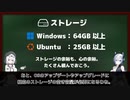
【第21話】UbuntuがインストールできるPCってどんなPC?・Windows 11とUbuntuのシステム要件を比較してみよう
【動画の説明】
Windows 11とUbuntuのシステム要件の比較しながら、UbuntuをインストールできるPCの条件を紹介します。
【サイト】
・ウェブサイト:https://kledgeb.blogspot.com
・Youtube:http://bit.ly/3zpwuKT
・Twitter:https://twitter.com/kledgeb
【VOICEVOX】
・VOICEVOX:https://voicevox.hiroshiba.jp/
・pixivFANBOX:https://hiho.fanbox.cc(支援サイト)
【CV】
・VOICEVOX:もち子(cv 明日葉よもぎ)
・VOICEVOX:No.7
【Credits】
・Ubuntu:https://ubuntu.com/
・Pixabay:https://pixabay.com/
・Pixels Videos & Pixels Photos:https://www.pexels.com
・videvo.net Stock footage provided by Videvo, downloaded from videvo.net :https://www.videvo.net/profile/videvohttps://www.videvo.net
【BGM】
・Lucky Baby:https://dova-s.jp/bgm/play16230.html
・Wind Motion:https://dova-s.jp/bgm/play16724.html
・Bright Daytime:https://dova-s.jp/bgm/play16789.html
・夏色スムージー:https://dova-s.jp/bgm/play16984.html
・STARDUST LEMON:https://dova-s.jp/bgm/play16781.html
【Frostpunk】 新たなる灯#1 - 氷に包まれた世界に命の“灯”を付けろ! 【ゆっくり実況】
取り敢えず40秒まで見てくれ!!!
うちのチームの天才クリエイターである“コメリ”君がとんでもない動画を作ってくれました。
次:続報を待て!
前:この動画がすべての始まり。
Youtube:https://youtu.be/sBa9PbnZJbs
「高評価」「チャンネル登録」「SNSフォロー」よろしくお願いします
【作成者】
企画/撮影/編集/台本:コメリ
Twitter:https://twitter.com/Comerisan__TM
【TeamMercuryのリンク】
公式Twitter:@TeamMercury_mov
https://twitter.com/TeamMercury_mov
インカTwitter:@Inka__TM
https://twitter.com/Inka__TM
コメリTwitter:@Comerisan__TM
https://twitter.com/Comerisan__TM
マカレル缶Twitter:@MaclerelKan__TM
https://twitter.com/MaclerelKan__TM
【素材をお借りした場所】
ーー音ーー
filmmusic:https://filmmusic.io/
効果音ラボ:https://soundeffect-lab.info/
ーー素材ーー
unsplash:https://unsplash.com/ja
pixabay:https://pixabay.com/
pixels:https://www.pexels.com/ja-jp/
ーーサムネイルーー
朧ゆり様
https://twitter.com/oboro_uri?s=20&t=uZ42NERTOsRxs9GhwLixUQ
サムネイル及びロゴ画像の権利は全てイラスト作成者様が保有しております。無断使用はおやめください。
【第20話】KDE Plasma 5.26の新機能と変更点の紹介・ウィジェットのリサイズやナイトカラーの改善など
【動画の説明】
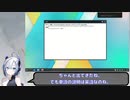
2022年10月11日、「KDE Plasma 5.26」がリリースされました。
「KDE Plasma 5.26」の新機能と変更点を紹介します。
【サイト】
ウェブサイト:https://kledgeb.blogspot.com
Youtube:http://bit.ly/3zpwuKT
Twitter:https://twitter.com/kledgeb
【VOICEVOX】
VOICEVOX:https://voicevox.hiroshiba.jp/
pixivFANBOX:https://hiho.fanbox.cc(支援サイト)
【CV】
VOICEVOX:四国めたん
VOICEVOX:ずんだもん
VOICEVOX:春日部つむぎ
VOICEVOX:雨晴はう
VOICEVOX:波音リツ
VOICEVOX:玄野武宏
VOICEVOX:白上虎太郎
VOICEVOX:青山龍星
VOICEVOX:冥鳴ひまり
VOICEVOX:九州そら
VOICEVOX:もち子(cv 明日葉よもぎ)
VOICEVOX:剣崎雌雄
VOICEVOX:WhiteCUL
VOICEVOX:後鬼
VOICEVOX:No.7
【Credits】
Ubuntu:https://ubuntu.com/
KDE:https://kde.org/
Pixabay:https://pixabay.com/
Pixels Videos & Pixels Photos:https://www.pexels.com
videvo.net Stock footage provided by Videvo, downloaded from videvo.net :https://www.videvo.net/profile/videvohttps://www.videvo.net
-----------------
・Lucky Baby
https://dova-s.jp/bgm/play16230.html
・お菓子作り
https://dova-s.jp/bgm/play17037.html
・猫耳すぷれましー!
https://dova-s.jp/bgm/play16688.html
【第19話】プレゼンや説明動画制作に役立つアクセシビリティー機能4選
【動画の説明】
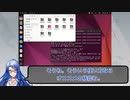
デスクトップの操作やアプリの紹介など、GUI上の操作を主軸にしたプレゼンや動画を作る機会があるかもしれません。
これらの作業に役立つであろうアクセシビリティー機能を紹介します。
【Twitter】
https://twitter.com/kledgeb
【Website】
https://kledgeb.blogspot.com
【VOICEVOX 支援サイト】
pixivFANBOX:https://hiho.fanbox.cc
【CV】
VOICEVOX:https://voicevox.hiroshiba.jp/
VOICEVOX:WhiteCUL
VOICEVOX:後鬼
VOICEVOX:No.7
【Credits】
・Ubuntu
https://ubuntu.com/
・Pixabay
https://pixabay.com/
・Pixels Videos & Pixels Photos
https://www.pexels.com
・videvo.net
Stock footage provided by Videvo, downloaded from videvo.net
https://www.videvo.net/profile/videvohttps://www.videvo.net
-----------------
・Lucky Baby
https://dova-s.jp/bgm/play16230.html
・お菓子作り
https://dova-s.jp/bgm/play17037.html
・猫耳すぷれましー!
https://dova-s.jp/bgm/play16688.html
【第18話】VOICEVOXに3人の新キャラクター追加・新キャラクターの紹介
【動画の説明】
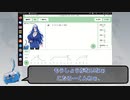
2022年9月30日に「VOICEVOX」の新バージョン、「VOICEVOX 0.13.2」がリリースされました。
「VOICEVOX 0.13.2」では3人の新キャラクター追加が追加されています。
今回は追加された3人の新キャラクターの紹介と、以前インストールした「VOICEVOX」をアップデートする方法を紹介します。
【Twitter】
https://twitter.com/kledgeb
【Website】
https://kledgeb.blogspot.com
【VOICEVOX 支援サイト】
・pixivFANBOX:https://hiho.fanbox.cc
【CV】
・VOICEVOX:https://voicevox.hiroshiba.jp/
・VOICEVOX:ずんだもん
・VOICEVOX:白上虎太郎
・VOICEVOX:WhiteCUL
・VOICEVOX:後鬼
・VOICEVOX:No.7
【Credits】
・Ubuntu
https://ubuntu.com/
・Pixabay
https://pixabay.com/
・Pixels Videos & Pixels Photos
https://www.pexels.com
・videvo.net
Stock footage provided by Videvo, downloaded from videvo.net
https://www.videvo.net/profile/videvohttps://www.videvo.net
-----------------
・Lucky Baby
https://dova-s.jp/bgm/play16230.html
・お菓子作り
https://dova-s.jp/bgm/play17037.html
・猫耳すぷれましー!
https://dova-s.jp/bgm/play16688.html
独りになったから/可不
迷い路といいます。
宜しくお願いします。
Music/Movie :Mayoimichi
twitter :https://twitter.com/MayoimitiKomiti
youtube↓↓↓
準備中
お借りした動画素材
Pixels Videos: https://videos.pexels.com
【第17話】2022年9月のLinuxニュース・Ubuntu 22.10 β版のリリースなど
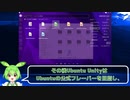
【動画の説明】
今回は2022年9月のLinuxニュースを紹介します。
主にUbuntuのニュースがメインです。
【Twitter】
https://twitter.com/kledgeb
【Website】
https://kledgeb.blogspot.com
【CV】
・VOICEVOX:https://voicevox.hiroshiba.jp/
・VOICEVOX:四国めたん
・VOICEVOX:ずんだもん
・VOICEVOX:春日部つむぎ
・VOICEVOX:雨晴はう
・VOICEVOX:波音リツ
・VOICEVOX:玄野武宏
・VOICEVOX:白上虎太郎
・VOICEVOX:青山龍星
・VOICEVOX:冥鳴ひまり
・VOICEVOX:九州そら
・VOICEVOX:もち子(cv 明日葉よもぎ)
・VOICEVOX:剣崎雌雄
【Credits】
・Ubuntu
https://ubuntu.com/
・Pixabay
https://pixabay.com/
・Pixels Videos & Pixels Photos
https://www.pexels.com
・videvo.net
Stock footage provided by Videvo, downloaded from videvo.net
https://www.videvo.net/profile/videvohttps://www.videvo.net
-----------------
・番組オープニング
https://dova-s.jp/bgm/play12413.html
・Sporting News
https://dova-s.jp/bgm/play16683.html
・Radio
https://dova-s.jp/bgm/play16432.html
【第15話】シンプルでパワフルなUbuntuの公式フレーバー、Kubuntuの紹介・カスタマイズ性随一のOS
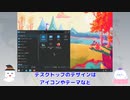
【動画の説明】
今回はUbuntu公式フレーバーの1つ、Kubuntuの紹介です。
Kubuntuは非常にカスタマイズ性が高く、また多機能なデスクトップ及びアプリを提供するOSです。
【Twitter】
https://twitter.com/kledgeb
【Website】
https://kledgeb.blogspot.com
【Credits】
・Ubuntu
https://ubuntu.com/
・Kubuntu
https://kubuntu.org/
-----------------
・VOICEVOX:玄野武宏
https://voicevox.hiroshiba.jp/
・VOICEVOX:白上虎太郎
https://voicevox.hiroshiba.jp/
-----------------
・Openclipart
https://openclipart.org/
・Pixels Videos & Pixels Photos
https://www.pexels.com
・いらすとや
https://www.irasutoya.com/
・videvo.net
Stock footage provided by Videvo, downloaded from videvo.net
https://www.videvo.net/profile/videvohttps://www.videvo.net
-----------------
・In the Breeze
https://dova-s.jp/bgm/play16963.html
・Lucky Baby
https://dova-s.jp/bgm/play16230.html
・wind of tomorrow
https://dova-s.jp/bgm/play15036.html
・夏色スムージー
https://dova-s.jp/bgm/play16984.html
・Bright Daytime
https://dova-s.jp/bgm/play16789.html
・Wind Motion
https://dova-s.jp/bgm/play16724.html
・STARDUST LEMON
https://dova-s.jp/bgm/play16781.html
【第14話】UbuntuをカスタマイズしたOS、Ubuntu公式フレーバーとは
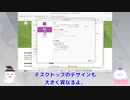
【動画の説明】
UbuntuにはUbuntu公式フレーバーと呼ばれるOSがあります。
Ubuntu公式フレーバーはUbuntuをカスタマイズしたOSであり、異なるデスクトップ環境を採用したり特定のワークフローに最適化したOSを提供しています。
【Twitter】
https://twitter.com/kledgeb
【Website】
https://kledgeb.blogspot.com
【Credits】
・Ubuntu
https://ubuntu.com/
-----------------
・VOICEVOX:玄野武宏
https://voicevox.hiroshiba.jp/
・VOICEVOX:白上虎太郎
https://voicevox.hiroshiba.jp/
-----------------
・Openclipart
https://openclipart.org/
・Pixels Videos & Pixels Photos
https://www.pexels.com
・いらすとや
https://www.irasutoya.com/
・videvo.net
Stock footage provided by Videvo, downloaded from videvo.nethttps://www.videvo.net/profile/videvohttps://www.videvo.net
-----------------
・In the Breeze
https://dova-s.jp/bgm/play16963.html
・Lucky Baby
https://dova-s.jp/bgm/play16230.html
・wind of tomorrow
https://dova-s.jp/bgm/play15036.html
・夏色スムージー
https://dova-s.jp/bgm/play16984.html
・STARDUST LEMON
https://dova-s.jp/bgm/play16781.html
【第13話】□2022年8月のLinuxニュース
□【動画の説明】
□2022年8月のLinuxニュースを紹介します。
□【Twitter】
https://twitter.com/kledgeb
□【Website】
https://kledgeb.blogspot.com
□【Credits】
□Ubuntu
https://ubuntu.com/
□Linux Mint
https://linuxmint.com/
□Kubuntu
https://kubuntu.org/
-----------------
□Dell
https://www.dell.com
□Kubuntu Focus
https://kfocus.org/
□.NET
https://dotnet.microsoft.com/ja-jp/
-----------------
□VOICEVOX:玄野武宏
https://voicevox.hiroshiba.jp/
□VOICEVOX:白上虎太郎
https://voicevox.hiroshiba.jp/
-----------------
□Openclipart
https://openclipart.org/
□Pixels Videos & Pixels Photos
https://www.pexels.com
□いらすとや
https://www.irasutoya.com/
□videvo.net
Stock footage provided by Videvo, downloaded from videvo.nethttps://www.videvo.net/profile/videvohttps://www.videvo.net
-----------------
□番組オープニング
https://dova-s.jp/bgm/play12413.html
□ニュース速報 モダン
https://dova-s.jp/bgm/play12152.html
□STARDUST LEMON
https://dova-s.jp/bgm/play16781.html
【第12話】□Ubuntuのサポート期間ってどうなってるの?□Ubuntuのアップグレード方針ってどうなってるの?
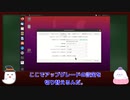
□【動画の説明】
□Ubuntuのサポート期間は、LTSリリースと通常リリースで異なります。
それぞれのリリースのサポート期間を紹介します。
□サポート期間が異なるLTSリリースと通常リリースのアップグレード方針や、ユーザーにおすすめするアップグレード方針を紹介します。
□【Twitter】
https://twitter.com/kledgeb
□【Website】
https://kledgeb.blogspot.com
□【Credits】
□Ubuntu
https://ubuntu.com/
-----------------
□VOICEVOX:玄野武宏
https://voicevox.hiroshiba.jp/
□VOICEVOX:白上虎太郎
https://voicevox.hiroshiba.jp/
-----------------
□Openclipart
https://openclipart.org/
□Pixels Videos & Pixels Photos
https://www.pexels.com
□いらすとや
https://www.irasutoya.com/
-----------------
□In the Breeze
https://dova-s.jp/bgm/play16963.html
□Lucky Baby
https://dova-s.jp/bgm/play16230.html
□wind of tomorrow
https://dova-s.jp/bgm/play15036.html
□夏色スムージー
https://dova-s.jp/bgm/play16984.html
□Bright Daytime
https://dova-s.jp/bgm/play16789.html
□STARDUST LEMON
https://dova-s.jp/bgm/play16781.html
【第11話】□Ubuntuのバージョンってどうなってるの?□Jammy Jellyfishってなんなの?□Ubuntuとバージョンと開発コードの法則

□【動画の説明】
□Ubuntuのバージョンは、一般的なソフトウェアのバージョンとは付け方が異なります。
Ubuntuのバージョンがどのように付けられているのかを紹介します。
□Ubuntuの各メジャーバージョンには開発コードが付けられています。
Ubuntuの開発コードはある法則に沿って付けられています。
Ubuntuの開発コードがどのように付けられているのかを紹介します。
□【Twitter】
https://twitter.com/kledgeb
□【Website】
https://kledgeb.blogspot.com
□【Credits】
□Ubuntu
https://ubuntu.com/
-----------------
□VOICEVOX:玄野武宏
https://voicevox.hiroshiba.jp/
□VOICEVOX:白上虎太郎
https://voicevox.hiroshiba.jp/
-----------------
□Openclipart
https://openclipart.org/
□Pixels Videos & Pixels Photos
https://www.pexels.com
□いらすとや
https://www.irasutoya.com/
-----------------
□In the Breeze
https://dova-s.jp/bgm/play16963.html
□Lucky Baby
https://dova-s.jp/bgm/play16230.html
□wind of tomorrow
https://dova-s.jp/bgm/play15036.html
□夏色スムージー
https://dova-s.jp/bgm/play16984.html
□STARDUST LEMON
https://dova-s.jp/bgm/play16781.html
【第10話】□Ubuntuっていつリリースされてるの?□Ubuntuの通常リリースとLTSリリースとポイントリリースの紹介
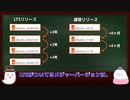
□【動画の説明】
□Ubuntuのリリースには、通常リリースとLTSリリースとポイントリリースがあります。
それぞれのリリース方針を紹介します。
□【Twitter】
https://twitter.com/kledgeb
□【Website】
https://kledgeb.blogspot.com
□【Credits】
□Ubuntu
https://ubuntu.com/
-----------------
□VOICEVOX:玄野武宏
https://voicevox.hiroshiba.jp/
□VOICEVOX:白上虎太郎
https://voicevox.hiroshiba.jp/
-----------------
□Openclipart
https://openclipart.org/
□Pixels Videos & Pixels Photos
https://www.pexels.com
□いらすとや
https://www.irasutoya.com/
-----------------
□In the Breeze
https://dova-s.jp/bgm/play16963.html
□Lucky Baby
https://dova-s.jp/bgm/play16230.html
□wind of tomorrow
https://dova-s.jp/bgm/play15036.html
□夏色スムージー
https://dova-s.jp/bgm/play16984.html
□STARDUST LEMON
https://dova-s.jp/bgm/play16781.html
【第9話】□誰にでもオススメのLinuxディストリビューション、Ubuntuの紹介 □ デスクトップユーザー向けのUbuntu Desktopの紹介
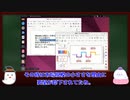
□【動画の説明】
□ 今回は誰にでもオススメのLinuxディストリビューション、Ubuntuを紹介します。
非常に著名なLinuxディストリビューションですから、ご存知の方も多いかと思います。
□ Ubuntuは用途や目的ごとにエディションが別れています。
今回はその中でもデスクトップユーザー向けのUbuntu Desktopを紹介します。
□【Twitter】
https://twitter.com/kledgeb
□【Website】
https://kledgeb.blogspot.com
□【Credits】
□Ubuntu
https://ubuntu.com/
□Linux Mint
https://linuxmint.com/
□Ubuntu Touch
https://ubuntu-touch.io/
https://en.wikipedia.org/wiki/Ubuntu_Touch
-----------------
□VOICEVOX:玄野武宏
https://voicevox.hiroshiba.jp/
□VOICEVOX:白上虎太郎
https://voicevox.hiroshiba.jp/
-----------------
□Openclipart
https://openclipart.org/
□Pixels Videos & Pixels Photos
https://www.pexels.com
□いらすとや
https://www.irasutoya.com/
-----------------
□Bright Daytime
https://dova-s.jp/bgm/play16789.html
□In the Breeze
https://dova-s.jp/bgm/play16963.html
□Lucky Baby
https://dova-s.jp/bgm/play16230.html
□wind of tomorrow
https://dova-s.jp/bgm/play15036.html
□夏色スムージー
https://dova-s.jp/bgm/play16984.html
□STARDUST LEMON
https://dova-s.jp/bgm/play16781.html
【第8話】□Linux Mintって、いつリリースされているの? □ Linux Mintのサポート期間とアップグレードはどうなってるの?
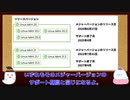
□【動画の説明】
□ 今回はLinux Mintがいつリリースされるのか、またサポート期間はどうなっているのか、それぞれの方針を紹介します。
□ Linux Mintにはメジャーリリースとポイントリリースとがあります。
それぞれのアップグレード方針を見てみましょう。
□【Twitter】
https://twitter.com/kledgeb
□【Website】
https://kledgeb.blogspot.com
□【Credits】
□Ubuntu
https://ubuntu.com/
□Linux Mint
https://linuxmint.com/
-----------------
□VOICEVOX:玄野武宏
https://voicevox.hiroshiba.jp/
□VOICEVOX:白上虎太郎
https://voicevox.hiroshiba.jp/
-----------------
□Openclipart
https://openclipart.org/
□Pixels Videos & Pixels Photos
https://www.pexels.com
□いらすとや
https://www.irasutoya.com/
□Bright Daytime
https://dova-s.jp/bgm/download16789.html
□In the Breeze
https://dova-s.jp/bgm/play16963.html
□Lucky Baby
https://dova-s.jp/bgm/play16230.html
□wind of tomorrow
https://dova-s.jp/bgm/play15036.html
□夏色スムージー
https://dova-s.jp/bgm/play16984.html
□元気をだして
https://dova-s.jp/bgm/play16864.html
□Wind Motion
https://dova-s.jp/bgm/play16724.html
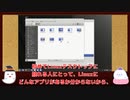
【第7話】□ 初めての人にもおすすめのLinuxディストリビューション、Linux Mintの紹介 □ デスクトップのデザインとエディションの選び方
□【動画の説明】
□ 今回はLinuxデスクトップを初めて利用する人にもおすすめなLinux Mintを紹介します。
□ またデスクトップデザインの紹介や、4つのエディションの選び方を紹介しています。
□【Twitter】
https://twitter.com/kledgeb
□【Website】
https://kledgeb.blogspot.com
□【Credits】
□Ubuntu
https://ubuntu.com/
□Linux Mint
https://linuxmint.com/
□VOICEVOX:玄野武宏
https://voicevox.hiroshiba.jp/
□VOICEVOX:白上虎太郎
https://voicevox.hiroshiba.jp/
□Openclipart
https://openclipart.org/
□Pixels Videos & Pixels Photos
https://www.pexels.com
□In the Breeze
https://dova-s.jp/bgm/play16963.html
□Lucky Baby
https://dova-s.jp/bgm/play16230.html
□wind of tomorrow
https://dova-s.jp/bgm/play15036.html
□夏色スムージー
https://dova-s.jp/bgm/play16984.html
□元気をだして
https://dova-s.jp/bgm/play16864.html
□いらすとや
https://www.irasutoya.com/
□Linux
https://en.wikipedia.org/wiki/Linux
【第6話】Linuxのデスクトップ環境とは?・GNOMEとPlasmaの紹介
・デスクトップ向けLinuxディストリビューションには、デスクトップ機能を提供するため、何かしらのデスクトップ環境がプリインストールされています。
Linuxのデスクトップ環境の概要を紹介します。
・数あるデスクトップ環境の内、GNOMEとPlasmaを紹介します。
どちらも非常に著名なデスクトップ環境です。
【Twitter】
https://twitter.com/kledgeb
【Website】
https://kledgeb.blogspot.com
【Credits】
・Ubuntu
https://ubuntu.com/
・VOICEVOX:玄野武宏
https://voicevox.hiroshiba.jp/
・VOICEVOX:白上虎太郎
https://voicevox.hiroshiba.jp/
・Openclipart
https://openclipart.org/
・Pixels Videos & Pixels Photos
https://www.pexels.com
・In the Breeze
https://dova-s.jp/bgm/play16963.html
・Lucky Baby
https://dova-s.jp/bgm/play16230.html
・wind of tomorrow
https://dova-s.jp/bgm/play15036.html
・夏色スムージー
https://dova-s.jp/bgm/play16984.html
・元気をだして
https://dova-s.jp/bgm/play16864.html
・いらすとや
https://www.irasutoya.com/
・Linux
https://en.wikipedia.org/wiki/Linux
【第5話】32bit版と64bit版、どっちがいいの?・Linuxディストリビューションの親子関係と派生
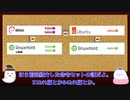
・Linuxディストリビューションの中には、32bit版と64bit版を提供しているものもあります。
PCが両方に対応しているなら、どちらにするか迷うかもしれません。
その時に役立つであろう方針を紹介します。
・多くのLinuxディストリビューションは、別のLinuxディストリビューションをもとに開発されています。
Linuxディストリビューションの親子関係について紹介します。
【Twitter】
https://twitter.com/kledgeb
【Website】
https://kledgeb.blogspot.com
【Credits】
・Ubuntu
https://ubuntu.com/
・Debian
https://www.debian.org/
・Linux Mint
https://linuxmint.com/
・VOICEVOX:玄野武宏
https://voicevox.hiroshiba.jp/
・VOICEVOX:白上虎太郎
https://voicevox.hiroshiba.jp/
・Openclipart
https://openclipart.org/
・Pixels Videos & Pixels Photos
https://www.pexels.com
・In the Breeze
https://dova-s.jp/bgm/play16963.html
・Lucky Baby
https://dova-s.jp/bgm/play16230.html
・wind of tomorrow
https://dova-s.jp/bgm/play15036.html
・夏色スムージー
https://dova-s.jp/bgm/play16984.html
・元気をだして
https://dova-s.jp/bgm/play16864.html
・いらすとや
https://www.irasutoya.com/
・Linux
https://en.wikipedia.org/wiki/Linux
【第4話】Linuxディストリビューションのサポート期間とサポートCPU
・Linuxディストリビューションのサポート期間は、Linuxディストリビューションごとに決められるものです。
また同じLinuxディストリビューションでも、バージョンによりサポート期間が異なることがあります。
・LinuxディストリビューションがサポートするCPUも、Linuxディストリビューションごとに決められるものです。
今回はLinuxディストリビューションの開発方針の内、サポート期間とサポートするCPUに目を向けてみましょう。
【Twitter】
https://twitter.com/kledgeb
【Website】
https://kledgeb.blogspot.com
【Credits】
・Ubuntu
https://ubuntu.com/
・VOICEVOX:玄野武宏
https://voicevox.hiroshiba.jp/
・VOICEVOX:白上虎太郎
https://voicevox.hiroshiba.jp/
・Openclipart
https://openclipart.org/
・Pixels Videos & Pixels Photos
https://www.pexels.com
・In the Breeze
https://dova-s.jp/bgm/play16963.html
・Lucky Baby
https://dova-s.jp/bgm/play16230.html
・wind of tomorrow
https://dova-s.jp/bgm/play15036.html
・夏色スムージー
https://dova-s.jp/bgm/play16984.html
・元気をだして
https://dova-s.jp/bgm/play16864.html
・いらすとや
https://www.irasutoya.com/
・Linux
https://en.wikipedia.org/wiki/Linux
【第3話】新しいPCでもLinuxを使おう・Linuxディストリビューションの開発方針とリリース方針
・Linuxというと古いPCの再利用で紹介される機会が多いかと思います。
でも最近のLinuxは新しいPCでも活用できます。
・それぞれのLinuxディストリビューションには開発方針があり、それが特徴にも強く結びついています。
まずはLinuxディストリビューションの開発方針の内、リリース方針に目を向けてみましょう。
【Twitter】
https://twitter.com/kledgeb
【Website】
https://kledgeb.blogspot.com
【Credits】
・Ubuntu
https://ubuntu.com/
・VOICEVOX:玄野武宏
https://voicevox.hiroshiba.jp/
・VOICEVOX:白上虎太郎
https://voicevox.hiroshiba.jp/
・Openclipart
https://openclipart.org/
・Pixels Videos & Pixels Photos
https://www.pexels.com
・In the Breeze
https://dova-s.jp/bgm/play16963.html
・Lucky Baby
https://dova-s.jp/bgm/play16230.html
・wind of tomorrow
https://dova-s.jp/bgm/play15036.html
・夏色スムージー
https://dova-s.jp/bgm/play16984.html
・元気をだして
https://dova-s.jp/bgm/play16864.html
・いらすとや
https://www.irasutoya.com/
・Linux
https://en.wikipedia.org/wiki/Linux
【第2話】Linuxディストリビューションの特徴を知ろう
第2話はLinuxディストリビューションの特徴を知ろう編です。
世の中にLinuxディストリビューションは星の数ほどあり、その特徴も千差万別です。
【Twitter】
https://twitter.com/kledgeb
【Website】
https://kledgeb.blogspot.com
【Credits】
・Ubuntu
https://ubuntu.com/
・VOICEVOX:玄野武宏
https://voicevox.hiroshiba.jp/
・VOICEVOX:白上虎太郎
https://voicevox.hiroshiba.jp/
・Openclipart
https://openclipart.org/
・Pixels Videos & Pixels Photos
https://www.pexels.com
・In the Breeze
https://dova-s.jp/bgm/play16963.html
・Lucky Baby
https://dova-s.jp/bgm/play16230.html
・wind of tomorrow
https://dova-s.jp/bgm/play15036.html
・夏色スムージー
https://dova-s.jp/bgm/play16984.html
・元気をだして
https://dova-s.jp/bgm/play16864.html
・いらすとや
https://www.irasutoya.com/
・Linux
https://en.wikipedia.org/wiki/Linux
【第1話】LinuxとUbuntuの超入門&超入口

Ubuntuで利用可能なアプリのみ利用して動画を作成してみました。
まずはLinuxとUbuntuの超入門&超入口編です。
【Twitter】
https://twitter.com/kledgeb
【Website】
https://kledgeb.blogspot.com
【Credits】
・Ubuntu
https://ubuntu.com/
・En-Ubuntu pronunciation.oga:
https://en.wikipedia.org/wiki/File:En-Ubuntu_pronunciation.oga
・地球からM87中心ブラックホールへのズームイン映像 / Zooming in to the Heart of Messier 87:
https://www.youtube.com/watch?v=UWcKmjMcqdU
・VOICEVOX:玄野武宏
https://voicevox.hiroshiba.jp/
・VOICEVOX:白上虎太郎
https://voicevox.hiroshiba.jp/
・Openclipart
https://openclipart.org/
・Pixels Videos & Pixels Photos
https://www.pexels.com
・In the Breeze
https://dova-s.jp/bgm/play16963.html
・午前二時の悩み事
https://dova-s.jp/bgm/play17034.html
・元気をだして
https://dova-s.jp/bgm/play16864.html
・いらすとや
https://www.irasutoya.com/