
キーワード Threads が含まれる動画 : 7391 件中 7361 - 7391 件目
種類:
- タグ
- キーワード
対象:
yy's 動画画質テスト

--bitrate 590 --pass 3 --stats ".\x264.stats" --aq-strength 0 --ipratio 1.6 --qpmin 1 --qpmax 51 --qpstep 32 --scenecut 54 --min-keyint 1 --keyint 300 --8x8dct --partitions "p8x8,b8x8,i4x4" --bframes 16 --b-pyramid --bime --weightb --direct "auto" --direct-8x8 0 --subme 7 --me "esa" --merange 32 --ref 16 --mixed-refs --threads "auto" --trellis 2 --deblock -6:-6 --cqm "jvt" --no-fast-pskip --no-dct-decimate --output nul @@@@@@FPSを1/3に修正 -> sm4080333
動画画質テスト

--bitrate 480 --pass 3 --stats ".\x264.stats" --aq-strength 0 --ipratio 1.6 --qpmin 1 --qpmax 70 --qpstep 32 --scenecut 54 --min-keyint 1 --keyint 300 --8x8dct --partitions "p8x8,b8x8,i4x4" --bframes 16 --b-pyramid --bime --weightb --direct "auto" --direct-8x8 0 --subme 7 --me "esa" --merange 32 --ref 16 --mixed-refs --threads "auto" --trellis 2 --deblock -6:-6 --cqm "jvt" --no-fast-pskip --no-dct-decimate --output nul @@@@@@@321,780バイト80フレーム20fps
動画画質テスト

--bitrate 500 --pass 3 --stats ".\x264.stats" --aq-strength 0 --ipratio 1.6 --qpmin 1 --qpmax 70 --qpstep 32 --scenecut 54 --min-keyint 1 --keyint 300 --8x8dct --partitions "p8x8,b8x8,i4x4" --bframes 16 --b-pyramid --bime --weightb --direct "auto" --direct-8x8 0 --subme 7 --me "esa" --merange 32 --ref 16 --mixed-refs --threads "auto" --trellis 2 --deblock -6:-6 --cqm "jvt" --no-fast-pskip --no-dct-decimate --output nul @@@@@@ 649,378バイト168フレーム20fps
H264出力テスト動画(800k 512*384)

映像bitlate - 700k 音声 - AAC-LC 96k 512×384
option
--bitrate 700 --pass 3 --stats ".\x264.stats" --qcomp 0.7 --qpstep 20 --scenecut 75 --min-keyint 1 --keyint 300 --8x8dct --partitions "p8x8,b8x8,i8x8,i4x4" --bframes 2 --weightb --direct "spatial" --b-rdo --subme 7 --me "umh" --merange 64 --ref 3 --mixed-refs --threads "auto" --trellis 2 --deblock -1:-1 --cqm "jvt" --output nul
モーションはサンプルきしめん MMD出力 - 1600×1200 AviUtlにて少々フィルタかけた後2passでエンコード
800k 800*600 >> sm3964781
600k 512*384 >> sm3934245
H264出力テスト動画(800k 800*600)

映像bitlate - 700k 音声 - AAC-LC 96k 800×600
option
--bitrate 700 --pass 3 --stats ".\x264.stats" --qcomp 0.7 --qpstep 20 --scenecut 75 --min-keyint 1 --keyint 300 --8x8dct --partitions "p8x8,b8x8,i8x8,i4x4" --bframes 2 --weightb --direct "spatial" --b-rdo --subme 7 --me "umh" --merange 64 --ref 3 --mixed-refs --threads "auto" --trellis 2 --deblock -1:-1 --cqm "jvt" --output nul
モーションはサンプルきしめん MMD出力 - 1600×1200 AviUtlにて少々フィルタかけた後2passでエンコード
800k 512*384 >> sm3965087
600k 512*384 >> sm3934245
【RO】スリッパではよくあること

私のような貧民にも無限の可能性を与えてくださる
敬愛するスリーパー様への感謝の形としてこのような動画を撮ってみました。続編(?)sm4218728
_,,..,,,,..
/ ヽ
:' ^o^ i というわけでわれをあがめよ
.ノ :'
ノ.. ,,, ..., ヽ..
エンコード設定
--bitrate 700 --pass 3 --stats ".x264.stats" --aq-strength -1.35 --qpmin 18 --qpstep 10 --scenecut 54 --min-keyint 1 --keyint 300 --8x8dct --partitions "all" --bframes 2 --b-pyramid --bime --weightb --direct "spatial" --direct-8x8 0 --subme 7 --me "umh" --merange 16 --ref 2 --mixed-refs --threads "auto" --trellis 2 --deblock -5:-5 --cqm "jvt" --no-fast-pskip --no-dct-decimate --output nul
ケミとホムで亀地上

Do you have a 肉臭?
エンコード設定
シャープフィルタのみ
--bitrate 700 --pass 3 --stats ".\x264.stats" --aq-strength -1.35 --qpmin 18 --qpstep 10 --scenecut 54 --min-keyint 1 --keyint 300 --8x8dct --partitions "all" --bframes 2 --b-pyramid --bime --weightb --direct "spatial" --direct-8x8 0 --subme 7 --me "umh" --merange 16 --ref 2 --mixed-refs --threads "auto" --trellis 2 --deblock -5:-5 --cqm "jvt" --no-fast-pskip --no-dct-decimate --output nul
日曜日からの使者-The High Lows(The High Lowsより)
H264出力テスト動画(600k)

映像ビットレート - 500k 音声 - AAC-LC 96k 512×384
option
--bitrate 500 --pass 3 --stats ".\x264.stats" --qcomp 0.7 --qpstep 20 --scenecut 75 --min-keyint 1 --keyint 300 --8x8dct --partitions "p8x8,b8x8,i8x8,i4x4" --bframes 2 --weightb --direct "spatial" --subme 7 --me "umh" --merange 64 --ref 3 --mixed-refs --threads "auto" --trellis 2 --deblock -1:-1 --cqm "jvt" --output nul
モーションはサンプルきしめん MMD出力 - 1600×1200 AviUtlにて少々フィルタかけた後2passでエンコード
800k 800*600 >> sm3964781
800k 512*384 >> sm3965087
ホムとケミでモスコビアD1。

課金アイテムとSTR装備でSTR70まで上がっています。
がんちくですね
エンコード設定
1024*768/50%。色調補正とシャープフィルタ。
今回から音楽のビットレートを上げてみました。都合映像の分が下がっています
--bitrate 700 --pass 3 --stats ".x264.stats" --aq-strength -1.35 --qpmin 18 --qpstep 10 --scenecut 54 --min-keyint 1 --keyint 300 --8x8dct --partitions "all" --bframes 2 --b-pyramid --bime --weightb --direct "spatial" --direct-8x8 0 --subme 7 --me "umh" --merange 16 --ref 2 --mixed-refs --threads "auto" --trellis 2 --deblock -5:-5 --cqm "jvt" --no-fast-pskip --no-dct-decimate --output nul
春の朝-PUFFY(JET CDより)
ホムとケミで崑崙1F

低STRでもシザーズソードが何とかしてくれる。
そう思っていた時期が私にもありました。(行く直前まで)
エンコード設定
1024*768/50%。色調補正はダンジョン内が凄いことになったのでかけていません。シャープフィルタのみかけています。
--bitrate 752 --pass 3 --stats ".\x264.stats" --aq-strength -1.35 --qpmin 18 --qpstep 10 --scenecut 54 --min-keyint 1 --keyint 300 --8x8dct --partitions "all" --bframes 2 --b-pyramid --bime --weightb --direct "spatial" --direct-8x8 0 --subme 7 --me "umh" --merange 16 --ref 2 --mixed-refs --threads "auto" --trellis 2 --deblock -5:-5 --cqm "jvt" --no-fast-pskip --no-dct-decimate --output nul
彼女は言った-斉藤和義(やわらかな日より)
ホムとケミで山羊狩り

ヘヘ
| ̄ ̄ ̄|
∠|_( ゚Д゚)ゝ<上司がアホやと戦争できひん
エンコード設定
1024*768/50%。シャープフィルタ、色調補正をかけています。
--bitrate 752 --pass 3 --stats ".x264.stats" --aq-strength -1.35 --qpmin 18 --qpstep 10 --scenecut 54 --min-keyint 1 --keyint 300 --8x8dct --partitions "all" --bframes 2 --b-pyramid --bime --weightb --direct "spatial" --direct-8x8 0 --subme 7 --me "umh" --merange 16 --ref 2 --mixed-refs --threads "auto" --trellis 2 --deblock -5:-5 --cqm "jvt" --no-fast-pskip --no-dct-decimate --output nul
即死-The High-Lows(flip flopより)
ケミとホムで時計塔地下4

ホムが頼りになるのでケミがちんちくりんでも狩りになります。
エンコード設定
1024*768を50%キャプチャ。
--bitrate 752 --pass 3 --stats ".x264.stats" --aq-strength -1.35 --qpmin 18 --qpstep 10 --scenecut 54 --min-keyint 1 --keyint 300 --8x8dct --partitions "all" --bframes 2 --b-pyramid --bime --weightb --direct "spatial" --direct-8x8 0 --subme 7 --me "umh" --merange 16 --ref 2 --mixed-refs --threads "auto" --trellis 2 --deblock -5:-5 --cqm "jvt" --no-fast-pskip --no-dct-decimate --output nul
今回は中間ファイルを作らず一気にMP4を吐きだしてみました。多少画質が良くなってると良いなぁ。
録音設定を忘れてしまったので急遽ローカルの中にあったシャクの合うMP3をはっつけています。
内容とサッパリ有ってませんね。
筋肉少女帯-戦え!何を!?人生を!(筋少の大水銀より)
06/28PvP

今回は動画編集にも少し挑戦してみました。
ただ、中間ファイルを経すぎたせいか、超画質wwwwwになってしまいました・・・
エンコード設定
Dxtory 1024*768を640*480でキャプチャ
後は前回sm3743865とほぼ同じです
--bitrate 752 --pass 3 --stats ".\x264.stats" --aq-strength -1.35 --qpmin 18 --qpstep 10 --scenecut 54 --min-keyint 1 --keyint 300 --8x8dct --partitions "all" --bframes 2 --b-pyramid --bime --weightb --direct "spatial" --direct-8x8 0 --subme 7 --me "umh" --merange 16 --ref 2 --mixed-refs --threads "auto" --trellis 2 --deblock -5:-5 --cqm "jvt" --no-fast-pskip --no-dct-decimate --output nul
【CABAL】テンションUP BGM in 戦争③

最後、見事にネタばかり集まった感じ(´・ω・)
さすがに20分を超えてくると画質的には厳しくなってくるのかな
動画撮影はFraps、60FPSで撮影、15FPSに変換
以下はわかる人だけ参考に
--bitrate 205 --pass 3 --stats ".x264.stats" --8x8dct --partitions "all" --bframes 2 --b-pyramid --bime --weightb --direct "auto" --subme 7 --me "tesa" --merange 64 --ref 8 --mixed-refs --threads "auto" --trellis 2 --cqm "flat" --no-fast-pskip --no-dct-decimate --output nul
ちなみに20分の動画のエンコに7時間ほどかかります・・・
西兄貴バーサク狩り

ギロチンを使ってしてみました。
SPは問題なく回せそうです
水コンバータ使い忘れたりグダグダですが
物笑いのタネにどうぞ
--progress --bitrate 760 --pass 3 --stats ".x264.stats" --aq-strength -1.35 --qpmin 18 --qpstep 10 --scenecut 54 --min-keyint 1 --keyint 300 --8x8dct --partitions "all" --bframes 2 --b-pyramid --bime --weightb --direct "spatial" --direct-8x8 0 --subme 7 --me "umh" --merange 16 --ref 2 --mixed-refs --threads "auto" --trellis 2 --deblock 6:-2 --cqm "jvt" --output nul
Destiny アスカMAD (H.264+AAC-LC)

うp主≠作者。今は泣きステ6より転載。本家→sm1442646
携帯動画変換君(FFmpeg rev.12559 + neroAacEnc)にてエンコード
H.264 2pass 725kbps 512x288 29.97f / AAC-LC 44.1kHz 96kbps
mylist/5758310
映像部のオプションは -threads auto -vcodec libx264 -coder ac -level 30 -b 725k -aspect 16:9 -s 512x288 -r 30000/1001 -bufsize 2500k -qmin 10 -qmax 35 -g 300 -sc_threshold 75 -mbd rd -me_method umh -me_range 48 -subq 6 -trellis 2 -cmp chroma -partitions parti8x8+partp8x8 -flags loop -flags2 dct8x8 -an -f mp4
保存するだけならコチラがいいかも
http://zoome.jp/omae/diary/2
エアーマンが倒せない Team.ねこかん[猫] (H.264+AAC-LC)
![エアーマンが倒せない Team.ねこかん[猫] (H.264+AAC-LC)](https://nicovideo.cdn.nimg.jp/thumbnails/2770116/2770116)
うp主≠作者。本家→sm542936
携帯動画変換君(FFmpeg rev.12559 + neroAacEnc)にてエンコード
H.264 2pass 690kbps 512x384 29.97f / AAC-LC 44.1kHz 128kbps
mylist/5758310
映像部のオプションは -threads auto -vcodec libx264 -coder ac -level 30 -b 690k -aspect 4:3 -s 512x384 -r 30000/1001 -bufsize 2500k -qmin 10 -qmax 35 -g 300 -sc_threshold 60 -mbd rd -me_method umh -me_range 48 -subq 6 -trellis 2 -cmp chroma -partitions parti8x8+partp8x8 -flags loop -flags2 dct8x8 -an -f mp4
保存するだけならコチラがいいかも
http://zoome.jp/omae/diary/1
Linda Ronstadt with Eagles - Silver Threads and Golden Needles (Live)
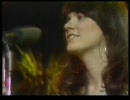
リンダの映像が全然ないのであげてみました。 HR/HM その① → mylist/6997824 その② → mylist/4504403 その他 → mylist/2575466
【H.264】つよきすOPデモ【低ビットレートテスト】

高画質化スレでお題が出たので。つよきすOPデモの低ビットレートです。
もう何というかビットレートが足りなくてどうしようも無いですね。
これ以上画質を上げたいのなら、解像度落とすかフレームレート落とすかする以外に方法が思いつきません。
設定とか: V:512x384 29.97fps 170kbps A:AAC_LC 128kbps
↓詳細
--bitrate 170 --pass 3 --stats ".x264.stats" --qpstep 20 --scenecut 54 --min-keyint 1 --keyint 300 --8x8dct --partitions "p8x8,b8x8,i4x4" --bframes 16 --b-pyramid --bime --direct "auto" --subme 7 --me "tesa" --merange 32 --ref 16 --mixed-refs --threads "auto" --trellis 2 --nr 2 --cqm "flat" --no-fast-pskip --no-dct-decimate --output nul
東方永夜抄 グランギニョル座の怪人 低速封印

魔理沙オンリー。
H.264テスト,20fps,3pass,映像772K,音声66K
--pass 3 --bitrate 760 --keyint 200 --min-keyint 20 --ref 16 --mixed-refs --no-fast-pskip --bframes 16 --b-pyramid --b-rdo --bime --weightb --direct auto --subme 7 --trellis 2 --analyse all --8x8dct --me tesa --merange 32 --threads auto --thread-input --progress --no-dct-decimate --no-psnr --no-ssim
mylist/5688149
【H.264】涼宮ハルヒの憂鬱OP【解像度比較テスト1024x576ガチエンコ2】

1024x576のガチエンコ2、エンコ8時間とか
512x288(適当エンコ)→sm2537130
512x288(ガチエンコ)→sm2584842
512x288(VP6)→sm2586323
1024x576(適当エンコ)→sm2537469
1024x579(ガチエンコ)→sm2548138
H.264テストリスト→mylist/5490376
設定とか: V:1024x576 30fps H.264 800kbps 3-pass A:neroAACEnc 48kHz HE-AACv2 40kbps
使用ソフト:AviUtl+x264gui.auo
x264gui.auo:初期ディレイカットOFF/TimeScale 4倍精度ON
--bitrate 800 --pass 3 --stats ".x264-512.stats" --8x8dct --partitions "all" --bframes 2 --b-pyramid --bime --weightb --direct "auto" --direct-8x8 0 --subme 7 --me "tesa" --merange 32 --ref 16 --mixed-refs --threads 2 --trellis 2 --deblock 2:0 --cqm "flat" --no-fast-pskip --no-dct-decimate
大分良くなったかな。まぁ最後にニコニコベンチとして再生負荷がかなり高い物をエンコして終わりとしよう
【H.264】涼宮ハルヒの憂鬱OP【解像度比較テスト512x288ガチエンコ】

512x288のガチエンコ、エンコ2時間とか
512x288(適当エンコ)→sm2537130
512x288(VP6)→sm2586323
1024x576(適当エンコ)→sm2537469
1024x579(ガチエンコ)→sm2548138
1024x576(ガチエンコ2)→sm2585483
H.264テストリスト→mylist/5490376
設定とか: V:512x288 30fps H.264 800kbps 3-pass A:neroAACEnc 48kHz HE-AACv2 40kbps
使用ソフト:AviUtl+x264gui.auo
x264gui.auo:初期ディレイカットOFF/TimeScale 4倍精度ON
--bitrate 800 --pass 3 --stats ".x264-512.stats" --8x8dct --partitions "all" --bframes 2 --b-pyramid --bime --weightb --direct "auto" --direct-8x8 0 --subme 7 --me "tesa" --merange 32 --ref 16 --mixed-refs --threads 2 --trellis 2 --deblock 2:0 --cqm "flat" --no-fast-pskip --no-dct-decimate
ひぐらしデイブレイク改 ネット対戦H.264テスト(校庭・夜)

60fps,映像774Kbps,音声65Kbps
--pass 3 --bitrate 775 --keyint 600 --min-keyint 60 --ref 16 --mixed-refs --no-fast-pskip --bframes 16 --b-pyramid --b-rdo --bime --weightb --direct auto --subme 7 --trellis 2 --analyse all --8x8dct --me umh --merange 32 --threads auto --thread-input --progress --no-dct-decimate --no-psnr --no-ssim
【H.264】涼宮ハルヒの憂鬱 NCOP【画質テスト】

さすがにこの映像は縮めるのが難しかったです。
細部を極力残すためにどこまでNRをかけていいものかなど色々悩んだ結果これに。
Video : H.264 / x264 / 512x288 / 720kbps / 29.97fps / 2710f / 2-pass
Audio : HE-AAC / NeroAacEnc / 64kbps / 2-pass
x264オプション
--bitrate 720 --qpmin 14 --qpmax 34 --qpstep 6 --bframes 4 --b-pyramid --keyint 240 --min-keyint 8 --scenecut 70 --qcomp 0.75 --analyse all --direct auto --me esa --merange 32 --subme 7 --trellis 2 --cqm flat --weightb --bime --8x8dct --no-fast-pskip --no-dct-decimate --threads 2 --progress
東方永夜抄 正直者の死 H.264テスト

30fpsの画質は悪いです、20fpsを試みて。映像734Kbps,音声65Kbps
--pass 3 --bitrate 730 --keyint 200 --min-keyint 20 --ref 16 --mixed-refs --no-fast-pskip --bframes 10 --b-pyramid --b-rdo --bime --weightb --direct auto --subme 7 --trellis 2 --analyse all --8x8dct --me umh --merange 32 --threads auto --thread-input --progress --no-dct-decimate --no-psnr --no-ssim
mylist/5688149
AIR OP [H264テスト] rev.3
![AIR OP [H264テスト] rev.3](https://nicovideo.cdn.nimg.jp/thumbnails/2558100/2558100)
すこし改良
rev.2はこっち
http://www.nicovideo.jp/watch/sm2554811
[ Video track ]
Codec: avc1
Resolution: 512 x 288
Frame aspect ratio: 16:9 = 1.777777
Pixel aspect ratio: 1:1 = 1
Display aspect ratio: 16:9 = 1.777777
Framerate: 29.970029 fps
Number of frames: 5585
Bitrate: 631.958365 kbps
[ Audio track ]
Codec: AAC Low complexity
Bitrate: 96.236006 kbps
Channels: 2
Sample rate: 48000 Hz
--crf 20.8 --level 4.1 --keyint 240 --ref 2 --mixed-refs --bframes 8 --b-rdo --weightb --nf --subme 6 --trellis 1 --analyse p8x8,b8x8,i4x4 --qpstep 8 --qcomp 0.35 --me umh --threads auto --thread-input --progress --no-psnr --no-ssim --output "output" "input" --aq-strength 0.22 --aq-sensitivity 6.0
H.264/VP6比較動画 Whiteout H.264版

Video:420kbps Audio:HE-AAC CBR-64kbps
--bitrate 420 --qcomp 0.7 --qpmin 28 --qpmax 56 --qpstep 8 --scenecut 54 --min-keyint 10 --keyint 300 --8x8dct --partitions "p8x8,b8x8,i4x4" --bframes 2 --b-pyramid --bime --weightb --direct "temporal" --subme 5 --me "umh" --merange 32 --ref 4 --mixed-refs --threads 2 --trellis 2 --deblock -2:-2 --cqm "jvt"
VP6版→sm2548778
【H.264】涼宮ハルヒの憂鬱OP【解像度比較テスト1024x576ガチエンコ】

リベンジ果たせそうです。1024x576のガチエンコ、エンコに8時間とか掛かりましたがw
512x288(適当エンコ)→sm2537130
1024x576(適当エンコ)→sm2537469
512x288ガチエンコ→sm2584842
1024x576ガチエンコ2→sm2585483
H.264テストリスト→mylist/5490376
設定とか V:1024x576 30fps H.264 800kbps 3-pass A:neroAACEnc 48kHz HE-AACv2 40kbps
使用ソフト:AviUtl+x264gui.auo
x264gui.auo:初期ディレイカットOFF/TimeScale 4倍精度ON
--bitrate 800 --pass 3 --stats ".x264.stats" --8x8dct --partitions "all" --bframes 2 --b-pyramid --bime --weightb --direct "auto" --direct-8x8 0 --subme 7 --me "tesa" --merange 32 --ref 16 --mixed-refs --threads 2 --no-cabac --deblock 2:0 --cqm "flat" --no-fast-pskip --no-dct-decimate
【H264テスト】Air OP BD Ver.2

映像:700Kbps(2Pass)/音声:128Kbps 48KHz
作成ソフト:ffmpeg(rev.12299)
ffmpeg" -threads 0 -y -i "" -vcodec libx264 -bufsize 128k -g 250 -vlevel 30 -aspect 16:9 -s 512x288 -b 700k -maxrate 1500k -refs 5 -keyint_min 1 -sc_threshold 65 -coder ac -trellis 2 -mbd rd -me umh -me_method umh -me_range 64 -subq 7 -cmp -chroma -qns 3 -flags loop+part+naq+bitexact+umv+trell -flags2 mixed_refs+aud+ivlc -partitions parti4x4+partp8x8 -acodec libfaac -ac 2 -ar 48000 -ab 128k -f mp4 ".mp4""
最大ビットレートで40Mいかないならこれで十分かな。
メダロット + メダロット魂 OPEDセット[H.264]
![メダロット + メダロット魂 OPEDセット[H.264]](https://nicovideo.cdn.nimg.jp/thumbnails/2522480/2522480)
512x384 24Bit MPEG4(AVC)
MPEG4-AAC 48.00kHz 16Bit 2ch
[QuickTime] 00:06:23.146/37,753,849Bytes
真空波動研DLL 070509
--bitrate 700 --pass 1 --stats ".x264.stats" --qcomp 0.7 --qpmin 16 --qpmax 34 --qpstep 8 --scenecut 54 --min-keyint 10 --keyint 300 --8x8dct --partitions "p8x8,b8x8,i4x4" --bframes 4 --b-pyramid --bime --weightb --direct "temporal" --subme 1 --me "hex" --merange 16 --ref 4 --no-chroma-me --mixed-refs --threads "auto" --trellis 2 --deblock -6:-6 --cqm "jvt" --no-fast-pskip --no-dct-decimate
で、1pass目が7:40で終わって、8:55で2pass目が出来た
