
キーワード Ubuntu が含まれる動画 : 592 件中 129 - 160 件目
種類:
- タグ
- キーワード
対象:
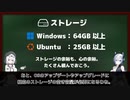
【第21話】UbuntuがインストールできるPCってどんなPC?・Windows 11とUbuntuのシステム要件を比較してみよう
【動画の説明】
Windows 11とUbuntuのシステム要件の比較しながら、UbuntuをインストールできるPCの条件を紹介します。
【サイト】
・ウェブサイト:https://kledgeb.blogspot.com
・Youtube:http://bit.ly/3zpwuKT
・Twitter:https://twitter.com/kledgeb
【VOICEVOX】
・VOICEVOX:https://voicevox.hiroshiba.jp/
・pixivFANBOX:https://hiho.fanbox.cc(支援サイト)
【CV】
・VOICEVOX:もち子(cv 明日葉よもぎ)
・VOICEVOX:No.7
【Credits】
・Ubuntu:https://ubuntu.com/
・Pixabay:https://pixabay.com/
・Pixels Videos & Pixels Photos:https://www.pexels.com
・videvo.net Stock footage provided by Videvo, downloaded from videvo.net :https://www.videvo.net/profile/videvohttps://www.videvo.net
【BGM】
・Lucky Baby:https://dova-s.jp/bgm/play16230.html
・Wind Motion:https://dova-s.jp/bgm/play16724.html
・Bright Daytime:https://dova-s.jp/bgm/play16789.html
・夏色スムージー:https://dova-s.jp/bgm/play16984.html
・STARDUST LEMON:https://dova-s.jp/bgm/play16781.html
【第20話】KDE Plasma 5.26の新機能と変更点の紹介・ウィジェットのリサイズやナイトカラーの改善など
【動画の説明】
2022年10月11日、「KDE Plasma 5.26」がリリースされました。
「KDE Plasma 5.26」の新機能と変更点を紹介します。
【サイト】
ウェブサイト:https://kledgeb.blogspot.com
Youtube:http://bit.ly/3zpwuKT
Twitter:https://twitter.com/kledgeb
【VOICEVOX】
VOICEVOX:https://voicevox.hiroshiba.jp/
pixivFANBOX:https://hiho.fanbox.cc(支援サイト)
【CV】
VOICEVOX:四国めたん
VOICEVOX:ずんだもん
VOICEVOX:春日部つむぎ
VOICEVOX:雨晴はう
VOICEVOX:波音リツ
VOICEVOX:玄野武宏
VOICEVOX:白上虎太郎
VOICEVOX:青山龍星
VOICEVOX:冥鳴ひまり
VOICEVOX:九州そら
VOICEVOX:もち子(cv 明日葉よもぎ)
VOICEVOX:剣崎雌雄
VOICEVOX:WhiteCUL
VOICEVOX:後鬼
VOICEVOX:No.7
【Credits】
Ubuntu:https://ubuntu.com/
KDE:https://kde.org/
Pixabay:https://pixabay.com/
Pixels Videos & Pixels Photos:https://www.pexels.com
videvo.net Stock footage provided by Videvo, downloaded from videvo.net :https://www.videvo.net/profile/videvohttps://www.videvo.net
-----------------
・Lucky Baby
https://dova-s.jp/bgm/play16230.html
・お菓子作り
https://dova-s.jp/bgm/play17037.html
・猫耳すぷれましー!
https://dova-s.jp/bgm/play16688.html
【第19話】プレゼンや説明動画制作に役立つアクセシビリティー機能4選
【動画の説明】
デスクトップの操作やアプリの紹介など、GUI上の操作を主軸にしたプレゼンや動画を作る機会があるかもしれません。
これらの作業に役立つであろうアクセシビリティー機能を紹介します。
【Twitter】
https://twitter.com/kledgeb
【Website】
https://kledgeb.blogspot.com
【VOICEVOX 支援サイト】
pixivFANBOX:https://hiho.fanbox.cc
【CV】
VOICEVOX:https://voicevox.hiroshiba.jp/
VOICEVOX:WhiteCUL
VOICEVOX:後鬼
VOICEVOX:No.7
【Credits】
・Ubuntu
https://ubuntu.com/
・Pixabay
https://pixabay.com/
・Pixels Videos & Pixels Photos
https://www.pexels.com
・videvo.net
Stock footage provided by Videvo, downloaded from videvo.net
https://www.videvo.net/profile/videvohttps://www.videvo.net
-----------------
・Lucky Baby
https://dova-s.jp/bgm/play16230.html
・お菓子作り
https://dova-s.jp/bgm/play17037.html
・猫耳すぷれましー!
https://dova-s.jp/bgm/play16688.html
【第18話】VOICEVOXに3人の新キャラクター追加・新キャラクターの紹介
【動画の説明】
2022年9月30日に「VOICEVOX」の新バージョン、「VOICEVOX 0.13.2」がリリースされました。
「VOICEVOX 0.13.2」では3人の新キャラクター追加が追加されています。
今回は追加された3人の新キャラクターの紹介と、以前インストールした「VOICEVOX」をアップデートする方法を紹介します。
【Twitter】
https://twitter.com/kledgeb
【Website】
https://kledgeb.blogspot.com
【VOICEVOX 支援サイト】
・pixivFANBOX:https://hiho.fanbox.cc
【CV】
・VOICEVOX:https://voicevox.hiroshiba.jp/
・VOICEVOX:ずんだもん
・VOICEVOX:白上虎太郎
・VOICEVOX:WhiteCUL
・VOICEVOX:後鬼
・VOICEVOX:No.7
【Credits】
・Ubuntu
https://ubuntu.com/
・Pixabay
https://pixabay.com/
・Pixels Videos & Pixels Photos
https://www.pexels.com
・videvo.net
Stock footage provided by Videvo, downloaded from videvo.net
https://www.videvo.net/profile/videvohttps://www.videvo.net
-----------------
・Lucky Baby
https://dova-s.jp/bgm/play16230.html
・お菓子作り
https://dova-s.jp/bgm/play17037.html
・猫耳すぷれましー!
https://dova-s.jp/bgm/play16688.html
ベジタブルバレーBGM from 『星のカービィ 夢の泉の物語』
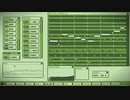
このところ気になっていたチップチューン製作ソフトウェア「メキメキチップ」の操作の習得を目的に『星のカービィ 夢の泉の物語』のステージ1「ベジタブルバレー」のBGMを打ち込んでみました。
原曲の注目ポイントとして、イントロ後に流れるメインメロディは2回登場するのですがバックのベースラインやピコピコシーケンスは1回目と2回目で異なっています。これぞプロの仕事…!
DAWとはまた違った操作体系ですがインターフェースへの拘りは動画を見ると一目瞭然でしょう。今後の発展に期待です。
ちなみにソフトウェアでの再生時のループするあたりがなんか変(切れてる感ある)なのはUbuntu版を利用してるからかもしれません。.wavファイルに出力すると切れたりしないので。
メキメキチップの入手先&マニュアル: https://amuru9.wixsite.com/my-site/mekimeki-chip
【第17話】2022年9月のLinuxニュース・Ubuntu 22.10 β版のリリースなど
【動画の説明】
今回は2022年9月のLinuxニュースを紹介します。
主にUbuntuのニュースがメインです。
【Twitter】
https://twitter.com/kledgeb
【Website】
https://kledgeb.blogspot.com
【CV】
・VOICEVOX:https://voicevox.hiroshiba.jp/
・VOICEVOX:四国めたん
・VOICEVOX:ずんだもん
・VOICEVOX:春日部つむぎ
・VOICEVOX:雨晴はう
・VOICEVOX:波音リツ
・VOICEVOX:玄野武宏
・VOICEVOX:白上虎太郎
・VOICEVOX:青山龍星
・VOICEVOX:冥鳴ひまり
・VOICEVOX:九州そら
・VOICEVOX:もち子(cv 明日葉よもぎ)
・VOICEVOX:剣崎雌雄
【Credits】
・Ubuntu
https://ubuntu.com/
・Pixabay
https://pixabay.com/
・Pixels Videos & Pixels Photos
https://www.pexels.com
・videvo.net
Stock footage provided by Videvo, downloaded from videvo.net
https://www.videvo.net/profile/videvohttps://www.videvo.net
-----------------
・番組オープニング
https://dova-s.jp/bgm/play12413.html
・Sporting News
https://dova-s.jp/bgm/play16683.html
・Radio
https://dova-s.jp/bgm/play16432.html
【第16話】Linux上でも動作する日本語音声合成ソフト、VOICEVOXの紹介・Ubuntu 22.04 LTSにVOICEVOXをインストールするには
【動画の説明】
今回はLinux上でも動作する日本語音声合成ソフト、VOICEVOXの紹介です。
VOICEVOXは使いやすく、そして動画制作において便利な機能を搭載しているアプリです。
またUbuntu 22.04 LTSにVOICEVOXをインストールする方法も紹介しています。
【Twitter】
https://twitter.com/kledgeb
【Website】
https://kledgeb.blogspot.com
【CV】
・VOICEVOX:https://voicevox.hiroshiba.jp/
・VOICEVOX:四国めたん
・VOICEVOX:ずんだもん
・VOICEVOX:春日部つむぎ
・VOICEVOX:雨晴はう
・VOICEVOX:波音リツ
・VOICEVOX:玄野武宏
・VOICEVOX:白上虎太郎
・VOICEVOX:青山龍星
・VOICEVOX:冥鳴ひまり
・VOICEVOX:九州そら
・VOICEVOX:もち子(cv 明日葉よもぎ)
・VOICEVOX:剣崎雌雄
【Credits】
・Ubuntu
https://ubuntu.com/
・videvo.net
Stock footage provided by Videvo, downloaded from videvo.net
https://www.videvo.net/profile/videvohttps://www.videvo.net
-----------------
・Lucky Baby
https://dova-s.jp/bgm/play16230.html
・お菓子作り
https://dova-s.jp/bgm/play17037.html
・猫耳すぷれましー!
https://dova-s.jp/bgm/play16688.html
【第15話】シンプルでパワフルなUbuntuの公式フレーバー、Kubuntuの紹介・カスタマイズ性随一のOS
【動画の説明】
今回はUbuntu公式フレーバーの1つ、Kubuntuの紹介です。
Kubuntuは非常にカスタマイズ性が高く、また多機能なデスクトップ及びアプリを提供するOSです。
【Twitter】
https://twitter.com/kledgeb
【Website】
https://kledgeb.blogspot.com
【Credits】
・Ubuntu
https://ubuntu.com/
・Kubuntu
https://kubuntu.org/
-----------------
・VOICEVOX:玄野武宏
https://voicevox.hiroshiba.jp/
・VOICEVOX:白上虎太郎
https://voicevox.hiroshiba.jp/
-----------------
・Openclipart
https://openclipart.org/
・Pixels Videos & Pixels Photos
https://www.pexels.com
・いらすとや
https://www.irasutoya.com/
・videvo.net
Stock footage provided by Videvo, downloaded from videvo.net
https://www.videvo.net/profile/videvohttps://www.videvo.net
-----------------
・In the Breeze
https://dova-s.jp/bgm/play16963.html
・Lucky Baby
https://dova-s.jp/bgm/play16230.html
・wind of tomorrow
https://dova-s.jp/bgm/play15036.html
・夏色スムージー
https://dova-s.jp/bgm/play16984.html
・Bright Daytime
https://dova-s.jp/bgm/play16789.html
・Wind Motion
https://dova-s.jp/bgm/play16724.html
・STARDUST LEMON
https://dova-s.jp/bgm/play16781.html
【第14話】UbuntuをカスタマイズしたOS、Ubuntu公式フレーバーとは
【動画の説明】
UbuntuにはUbuntu公式フレーバーと呼ばれるOSがあります。
Ubuntu公式フレーバーはUbuntuをカスタマイズしたOSであり、異なるデスクトップ環境を採用したり特定のワークフローに最適化したOSを提供しています。
【Twitter】
https://twitter.com/kledgeb
【Website】
https://kledgeb.blogspot.com
【Credits】
・Ubuntu
https://ubuntu.com/
-----------------
・VOICEVOX:玄野武宏
https://voicevox.hiroshiba.jp/
・VOICEVOX:白上虎太郎
https://voicevox.hiroshiba.jp/
-----------------
・Openclipart
https://openclipart.org/
・Pixels Videos & Pixels Photos
https://www.pexels.com
・いらすとや
https://www.irasutoya.com/
・videvo.net
Stock footage provided by Videvo, downloaded from videvo.nethttps://www.videvo.net/profile/videvohttps://www.videvo.net
-----------------
・In the Breeze
https://dova-s.jp/bgm/play16963.html
・Lucky Baby
https://dova-s.jp/bgm/play16230.html
・wind of tomorrow
https://dova-s.jp/bgm/play15036.html
・夏色スムージー
https://dova-s.jp/bgm/play16984.html
・STARDUST LEMON
https://dova-s.jp/bgm/play16781.html
【第13話】□2022年8月のLinuxニュース
□【動画の説明】
□2022年8月のLinuxニュースを紹介します。
□【Twitter】
https://twitter.com/kledgeb
□【Website】
https://kledgeb.blogspot.com
□【Credits】
□Ubuntu
https://ubuntu.com/
□Linux Mint
https://linuxmint.com/
□Kubuntu
https://kubuntu.org/
-----------------
□Dell
https://www.dell.com
□Kubuntu Focus
https://kfocus.org/
□.NET
https://dotnet.microsoft.com/ja-jp/
-----------------
□VOICEVOX:玄野武宏
https://voicevox.hiroshiba.jp/
□VOICEVOX:白上虎太郎
https://voicevox.hiroshiba.jp/
-----------------
□Openclipart
https://openclipart.org/
□Pixels Videos & Pixels Photos
https://www.pexels.com
□いらすとや
https://www.irasutoya.com/
□videvo.net
Stock footage provided by Videvo, downloaded from videvo.nethttps://www.videvo.net/profile/videvohttps://www.videvo.net
-----------------
□番組オープニング
https://dova-s.jp/bgm/play12413.html
□ニュース速報 モダン
https://dova-s.jp/bgm/play12152.html
□STARDUST LEMON
https://dova-s.jp/bgm/play16781.html
【第12話】□Ubuntuのサポート期間ってどうなってるの?□Ubuntuのアップグレード方針ってどうなってるの?
□【動画の説明】
□Ubuntuのサポート期間は、LTSリリースと通常リリースで異なります。
それぞれのリリースのサポート期間を紹介します。
□サポート期間が異なるLTSリリースと通常リリースのアップグレード方針や、ユーザーにおすすめするアップグレード方針を紹介します。
□【Twitter】
https://twitter.com/kledgeb
□【Website】
https://kledgeb.blogspot.com
□【Credits】
□Ubuntu
https://ubuntu.com/
-----------------
□VOICEVOX:玄野武宏
https://voicevox.hiroshiba.jp/
□VOICEVOX:白上虎太郎
https://voicevox.hiroshiba.jp/
-----------------
□Openclipart
https://openclipart.org/
□Pixels Videos & Pixels Photos
https://www.pexels.com
□いらすとや
https://www.irasutoya.com/
-----------------
□In the Breeze
https://dova-s.jp/bgm/play16963.html
□Lucky Baby
https://dova-s.jp/bgm/play16230.html
□wind of tomorrow
https://dova-s.jp/bgm/play15036.html
□夏色スムージー
https://dova-s.jp/bgm/play16984.html
□Bright Daytime
https://dova-s.jp/bgm/play16789.html
□STARDUST LEMON
https://dova-s.jp/bgm/play16781.html
【第11話】□Ubuntuのバージョンってどうなってるの?□Jammy Jellyfishってなんなの?□Ubuntuとバージョンと開発コードの法則

□【動画の説明】
□Ubuntuのバージョンは、一般的なソフトウェアのバージョンとは付け方が異なります。
Ubuntuのバージョンがどのように付けられているのかを紹介します。
□Ubuntuの各メジャーバージョンには開発コードが付けられています。
Ubuntuの開発コードはある法則に沿って付けられています。
Ubuntuの開発コードがどのように付けられているのかを紹介します。
□【Twitter】
https://twitter.com/kledgeb
□【Website】
https://kledgeb.blogspot.com
□【Credits】
□Ubuntu
https://ubuntu.com/
-----------------
□VOICEVOX:玄野武宏
https://voicevox.hiroshiba.jp/
□VOICEVOX:白上虎太郎
https://voicevox.hiroshiba.jp/
-----------------
□Openclipart
https://openclipart.org/
□Pixels Videos & Pixels Photos
https://www.pexels.com
□いらすとや
https://www.irasutoya.com/
-----------------
□In the Breeze
https://dova-s.jp/bgm/play16963.html
□Lucky Baby
https://dova-s.jp/bgm/play16230.html
□wind of tomorrow
https://dova-s.jp/bgm/play15036.html
□夏色スムージー
https://dova-s.jp/bgm/play16984.html
□STARDUST LEMON
https://dova-s.jp/bgm/play16781.html
【ゆっくり解説】ルーティングプロトコルの概要
ルーティングプロトコルの概要です。
超あっさりです。
お墓参りしたり新作のゲームをしていたら結構時間がかかってしまった。
前回(sm40910892)
ようつべでもやってます。https://youtu.be/gOHQx8n0F08
作ったもの
https://mega.nz/folder/0C9TiRKK#V6SVMuyX9ssAqEdE4WLcPg
----
使用したもの一覧
・Ubuntu 22.04
・GNS3 2.2.32
・VyOS 1.3、1.4
・OBS Studio 27.2.4
----
参考文献
・L3VPN for Hub-and-Spoke connectivity with VyOS ? VyOS 1.4.x (sagitta) documentation
https://docs.vyos.io/en/latest/configexamples/l3vpn-hub-and-spoke.html
RFC
・BGP RFC-4271等
・OSPF RFC-2328等
・RIP RFC-2453等
・IS-IS RFC-1142等
・Babel RFC-8966
【第10話】□Ubuntuっていつリリースされてるの?□Ubuntuの通常リリースとLTSリリースとポイントリリースの紹介
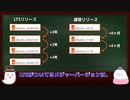
□【動画の説明】
□Ubuntuのリリースには、通常リリースとLTSリリースとポイントリリースがあります。
それぞれのリリース方針を紹介します。
□【Twitter】
https://twitter.com/kledgeb
□【Website】
https://kledgeb.blogspot.com
□【Credits】
□Ubuntu
https://ubuntu.com/
-----------------
□VOICEVOX:玄野武宏
https://voicevox.hiroshiba.jp/
□VOICEVOX:白上虎太郎
https://voicevox.hiroshiba.jp/
-----------------
□Openclipart
https://openclipart.org/
□Pixels Videos & Pixels Photos
https://www.pexels.com
□いらすとや
https://www.irasutoya.com/
-----------------
□In the Breeze
https://dova-s.jp/bgm/play16963.html
□Lucky Baby
https://dova-s.jp/bgm/play16230.html
□wind of tomorrow
https://dova-s.jp/bgm/play15036.html
□夏色スムージー
https://dova-s.jp/bgm/play16984.html
□STARDUST LEMON
https://dova-s.jp/bgm/play16781.html
【第9話】□誰にでもオススメのLinuxディストリビューション、Ubuntuの紹介 □ デスクトップユーザー向けのUbuntu Desktopの紹介
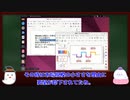
□【動画の説明】
□ 今回は誰にでもオススメのLinuxディストリビューション、Ubuntuを紹介します。
非常に著名なLinuxディストリビューションですから、ご存知の方も多いかと思います。
□ Ubuntuは用途や目的ごとにエディションが別れています。
今回はその中でもデスクトップユーザー向けのUbuntu Desktopを紹介します。
□【Twitter】
https://twitter.com/kledgeb
□【Website】
https://kledgeb.blogspot.com
□【Credits】
□Ubuntu
https://ubuntu.com/
□Linux Mint
https://linuxmint.com/
□Ubuntu Touch
https://ubuntu-touch.io/
https://en.wikipedia.org/wiki/Ubuntu_Touch
-----------------
□VOICEVOX:玄野武宏
https://voicevox.hiroshiba.jp/
□VOICEVOX:白上虎太郎
https://voicevox.hiroshiba.jp/
-----------------
□Openclipart
https://openclipart.org/
□Pixels Videos & Pixels Photos
https://www.pexels.com
□いらすとや
https://www.irasutoya.com/
-----------------
□Bright Daytime
https://dova-s.jp/bgm/play16789.html
□In the Breeze
https://dova-s.jp/bgm/play16963.html
□Lucky Baby
https://dova-s.jp/bgm/play16230.html
□wind of tomorrow
https://dova-s.jp/bgm/play15036.html
□夏色スムージー
https://dova-s.jp/bgm/play16984.html
□STARDUST LEMON
https://dova-s.jp/bgm/play16781.html
【第8話】□Linux Mintって、いつリリースされているの? □ Linux Mintのサポート期間とアップグレードはどうなってるの?
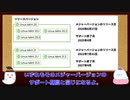
□【動画の説明】
□ 今回はLinux Mintがいつリリースされるのか、またサポート期間はどうなっているのか、それぞれの方針を紹介します。
□ Linux Mintにはメジャーリリースとポイントリリースとがあります。
それぞれのアップグレード方針を見てみましょう。
□【Twitter】
https://twitter.com/kledgeb
□【Website】
https://kledgeb.blogspot.com
□【Credits】
□Ubuntu
https://ubuntu.com/
□Linux Mint
https://linuxmint.com/
-----------------
□VOICEVOX:玄野武宏
https://voicevox.hiroshiba.jp/
□VOICEVOX:白上虎太郎
https://voicevox.hiroshiba.jp/
-----------------
□Openclipart
https://openclipart.org/
□Pixels Videos & Pixels Photos
https://www.pexels.com
□いらすとや
https://www.irasutoya.com/
□Bright Daytime
https://dova-s.jp/bgm/download16789.html
□In the Breeze
https://dova-s.jp/bgm/play16963.html
□Lucky Baby
https://dova-s.jp/bgm/play16230.html
□wind of tomorrow
https://dova-s.jp/bgm/play15036.html
□夏色スムージー
https://dova-s.jp/bgm/play16984.html
□元気をだして
https://dova-s.jp/bgm/play16864.html
□Wind Motion
https://dova-s.jp/bgm/play16724.html
【第7話】□ 初めての人にもおすすめのLinuxディストリビューション、Linux Mintの紹介 □ デスクトップのデザインとエディションの選び方
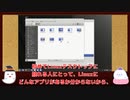
□【動画の説明】
□ 今回はLinuxデスクトップを初めて利用する人にもおすすめなLinux Mintを紹介します。
□ またデスクトップデザインの紹介や、4つのエディションの選び方を紹介しています。
□【Twitter】
https://twitter.com/kledgeb
□【Website】
https://kledgeb.blogspot.com
□【Credits】
□Ubuntu
https://ubuntu.com/
□Linux Mint
https://linuxmint.com/
□VOICEVOX:玄野武宏
https://voicevox.hiroshiba.jp/
□VOICEVOX:白上虎太郎
https://voicevox.hiroshiba.jp/
□Openclipart
https://openclipart.org/
□Pixels Videos & Pixels Photos
https://www.pexels.com
□In the Breeze
https://dova-s.jp/bgm/play16963.html
□Lucky Baby
https://dova-s.jp/bgm/play16230.html
□wind of tomorrow
https://dova-s.jp/bgm/play15036.html
□夏色スムージー
https://dova-s.jp/bgm/play16984.html
□元気をだして
https://dova-s.jp/bgm/play16864.html
□いらすとや
https://www.irasutoya.com/
□Linux
https://en.wikipedia.org/wiki/Linux
【第6話】Linuxのデスクトップ環境とは?・GNOMEとPlasmaの紹介
・デスクトップ向けLinuxディストリビューションには、デスクトップ機能を提供するため、何かしらのデスクトップ環境がプリインストールされています。
Linuxのデスクトップ環境の概要を紹介します。
・数あるデスクトップ環境の内、GNOMEとPlasmaを紹介します。
どちらも非常に著名なデスクトップ環境です。
【Twitter】
https://twitter.com/kledgeb
【Website】
https://kledgeb.blogspot.com
【Credits】
・Ubuntu
https://ubuntu.com/
・VOICEVOX:玄野武宏
https://voicevox.hiroshiba.jp/
・VOICEVOX:白上虎太郎
https://voicevox.hiroshiba.jp/
・Openclipart
https://openclipart.org/
・Pixels Videos & Pixels Photos
https://www.pexels.com
・In the Breeze
https://dova-s.jp/bgm/play16963.html
・Lucky Baby
https://dova-s.jp/bgm/play16230.html
・wind of tomorrow
https://dova-s.jp/bgm/play15036.html
・夏色スムージー
https://dova-s.jp/bgm/play16984.html
・元気をだして
https://dova-s.jp/bgm/play16864.html
・いらすとや
https://www.irasutoya.com/
・Linux
https://en.wikipedia.org/wiki/Linux
【第5話】32bit版と64bit版、どっちがいいの?・Linuxディストリビューションの親子関係と派生
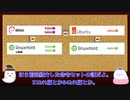
・Linuxディストリビューションの中には、32bit版と64bit版を提供しているものもあります。
PCが両方に対応しているなら、どちらにするか迷うかもしれません。
その時に役立つであろう方針を紹介します。
・多くのLinuxディストリビューションは、別のLinuxディストリビューションをもとに開発されています。
Linuxディストリビューションの親子関係について紹介します。
【Twitter】
https://twitter.com/kledgeb
【Website】
https://kledgeb.blogspot.com
【Credits】
・Ubuntu
https://ubuntu.com/
・Debian
https://www.debian.org/
・Linux Mint
https://linuxmint.com/
・VOICEVOX:玄野武宏
https://voicevox.hiroshiba.jp/
・VOICEVOX:白上虎太郎
https://voicevox.hiroshiba.jp/
・Openclipart
https://openclipart.org/
・Pixels Videos & Pixels Photos
https://www.pexels.com
・In the Breeze
https://dova-s.jp/bgm/play16963.html
・Lucky Baby
https://dova-s.jp/bgm/play16230.html
・wind of tomorrow
https://dova-s.jp/bgm/play15036.html
・夏色スムージー
https://dova-s.jp/bgm/play16984.html
・元気をだして
https://dova-s.jp/bgm/play16864.html
・いらすとや
https://www.irasutoya.com/
・Linux
https://en.wikipedia.org/wiki/Linux
【第4話】Linuxディストリビューションのサポート期間とサポートCPU
・Linuxディストリビューションのサポート期間は、Linuxディストリビューションごとに決められるものです。
また同じLinuxディストリビューションでも、バージョンによりサポート期間が異なることがあります。
・LinuxディストリビューションがサポートするCPUも、Linuxディストリビューションごとに決められるものです。
今回はLinuxディストリビューションの開発方針の内、サポート期間とサポートするCPUに目を向けてみましょう。
【Twitter】
https://twitter.com/kledgeb
【Website】
https://kledgeb.blogspot.com
【Credits】
・Ubuntu
https://ubuntu.com/
・VOICEVOX:玄野武宏
https://voicevox.hiroshiba.jp/
・VOICEVOX:白上虎太郎
https://voicevox.hiroshiba.jp/
・Openclipart
https://openclipart.org/
・Pixels Videos & Pixels Photos
https://www.pexels.com
・In the Breeze
https://dova-s.jp/bgm/play16963.html
・Lucky Baby
https://dova-s.jp/bgm/play16230.html
・wind of tomorrow
https://dova-s.jp/bgm/play15036.html
・夏色スムージー
https://dova-s.jp/bgm/play16984.html
・元気をだして
https://dova-s.jp/bgm/play16864.html
・いらすとや
https://www.irasutoya.com/
・Linux
https://en.wikipedia.org/wiki/Linux
【第3話】新しいPCでもLinuxを使おう・Linuxディストリビューションの開発方針とリリース方針
・Linuxというと古いPCの再利用で紹介される機会が多いかと思います。
でも最近のLinuxは新しいPCでも活用できます。
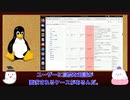
・それぞれのLinuxディストリビューションには開発方針があり、それが特徴にも強く結びついています。
まずはLinuxディストリビューションの開発方針の内、リリース方針に目を向けてみましょう。
【Twitter】
https://twitter.com/kledgeb
【Website】
https://kledgeb.blogspot.com
【Credits】
・Ubuntu
https://ubuntu.com/
・VOICEVOX:玄野武宏
https://voicevox.hiroshiba.jp/
・VOICEVOX:白上虎太郎
https://voicevox.hiroshiba.jp/
・Openclipart
https://openclipart.org/
・Pixels Videos & Pixels Photos
https://www.pexels.com
・In the Breeze
https://dova-s.jp/bgm/play16963.html
・Lucky Baby
https://dova-s.jp/bgm/play16230.html
・wind of tomorrow
https://dova-s.jp/bgm/play15036.html
・夏色スムージー
https://dova-s.jp/bgm/play16984.html
・元気をだして
https://dova-s.jp/bgm/play16864.html
・いらすとや
https://www.irasutoya.com/
・Linux
https://en.wikipedia.org/wiki/Linux
【第2話】Linuxディストリビューションの特徴を知ろう
第2話はLinuxディストリビューションの特徴を知ろう編です。
世の中にLinuxディストリビューションは星の数ほどあり、その特徴も千差万別です。
【Twitter】
https://twitter.com/kledgeb
【Website】
https://kledgeb.blogspot.com
【Credits】
・Ubuntu
https://ubuntu.com/
・VOICEVOX:玄野武宏
https://voicevox.hiroshiba.jp/
・VOICEVOX:白上虎太郎
https://voicevox.hiroshiba.jp/
・Openclipart
https://openclipart.org/
・Pixels Videos & Pixels Photos
https://www.pexels.com
・In the Breeze
https://dova-s.jp/bgm/play16963.html
・Lucky Baby
https://dova-s.jp/bgm/play16230.html
・wind of tomorrow
https://dova-s.jp/bgm/play15036.html
・夏色スムージー
https://dova-s.jp/bgm/play16984.html
・元気をだして
https://dova-s.jp/bgm/play16864.html
・いらすとや
https://www.irasutoya.com/
・Linux
https://en.wikipedia.org/wiki/Linux
【第1話】LinuxとUbuntuの超入門&超入口

Ubuntuで利用可能なアプリのみ利用して動画を作成してみました。
まずはLinuxとUbuntuの超入門&超入口編です。
【Twitter】
https://twitter.com/kledgeb
【Website】
https://kledgeb.blogspot.com
【Credits】
・Ubuntu
https://ubuntu.com/
・En-Ubuntu pronunciation.oga:
https://en.wikipedia.org/wiki/File:En-Ubuntu_pronunciation.oga
・地球からM87中心ブラックホールへのズームイン映像 / Zooming in to the Heart of Messier 87:
https://www.youtube.com/watch?v=UWcKmjMcqdU
・VOICEVOX:玄野武宏
https://voicevox.hiroshiba.jp/
・VOICEVOX:白上虎太郎
https://voicevox.hiroshiba.jp/
・Openclipart
https://openclipart.org/
・Pixels Videos & Pixels Photos
https://www.pexels.com
・In the Breeze
https://dova-s.jp/bgm/play16963.html
・午前二時の悩み事
https://dova-s.jp/bgm/play17034.html
・元気をだして
https://dova-s.jp/bgm/play16864.html
・いらすとや
https://www.irasutoya.com/
【ゆっくり解説】トラブルシューティング

ネットワークのトラブルシューティングその1です。
あっさり風味です。暑いので融けてました(言い訳)。
茶番ネタが何も思い浮かばなかった…
前回(sm40840441) 次回(sm40978384)
ようつべでもやってます。https://youtu.be/NIdoFIXY25U
----
使用したもの一覧
・Ubuntu 22.04
・GNS3 2.2.32
・VyOS 1.3
・OPNsense 22.1.2
----
参考文献
全般的に間違いがないかの確認のため
・Wikipedia
https://en.wikipedia.org/wiki/
【ゆっくり解説】 DNSとネットワーク機器
DNSとネットワーク機器の解説です。
色々詰め込み過ぎて30分超えました…気軽に見てください。
某作品にドはまりしました
前回(sm40694504) 次回(sm40910892)
ようつべでもやってます。https://youtu.be/U6DLScldvyk
今回作ったGNS3用ファイル https://mega.nz/folder/EKt2kDDa#Pe0q6QWCiz7R9RehVXWE4Q
----
使用したもの一覧
・Ubuntu 22.04
・GNS3 2.2.32
・VyOS 1.3
・Zevenet CE 5.12
・OPNsense 22.1.2
・Zabbix 6.2.0
フォント
・Double Feature Font
https://www.1001fonts.com/double-feature-font.html
----
参考文献
・Comparison of DNS server software
https://en.wikipedia.org/wiki/Comparison_of_DNS_server_software
・Open Source Firewalls: The Best in the Business - open source for you
https://www.opensourceforu.com/2018/12/open-source-firewalls-the-best-in-the-business/
・10 Open Source Load Balancer for HA and Improved Performance
https://geekflare.com/open-source-load-balancer/
(各ソフトウェアの公式サイトは略)
【VOICEVOX解説】Linuxでバ美肉する方法 -NORMAL-
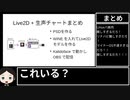
(続編は)初投稿です。
編集初心者な上に手を抜いて急いで作ったのでいろいろと変だったり拙いかもしれません。
手を抜いたのは内容に対する需要が非常に少ないのが明確だからです
前→sm39934562
この動画は可能な限りUbuntuで制作しました。Ubuntuでの作業内容は下記の通りです。
編集: Davinci Resolve(本編作成)、Kdenlive(仕上げ)
解説部分の作成:LibreOffice Impress
一部の図の作成: GIMP
四つ打ちもどきの作成: LMMS
ボイス生成:VOICEVOX(四国めたん)
note版→ https://note.com/hoyo_0x00/m/m0f527098c6fd
ミリィのパソコン教室-LattePanda Alpha 800s編
彼女たちはseries/230812で(ゲーム実況で)トラック転がしていた時空と同じ世界の子です。
血迷ってヘンなパソコン(?)を1台買ったので、ミリアルさんにいろいろな意味で犠牲になってもらいました。
IntelCPU搭載のシングルボードコンピューターを入手したので、雑にUbuntu 22.04 LTSをインストールします。
自作PC要素がM.2 SSDが積めるくらいですが、OSインストールまで動画化してみました。
解説系の動画は(少なくともCoeFontでは)初めてなので至らぬ点があるかも知れませんが、生暖かい目で見守って頂けると幸いです。
え、sm10715533の実質続編だって?はて、知らない動画ですね・・・
続きを匂わせていますが、作るかどうかは・・・はてさて。(行ければ行く理論で・・・)
各種情報
LattePanda Alpha 800s : https://www.lattepanda.com/products/lattepanda-alpha-800.html
Win11非対応根拠 : https://www.lattepanda.com/topic-f23t38011.html
Ubuntu日本語Remix : https://www.ubuntulinux.jp/download/ja-remix
Rufus : https://rufus.ie/ja/
Voiced by https://CoeFont.studio
【ゆっくり解説】L2とL3
ネットワークのL2とL3の解説です。
ちょっとだけL1も出てきます。
作成環境を変更したり、色々と細かい部分をいじっていたら結構時間がかかってしまいました。
前回(sm40631135) 次回(sm40840441)
ようつべでもやってます。https://youtu.be/JGJ5M3jxE24
参考:GNS3のプロジェクトファイル(VM込みで1.7GB程度あります)
https://mega.nz/file/NftV3BYC#1QC71T-Jg8z6GGEyFmuf2Xg2yi_w1FuT68NiDahvA9U
ubuntu22.04で作成(仮想化環境がlibvirtならそのまま行けるはず……)
ちなみにRouter部分はユーザパス共にvyosです。
次の動画はまだ少し時間がかかりそうです。
----
使用したもの一覧
・FreeBSD 13.1
・Ubuntu 22.04
・GNS3 2.2.32
・VyOS 1.3
・Cisco Packet Tracer 8.1.1.0022
・Mininet 2.3.0
----
参考文献
・Network Simulator辺り
Open-Source Routing and Network Simulation | Open-Source Network Simulators
https://www.brianlinkletter.com/open-source-network-simulators/
・GNS3
GNS3 | The software that empowers network professionals
https://www.gns3.com/
・VyOS
VyOS Community
https://vyos.net/
・Cisco Packet Tracer
Cisco Packet Tracer - Networking Simulation Tool
https://www.netacad.com/courses/packet-tracer
・mininet
Download/Get Started With Mininet - Mininet
http://mininet.org/download/
【ゆっくり解説】 ネットワークの概要
ネットワークの概要の解説です。
初歩的な所だけをやりました(初心者向けとは言っていない)
今回からはちょっと構成を変えて、あと極力AviUtlで図を作っています(変形とかさせたかったので)。
前回(sm40587155) 次回(sm40694504)
ようつべでもやってます。https://youtu.be/aahSe1qfnVA
動画内で使用したスクリプト(自作)
https://github.com/frsk9999/aviutl_script
----
使用したもの一覧
・FreeBSD 13.1
・Ubuntu 22.04
----
引用
https://commons.wikimedia.org/wiki/File:ARPANET_first_router_2.jpg
Steve Jurvetson from Menlo Park, USA, CC BY 2.0 <https://creativecommons.org/licenses/by/2.0>, via Wikimedia Commons
参考文献
MACアドレス
・Welcome to The Public Listing For IEEE Standards Registration Authority
https://regauth.standards.ieee.org/standards-ra-web/pub/view.html
GORDOへの言及があるインタビュー
・Interview of Charles Kline
https://static.library.ucla.edu/oralhistory/text/masters/21198-zz002k430c-4-master.html
RFC関連
・JPRS トピックス&コラム No.22 | インターネット標準の作られ方 | JPRS
https://jprs.jp/related-info/guide/topics-column/no22.html
・≫RFCエディター
https://www.rfc-editor.org/
画像を引用しようか最後まで迷ったサイト(多分ここが一番古い。AT&Tのオリジナル画像が辿れないので諦めた)
・Getting connected: a history of modems
https://www.techradar.com/news/internet/getting-connected-a-history-of-modems-657479
歴代windows起動音先輩 おまけ付き

Longhornが無いと指摘を受けたのでsm40540119
ひとくち淫夢のつもりがずいぶん長くなってしまったゾ
Youtubeに投稿しようとしたらNT 5.0のところが著作権に引っかかったソ
先駆者
sm40494278
sm40504602
すまねー↓
sm40519400
windows NT5.0だけ聞きたい兄貴はこ↑こ↓sm40684950
中2のママ、息子にスマホルールが一日30分・夜8時から禁止・ゲームアプリはダメ・テストで上位5%入ってなかったら…
【参考資料】
ニュー速クオリティ
【画像】女さん、中2の息子をとんでもないルールで縛り付けてしまう・・・
http://news4vip.livedoor.biz/archives/52448713.html
オレ的ゲーム速報@JIN
【悲報】Windows 11、プロのハッカーが集うハッキング大会に出場するも6回もハッキングに成功されてしまう
http://jin115.com/archives/52346609.html
・記事元:https://gigazine.net/news/20220523-pwn2own-windows-11-tesla-ubuntu/
【参考画像】
●pixabay
https://pixabay.com/ja/
●pexels
https://www.pexels.com/ja-jp/
【参考音楽】
●音源元⇒魔王魂 URL⇒ https://maoudamashii.jokersounds.com/
#中2 #スマホルール #Windows 11 #ハッキング大会 #Pwn2Own #30分 #アプリ #テスラ #ママ #お母さん
【東京刺激クラブ】相談はTwitter⇒東京刺激クラブ @onda3simai4
読めないと恥ずかしい!?IT系アルファベットの読み方!!

「GIF」とか「Ubuntu」って、どうやって読むの?
今更聞けないIT系アルファベット用語の読み方。リズムに合わせて、四国めたんとずんだもんと一緒に読んでみよう!
VOICEVOX:四国めたん
VOICEVOX:ずんだもん
https://voicevox.hiroshiba.jp/
立ち絵:坂本アヒル 様
https://seiga.nicovideo.jp/seiga/im10791276
https://seiga.nicovideo.jp/seiga/im10788496