
キーワード Ubuntu が含まれる動画 : 592 件中 33 - 64 件目
種類:
- タグ
- キーワード
対象:
【WSL2, Docker】Quickly build a Django environment with Docker

I referred to Docker Docs.
Quickstart: Compose and Django
https://docs.docker.com/compose/django/
Music: Claude Achille Debussy
(Deux Arabesques) wave file
Music: Claude Achille Debussy
(Rêverie) wave file
Blog
https://akasatanahama.com/
Twitter
https://twitter.com/fullNam35087976/
Github
https://github.com/shaieaokamodkijiadjfoa/
【日本語解説】サクッとDockerでDjango環境を構築してみよう【WSL2, Docker】

Docker Docsを参考にしました。
クィックスタート: Compose と Django
https://docs.docker.jp/compose/django.html
音楽、Music: クロード・アシル・ドビュッシー《Claude Achille Debussy》
2つのアラベスク (Deux Arabesques) 第1番ホ長調 wave file
音楽、Music: クロード・アシル・ドビュッシー《Claude Achille Debussy》
(夢想、Rêverie) wave file
Blog
https://akasatanahama.com/
Twitter
https://twitter.com/fullNam35087976/
Github
https://github.com/shaieaokamodkijiadjfoa/
【会計ソフトfreee】Part 3/3 : Firebaseとfreeeのアプリを連携させる

音楽、Music: クロード・アシル・ドビュッシー《Claude Achille Debussy》
ベルガマスク組曲 第1曲 「前奏曲」プレリュード (Suite bergamasque, Prélude) wave file
① 前の動画で作ったフォルダをフォルダ毎Google Driveにアップロードします。
② そして、macもしくはlinuxのパソコンからGoogle Driveにアクセスします。
(VirtualBoxやvmwareなどの仮想環境を利用してUbuntuなどのOSをインストールして使えば、新たにパソコンを買う必要はありません。)
① アップロードした[freee-app-template-firebase]をGoogle Driveからダウンロードする。
② 設定ファイルや環境を構築して、アプリを動かす。
Blog
https://akasatanahama.com/
Twitter
https://twitter.com/fullNam35087976/
Github
https://github.com/shaieaokamodkijiadjfoa/
ジャンクSwitch Proコンを買ったので色々する

ジャンクでProコントローラを4台買いました!!
4台のプロコンを無事に使えるようにできるのか・・・
センサーのみ(何故かアダルト商品):https://amzn.to/3A3WzhK
スティックまるごと(バッチリ使えた):https://amzn.to/2XhTXyn
TA(作業を知りたいだけならこちら):sm39175830
ようつべ版:https://youtu.be/RJHTvX1IBiA
ジャンクSwitch Proコンを買ったのでTAする

ジャンクでProコントローラを3台買いました!!
タイムアタックするぞ!
使った部品
センサーのみ(何故かアダルト商品):https://amzn.to/3A3WzhK
スティックまるごと(バッチリ使えた):https://amzn.to/2XhTXyn
本編:sm39175683
ようつべ版:https://youtu.be/cvKlW9Pqhfc
【Minecraft】Ubuntuで友人と遊ぶ用のマルチサーバーを建てる

今回は、UbuntuでFTBのMODパック用のマルチサーバーを建てる方法を解説します!
ubuntuのインストール #1:26
javaのインストール #1:58
Hamachiのインストール #3:14
サーバーのダウンロード・起動 #6:04
ようつべ版:https://youtu.be/x8lt68AEOjY
【 Linux OpenGL 】Heaven Benchmark を動かすだけ【 Ubuntu 20.04 LTS 】
Heaven Benchmark を動かすだけです。 https://benchmark.unigine.com/heaven
OpenGLを使っているので、MacOSやLinuxでも動きます。
CPU使用率はGUIで、GPU使用率はCUIで表示しています。
動作させているPCよりもベンチマークソフトの方が古いのですが、統合GPUなので、やはりGPU使用率が100%付近になっています。
結果は平均30fps程度ですが、録画ソフトを立ち上げなければ、もう少し滑らかに動きます。
CG画質の設定は最低にしていますが、十分に綺麗です。
マイリスト https://www.nicovideo.jp/user/95068493/mylist/69737375
CG,デモ,ベンチマーク等 https://www.nicovideo.jp/user/95068493/mylist/72204077
【 Linux OpenGL 】Glmark2 を動かすだけ【 Ubuntu 20.04 LTS 】
Glmark2 を動かすだけです。 https://github.com/glmark2/glmark2
OpenGLを使っているので、MacOSやLinuxでも動きます。
CPU使用率はGUIで、GPU使用率はCUIで表示しています。
マイリスト https://www.nicovideo.jp/user/95068493/mylist/69737375
CG,デモ,ベンチマーク等 https://www.nicovideo.jp/user/95068493/mylist/72204077
超格安ジャンクWindowsタブレットLenovo Miix2 8にWubiでXubuntu Linux20.04.3をインストールしてBIOS画面からデュアルブートしてみた
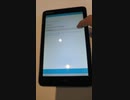
昔懐かしいWindowsタブレットにUbuntuでリサイクル。ドライバもLinuxに移植されて今こそ多様な使い方が出来る。時代がやっと追いついた感がある、軽量Xubuntu 20.04.3で再現。WubiでWindowsとデュアルブートしてみました。残念ながらUbuntu21.10や22.04ではまだ起動確認出来ていませんので20.04を推奨。
超格安ジャンクWindowsタブレットLenovo Miix2 8にWubiでXubuntu Linux20.04.3をインストールしonboardでキーボード入力とターミナルでNeofetch
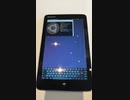
昔懐かしいWindowsタブレットにUbuntuでリサイクル。軽量Xubuntu 20.04.3で再現。WubiでWindowsとデュアルブートしてみました。Virtual KeyboardとしてOnboardを使いターミナルでNeofetch。フリックキーボードが無いので操作性にやや難ですが、XFCE4は少ないメモリでも使えます。TLPとPowertopで省エネ設定もしています。残念ながらUbuntu21.10や22.04ではまだ起動確認出来ていませんので20.04を推奨。
【ゆっくり解説】 ネットワークの概要
ネットワークの概要の解説です。
初歩的な所だけをやりました(初心者向けとは言っていない)
今回からはちょっと構成を変えて、あと極力AviUtlで図を作っています(変形とかさせたかったので)。
前回(sm40587155) 次回(sm40694504)
ようつべでもやってます。https://youtu.be/aahSe1qfnVA
動画内で使用したスクリプト(自作)
https://github.com/frsk9999/aviutl_script
----
使用したもの一覧
・FreeBSD 13.1
・Ubuntu 22.04
----
引用
https://commons.wikimedia.org/wiki/File:ARPANET_first_router_2.jpg
Steve Jurvetson from Menlo Park, USA, CC BY 2.0 <https://creativecommons.org/licenses/by/2.0>, via Wikimedia Commons
参考文献
MACアドレス
・Welcome to The Public Listing For IEEE Standards Registration Authority
https://regauth.standards.ieee.org/standards-ra-web/pub/view.html
GORDOへの言及があるインタビュー
・Interview of Charles Kline
https://static.library.ucla.edu/oralhistory/text/masters/21198-zz002k430c-4-master.html
RFC関連
・JPRS トピックス&コラム No.22 | インターネット標準の作られ方 | JPRS
https://jprs.jp/related-info/guide/topics-column/no22.html
・≫RFCエディター
https://www.rfc-editor.org/
画像を引用しようか最後まで迷ったサイト(多分ここが一番古い。AT&Tのオリジナル画像が辿れないので諦めた)
・Getting connected: a history of modems
https://www.techradar.com/news/internet/getting-connected-a-history-of-modems-657479
【第3話】新しいPCでもLinuxを使おう・Linuxディストリビューションの開発方針とリリース方針
・Linuxというと古いPCの再利用で紹介される機会が多いかと思います。
でも最近のLinuxは新しいPCでも活用できます。
・それぞれのLinuxディストリビューションには開発方針があり、それが特徴にも強く結びついています。
まずはLinuxディストリビューションの開発方針の内、リリース方針に目を向けてみましょう。
【Twitter】
https://twitter.com/kledgeb
【Website】
https://kledgeb.blogspot.com
【Credits】
・Ubuntu
https://ubuntu.com/
・VOICEVOX:玄野武宏
https://voicevox.hiroshiba.jp/
・VOICEVOX:白上虎太郎
https://voicevox.hiroshiba.jp/
・Openclipart
https://openclipart.org/
・Pixels Videos & Pixels Photos
https://www.pexels.com
・In the Breeze
https://dova-s.jp/bgm/play16963.html
・Lucky Baby
https://dova-s.jp/bgm/play16230.html
・wind of tomorrow
https://dova-s.jp/bgm/play15036.html
・夏色スムージー
https://dova-s.jp/bgm/play16984.html
・元気をだして
https://dova-s.jp/bgm/play16864.html
・いらすとや
https://www.irasutoya.com/
・Linux
https://en.wikipedia.org/wiki/Linux
【第4話】Linuxディストリビューションのサポート期間とサポートCPU
・Linuxディストリビューションのサポート期間は、Linuxディストリビューションごとに決められるものです。
また同じLinuxディストリビューションでも、バージョンによりサポート期間が異なることがあります。
・LinuxディストリビューションがサポートするCPUも、Linuxディストリビューションごとに決められるものです。
今回はLinuxディストリビューションの開発方針の内、サポート期間とサポートするCPUに目を向けてみましょう。
【Twitter】
https://twitter.com/kledgeb
【Website】
https://kledgeb.blogspot.com
【Credits】
・Ubuntu
https://ubuntu.com/
・VOICEVOX:玄野武宏
https://voicevox.hiroshiba.jp/
・VOICEVOX:白上虎太郎
https://voicevox.hiroshiba.jp/
・Openclipart
https://openclipart.org/
・Pixels Videos & Pixels Photos
https://www.pexels.com
・In the Breeze
https://dova-s.jp/bgm/play16963.html
・Lucky Baby
https://dova-s.jp/bgm/play16230.html
・wind of tomorrow
https://dova-s.jp/bgm/play15036.html
・夏色スムージー
https://dova-s.jp/bgm/play16984.html
・元気をだして
https://dova-s.jp/bgm/play16864.html
・いらすとや
https://www.irasutoya.com/
・Linux
https://en.wikipedia.org/wiki/Linux
【第6話】Linuxのデスクトップ環境とは?・GNOMEとPlasmaの紹介
・デスクトップ向けLinuxディストリビューションには、デスクトップ機能を提供するため、何かしらのデスクトップ環境がプリインストールされています。
Linuxのデスクトップ環境の概要を紹介します。
・数あるデスクトップ環境の内、GNOMEとPlasmaを紹介します。
どちらも非常に著名なデスクトップ環境です。
【Twitter】
https://twitter.com/kledgeb
【Website】
https://kledgeb.blogspot.com
【Credits】
・Ubuntu
https://ubuntu.com/
・VOICEVOX:玄野武宏
https://voicevox.hiroshiba.jp/
・VOICEVOX:白上虎太郎
https://voicevox.hiroshiba.jp/
・Openclipart
https://openclipart.org/
・Pixels Videos & Pixels Photos
https://www.pexels.com
・In the Breeze
https://dova-s.jp/bgm/play16963.html
・Lucky Baby
https://dova-s.jp/bgm/play16230.html
・wind of tomorrow
https://dova-s.jp/bgm/play15036.html
・夏色スムージー
https://dova-s.jp/bgm/play16984.html
・元気をだして
https://dova-s.jp/bgm/play16864.html
・いらすとや
https://www.irasutoya.com/
・Linux
https://en.wikipedia.org/wiki/Linux
【第7話】□ 初めての人にもおすすめのLinuxディストリビューション、Linux Mintの紹介 □ デスクトップのデザインとエディションの選び方
□【動画の説明】
□ 今回はLinuxデスクトップを初めて利用する人にもおすすめなLinux Mintを紹介します。
□ またデスクトップデザインの紹介や、4つのエディションの選び方を紹介しています。
□【Twitter】
https://twitter.com/kledgeb
□【Website】
https://kledgeb.blogspot.com
□【Credits】
□Ubuntu
https://ubuntu.com/
□Linux Mint
https://linuxmint.com/
□VOICEVOX:玄野武宏
https://voicevox.hiroshiba.jp/
□VOICEVOX:白上虎太郎
https://voicevox.hiroshiba.jp/
□Openclipart
https://openclipart.org/
□Pixels Videos & Pixels Photos
https://www.pexels.com
□In the Breeze
https://dova-s.jp/bgm/play16963.html
□Lucky Baby
https://dova-s.jp/bgm/play16230.html
□wind of tomorrow
https://dova-s.jp/bgm/play15036.html
□夏色スムージー
https://dova-s.jp/bgm/play16984.html
□元気をだして
https://dova-s.jp/bgm/play16864.html
□いらすとや
https://www.irasutoya.com/
□Linux
https://en.wikipedia.org/wiki/Linux
【第8話】□Linux Mintって、いつリリースされているの? □ Linux Mintのサポート期間とアップグレードはどうなってるの?
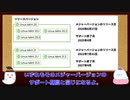
□【動画の説明】
□ 今回はLinux Mintがいつリリースされるのか、またサポート期間はどうなっているのか、それぞれの方針を紹介します。
□ Linux Mintにはメジャーリリースとポイントリリースとがあります。
それぞれのアップグレード方針を見てみましょう。
□【Twitter】
https://twitter.com/kledgeb
□【Website】
https://kledgeb.blogspot.com
□【Credits】
□Ubuntu
https://ubuntu.com/
□Linux Mint
https://linuxmint.com/
-----------------
□VOICEVOX:玄野武宏
https://voicevox.hiroshiba.jp/
□VOICEVOX:白上虎太郎
https://voicevox.hiroshiba.jp/
-----------------
□Openclipart
https://openclipart.org/
□Pixels Videos & Pixels Photos
https://www.pexels.com
□いらすとや
https://www.irasutoya.com/
□Bright Daytime
https://dova-s.jp/bgm/download16789.html
□In the Breeze
https://dova-s.jp/bgm/play16963.html
□Lucky Baby
https://dova-s.jp/bgm/play16230.html
□wind of tomorrow
https://dova-s.jp/bgm/play15036.html
□夏色スムージー
https://dova-s.jp/bgm/play16984.html
□元気をだして
https://dova-s.jp/bgm/play16864.html
□Wind Motion
https://dova-s.jp/bgm/play16724.html
【第9話】□誰にでもオススメのLinuxディストリビューション、Ubuntuの紹介 □ デスクトップユーザー向けのUbuntu Desktopの紹介
□【動画の説明】
□ 今回は誰にでもオススメのLinuxディストリビューション、Ubuntuを紹介します。
非常に著名なLinuxディストリビューションですから、ご存知の方も多いかと思います。
□ Ubuntuは用途や目的ごとにエディションが別れています。
今回はその中でもデスクトップユーザー向けのUbuntu Desktopを紹介します。
□【Twitter】
https://twitter.com/kledgeb
□【Website】
https://kledgeb.blogspot.com
□【Credits】
□Ubuntu
https://ubuntu.com/
□Linux Mint
https://linuxmint.com/
□Ubuntu Touch
https://ubuntu-touch.io/
https://en.wikipedia.org/wiki/Ubuntu_Touch
-----------------
□VOICEVOX:玄野武宏
https://voicevox.hiroshiba.jp/
□VOICEVOX:白上虎太郎
https://voicevox.hiroshiba.jp/
-----------------
□Openclipart
https://openclipart.org/
□Pixels Videos & Pixels Photos
https://www.pexels.com
□いらすとや
https://www.irasutoya.com/
-----------------
□Bright Daytime
https://dova-s.jp/bgm/play16789.html
□In the Breeze
https://dova-s.jp/bgm/play16963.html
□Lucky Baby
https://dova-s.jp/bgm/play16230.html
□wind of tomorrow
https://dova-s.jp/bgm/play15036.html
□夏色スムージー
https://dova-s.jp/bgm/play16984.html
□STARDUST LEMON
https://dova-s.jp/bgm/play16781.html
【第10話】□Ubuntuっていつリリースされてるの?□Ubuntuの通常リリースとLTSリリースとポイントリリースの紹介
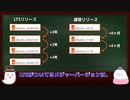
□【動画の説明】
□Ubuntuのリリースには、通常リリースとLTSリリースとポイントリリースがあります。
それぞれのリリース方針を紹介します。
□【Twitter】
https://twitter.com/kledgeb
□【Website】
https://kledgeb.blogspot.com
□【Credits】
□Ubuntu
https://ubuntu.com/
-----------------
□VOICEVOX:玄野武宏
https://voicevox.hiroshiba.jp/
□VOICEVOX:白上虎太郎
https://voicevox.hiroshiba.jp/
-----------------
□Openclipart
https://openclipart.org/
□Pixels Videos & Pixels Photos
https://www.pexels.com
□いらすとや
https://www.irasutoya.com/
-----------------
□In the Breeze
https://dova-s.jp/bgm/play16963.html
□Lucky Baby
https://dova-s.jp/bgm/play16230.html
□wind of tomorrow
https://dova-s.jp/bgm/play15036.html
□夏色スムージー
https://dova-s.jp/bgm/play16984.html
□STARDUST LEMON
https://dova-s.jp/bgm/play16781.html
【第11話】□Ubuntuのバージョンってどうなってるの?□Jammy Jellyfishってなんなの?□Ubuntuとバージョンと開発コードの法則
□【動画の説明】
□Ubuntuのバージョンは、一般的なソフトウェアのバージョンとは付け方が異なります。
Ubuntuのバージョンがどのように付けられているのかを紹介します。
□Ubuntuの各メジャーバージョンには開発コードが付けられています。
Ubuntuの開発コードはある法則に沿って付けられています。
Ubuntuの開発コードがどのように付けられているのかを紹介します。
□【Twitter】
https://twitter.com/kledgeb
□【Website】
https://kledgeb.blogspot.com
□【Credits】
□Ubuntu
https://ubuntu.com/
-----------------
□VOICEVOX:玄野武宏
https://voicevox.hiroshiba.jp/
□VOICEVOX:白上虎太郎
https://voicevox.hiroshiba.jp/
-----------------
□Openclipart
https://openclipart.org/
□Pixels Videos & Pixels Photos
https://www.pexels.com
□いらすとや
https://www.irasutoya.com/
-----------------
□In the Breeze
https://dova-s.jp/bgm/play16963.html
□Lucky Baby
https://dova-s.jp/bgm/play16230.html
□wind of tomorrow
https://dova-s.jp/bgm/play15036.html
□夏色スムージー
https://dova-s.jp/bgm/play16984.html
□STARDUST LEMON
https://dova-s.jp/bgm/play16781.html
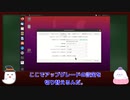
【第12話】□Ubuntuのサポート期間ってどうなってるの?□Ubuntuのアップグレード方針ってどうなってるの?
□【動画の説明】
□Ubuntuのサポート期間は、LTSリリースと通常リリースで異なります。
それぞれのリリースのサポート期間を紹介します。
□サポート期間が異なるLTSリリースと通常リリースのアップグレード方針や、ユーザーにおすすめするアップグレード方針を紹介します。
□【Twitter】
https://twitter.com/kledgeb
□【Website】
https://kledgeb.blogspot.com
□【Credits】
□Ubuntu
https://ubuntu.com/
-----------------
□VOICEVOX:玄野武宏
https://voicevox.hiroshiba.jp/
□VOICEVOX:白上虎太郎
https://voicevox.hiroshiba.jp/
-----------------
□Openclipart
https://openclipart.org/
□Pixels Videos & Pixels Photos
https://www.pexels.com
□いらすとや
https://www.irasutoya.com/
-----------------
□In the Breeze
https://dova-s.jp/bgm/play16963.html
□Lucky Baby
https://dova-s.jp/bgm/play16230.html
□wind of tomorrow
https://dova-s.jp/bgm/play15036.html
□夏色スムージー
https://dova-s.jp/bgm/play16984.html
□Bright Daytime
https://dova-s.jp/bgm/play16789.html
□STARDUST LEMON
https://dova-s.jp/bgm/play16781.html
【第13話】□2022年8月のLinuxニュース
□【動画の説明】
□2022年8月のLinuxニュースを紹介します。
□【Twitter】
https://twitter.com/kledgeb
□【Website】
https://kledgeb.blogspot.com
□【Credits】
□Ubuntu
https://ubuntu.com/
□Linux Mint
https://linuxmint.com/
□Kubuntu
https://kubuntu.org/
-----------------
□Dell
https://www.dell.com
□Kubuntu Focus
https://kfocus.org/
□.NET
https://dotnet.microsoft.com/ja-jp/
-----------------
□VOICEVOX:玄野武宏
https://voicevox.hiroshiba.jp/
□VOICEVOX:白上虎太郎
https://voicevox.hiroshiba.jp/
-----------------
□Openclipart
https://openclipart.org/
□Pixels Videos & Pixels Photos
https://www.pexels.com
□いらすとや
https://www.irasutoya.com/
□videvo.net
Stock footage provided by Videvo, downloaded from videvo.nethttps://www.videvo.net/profile/videvohttps://www.videvo.net
-----------------
□番組オープニング
https://dova-s.jp/bgm/play12413.html
□ニュース速報 モダン
https://dova-s.jp/bgm/play12152.html
□STARDUST LEMON
https://dova-s.jp/bgm/play16781.html
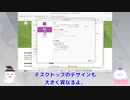
【第14話】UbuntuをカスタマイズしたOS、Ubuntu公式フレーバーとは
【動画の説明】
UbuntuにはUbuntu公式フレーバーと呼ばれるOSがあります。
Ubuntu公式フレーバーはUbuntuをカスタマイズしたOSであり、異なるデスクトップ環境を採用したり特定のワークフローに最適化したOSを提供しています。
【Twitter】
https://twitter.com/kledgeb
【Website】
https://kledgeb.blogspot.com
【Credits】
・Ubuntu
https://ubuntu.com/
-----------------
・VOICEVOX:玄野武宏
https://voicevox.hiroshiba.jp/
・VOICEVOX:白上虎太郎
https://voicevox.hiroshiba.jp/
-----------------
・Openclipart
https://openclipart.org/
・Pixels Videos & Pixels Photos
https://www.pexels.com
・いらすとや
https://www.irasutoya.com/
・videvo.net
Stock footage provided by Videvo, downloaded from videvo.nethttps://www.videvo.net/profile/videvohttps://www.videvo.net
-----------------
・In the Breeze
https://dova-s.jp/bgm/play16963.html
・Lucky Baby
https://dova-s.jp/bgm/play16230.html
・wind of tomorrow
https://dova-s.jp/bgm/play15036.html
・夏色スムージー
https://dova-s.jp/bgm/play16984.html
・STARDUST LEMON
https://dova-s.jp/bgm/play16781.html
【第26話】LXQt 1.2の新機能と変更点の紹介
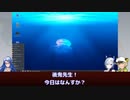
【動画の説明】
今回は2022年11月5日にリリースされた「LXQt 1.2」の新機能と変更点の紹介します。
「LXQt」はデスクトップ環境です。
「Lubuntu」で採用されているデスクトップ環境としても有名でしょう。
【サイト】
・ウェブサイト:https://kledgeb.blogspot.com
・Youtube:http://bit.ly/3zpwuKT
・Twitter:https://twitter.com/kledgeb
【VOICEVOX】
・VOICEVOX:https://voicevox.hiroshiba.jp/
・pixivFANBOX:https://hiho.fanbox.cc(支援サイト)
【CV】
・VOICEVOX:後鬼
・VOICEVOX:白上虎太郎
・VOICEVOX:No.7
【Credits】
・Ubuntu:https://ubuntu.com/
・Pixabay:https://pixabay.com/
・Pixels Videos & Pixels Photos:https://www.pexels.com・videvo.net Stock footage provided by Videvo, downloaded from videvo.net :https://www.videvo.net/profile/videvohttps://www.videvo.net
【BGM】
・Lucky Baby:https://dova-s.jp/bgm/play16230.html
・Wind Motion:https://dova-s.jp/bgm/play16724.html
・Bright Daytime:https://dova-s.jp/bgm/play16789.html
・STARDUST LEMON:https://dova-s.jp/bgm/play16781.html
【第38話】Ubuntu Desktopのプリインストールアプリを見てみよう(中編)
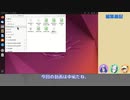
【動画の説明】
今回の動画は「Ubuntu Desktop 22.04 LTS」でプリインストールされるアプリを紹介します。
今回はその「中編」です。
【サイト】
・ウェブサイト:https://kledgeb.blogspot.com
・Youtube:https://www.youtube.com/@kledgeb
・Twitter:https://twitter.com/kledgeb
【VOICEVOX】
・VOICEVOX:https://voicevox.hiroshiba.jp/
・pixivFANBOX:https://hiho.fanbox.cc(支援サイト)
【CV】
・VOICEVOX:後鬼
・VOICEVOX:白上虎太郎
・VOICEVOX:No.7
【Credits】
・Ubuntu:https://ubuntu.com/
【BGM】
・Lucky Baby:https://dova-s.jp/bgm/play16230.html
・In the Breeze:https://dova-s.jp/bgm/play16963.html
・夏色スムージー:https://dova-s.jp/bgm/play16984.html
・Bright Daytime:https://dova-s.jp/bgm/play16789.html
・Wind Motion:https://dova-s.jp/bgm/play16724.html
・STARDUST LEMON:https://dova-s.jp/bgm/play16781.html
クッパ大魔王はさよひなと一緒にLinuxを学ぶようです 第1回
新企画!さよひなと一緒にLinuxを学ぶシリーズ!
Linuxにハマりつつあるうp主が、さよひなと一緒にLinuxの使い方を書籍と一緒に学んでいくシリーズです
とは言ってもまだかじり始めなので、沢山間違い等ありますのでそこはご了承ください
使用している書籍→https://bookclub.kodansha.co.jp/product?item=0000194950
※この動画の構想自体は去年の夏あたりから構想してましたが、生憎出張と重なり投稿がスタートが大幅に遅れました
既にUbuntu 22.04 LTSが配布されておりますが、次回からは22.04 LTSで撮影する予定ですのでご了承ください
Linuxマイリスト→mylist/74714993
【第45話】Ubuntu Desktopをもっと便利に・GNOME Shell拡張機能の利用方法
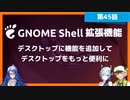
【動画の説明】
今回の動画では、GNOME Shell拡張機能のインストールなど利用方法を紹介します。
デスクトップに機能を追加して、もっと便利に「Ubuntu Desktop」を活用しましょう。
【サイト】
・ウェブサイト:https://kledgeb.blogspot.com
・Youtube:https://www.youtube.com/@kledgeb
・Twitter:https://twitter.com/kledgeb
【VOICEVOX】
・VOICEVOX:https://voicevox.hiroshiba.jp/
・pixivFANBOX:https://hiho.fanbox.cc(支援サイト)
【CV】
・VOICEVOX:後鬼
・VOICEVOX:白上虎太郎
・VOICEVOX:No.7
【Credits】
・Ubuntu:https://ubuntu.com/
【BGM】
・Lucky Baby:https://dova-s.jp/bgm/play16230.html
・お菓子作り:https://dova-s.jp/bgm/play17037.html
・STARDUST LEMON:https://dova-s.jp/bgm/play16781.html
【プログラミング応援】パソコン内でWeb開発ができるローカル環境構築ツール「XAMPP」を紹介します
Vtuberの草井真良(Kusai Mara/Maryou)です。
・UbuntuにLAMPP(XAMPPのLinux版)をインストールする
https://lil.la/archives/4324
・XAMPPセキュリティの設定~データーベース(phpAdmin)編~
https://proengineer.internous.co.jp/content/columnfeature/11084
上のURLを参考にしながら自宅でWeb開発ができるローカル環境構築ツール「XAMPP(ザンプ)」の紹介をしたいと思います。
これを使えばPerlやPHPといったメジャーな言語での開発はぐっとやりやすくなります。
以下のプロジェクトとサイトで私は協力を行っています。良かったら見に来てください。
・ぜろちゃんねるプラス再開発プロジェクト
https://github.com/PrefKarafuto/New_0ch_Plus
・樺太掲示板
https://www.pref-karafuto.tk/bbs/
【第46話】Ubuntu DesktopにGoogle Chromeをインストールしよう
【動画の説明】
今回の動画は「Ubuntu Desktop」に「Google Chrome」をインストールする方法を紹介します。
【サイト】
・ウェブサイト:https://kledgeb.blogspot.com
・Youtube:https://www.youtube.com/@kledgeb
・Twitter:https://twitter.com/kledgeb
【VOICEVOX】
・VOICEVOX:https://voicevox.hiroshiba.jp/
・pixivFANBOX:https://hiho.fanbox.cc(支援サイト)
【CV】
・VOICEVOX:後鬼
・VOICEVOX:白上虎太郎
・VOICEVOX:No.7
・VOICEVOX:もち子(cv 明日葉よもぎ)
【BGM】
・Lucky Baby:https://dova-s.jp/bgm/play16230.html
・In the Breeze:https://dova-s.jp/bgm/play16963.html
・夏色スムージー:https://dova-s.jp/bgm/play16984.html
・Bright Daytime:https://dova-s.jp/bgm/play16789.html
・Wind Motion:https://dova-s.jp/bgm/play16724.html
・STARDUST LEMON:https://dova-s.jp/bgm/play16781.html