キーワード Ubuntu が含まれる動画 : 592 件中 577 - 592 件目
種類:
- タグ
- キーワード
対象:
初心者が無料OS(Ubuntu)を使って自作ストレージPCを組み立ててみた。

誰も作らないだろう構成の自作PCを組み立ててみました。
★組み立てに使った自作Pパーツ
[CPU] Intel Celeron G6900
https://amzn.to/3UZXtsL
[マザーボード] BIOSTAR B660 GTA
https://amzn.to/3wFBsFn
[M.2 SSD] Western Digital 500GB WD Blue SN570
https://amzn.to/4bUtEzL
[ATX電源] FSP Hydro GSM Lite PRO 750W
https://amzn.to/49RlIOc
[メモリ] Fractal Design Define R6
https://amzn.to/3wr5axS
[PCケース] Fractal Design Define R6(FD-CA-DEF-R6-GY)
https://amzn.to/4tlmIUX
※Youtubeで2023年12月28日に公開した動画となります。
元動画はこちら → https://youtu.be/c81q5W1ffVE
----------
★Youtubeメインチャンネル「LIGHTNING_GADGET」 https://www.youtube.com/channel/UCW0gd_bcIcleo_3u6OHINBg
★ブログ:note「LIGHTNING_GADGET」
https://note.com/lighting2564
★X(旧twitter)
https://x.com/lightning_dream
【第63話】Ubuntu Desktop 23.10に搭載予定の新機能や変更点を見てみよう・Ubuntu Desktop開発チームの取り組み

【動画の説明】
今回は「Ubuntu Desktop 23.10」に搭載予定の新機能や変更点を紹介します。
加えて「Ubuntu Desktop開発チーム」の取り組みも紹介します。
「Ubuntu Desktop 23.10」は現在開発中の次期メジャーバージョンの「Ubuntu Desktop」です。
「Ubuntu 23.10」の開発が始まってから約1ヶ月程しか経っていませんが、開発方針のいくつかが明らかになっています。
【サイト】
・ウェブサイト:https://kledgeb.blogspot.com
・Youtube:https://www.youtube.com/@kledgeb
・Twitter:https://twitter.com/kledgeb
【VOICEVOX】
・VOICEVOX:https://voicevox.hiroshiba.jp/
・pixivFANBOX:https://hiho.fanbox.cc(支援サイト)
【CV】
・VOICEVOX:ずんだもん
・VOICEVOX:No.7
・VOICEVOX:白上虎太郎
・VOICEVOX:九州そら
【BGM】
・Lucky Baby:https://dova-s.jp/bgm/play16230.html
・お菓子作り:https://dova-s.jp/bgm/play17037.html
・STARDUST LEMON:https://dova-s.jp/bgm/play16781.html
Ubuntu20.04にMinikubeをベアメタルインストールする
ブログの動作確認実況です。
キーキャストツールが日本語配列に対応していないらしく、嘘の字幕になっているので無視してください...
ブログ記事: https://mikoto2000.blogspot.com/2025/08/ubuntu2004-minikube.html
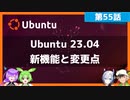
【第55話】Ubuntu 23.04の新機能と変更点・Ubuntu 23.04へアップグレードするには
【動画の説明】
2023年4月20日に「Ubuntu 23.04」がリリースされました。
今回は「Ubuntu 23.04」の新機能と変更点を紹介します。
また「Ubuntu 23.04」へアップグレードする方法も紹介します。
【サイト】
・ウェブサイト:https://kledgeb.blogspot.com
・Youtube:https://www.youtube.com/@kledgeb
・Twitter:https://twitter.com/kledgeb
【VOICEVOX】
・VOICEVOX:https://voicevox.hiroshiba.jp/
・pixivFANBOX:https://hiho.fanbox.cc(支援サイト)
【CV】
・VOICEVOX:ずんだもん
・VOICEVOX:No.7
・VOICEVOX:白上虎太郎
・VOICEVOX:九州そら
【BGM】
・Lucky Baby:https://dova-s.jp/bgm/play16230.html
・In the Breeze:https://dova-s.jp/bgm/play16963.html
・STARDUST LEMON:https://dova-s.jp/bgm/play16781.html
【会計ソフトfreee】Part 3/3 : Firebaseとfreeeのアプリを連携させる

音楽、Music: クロード・アシル・ドビュッシー《Claude Achille Debussy》
ベルガマスク組曲 第1曲 「前奏曲」プレリュード (Suite bergamasque, Prélude) wave file
① 前の動画で作ったフォルダをフォルダ毎Google Driveにアップロードします。
② そして、macもしくはlinuxのパソコンからGoogle Driveにアクセスします。
(VirtualBoxやvmwareなどの仮想環境を利用してUbuntuなどのOSをインストールして使えば、新たにパソコンを買う必要はありません。)
① アップロードした[freee-app-template-firebase]をGoogle Driveからダウンロードする。
② 設定ファイルや環境を構築して、アプリを動かす。
Blog
https://akasatanahama.com/
Twitter
https://twitter.com/fullNam35087976/
Github
https://github.com/shaieaokamodkijiadjfoa/
【第54話】GNOME Shell拡張機能をアプリから管理するには

【動画の説明】
GNOME Shell拡張機能をアプリから管理する方法を紹介します。
またGNOME Shell拡張機能を管理するアプリをインストールする方法も紹介します。
【サイト】
・ウェブサイト:https://kledgeb.blogspot.com
・Youtube:https://www.youtube.com/@kledgeb
・Twitter:https://twitter.com/kledgeb
【VOICEVOX】
・VOICEVOX:https://voicevox.hiroshiba.jp/
・pixivFANBOX:https://hiho.fanbox.cc(支援サイト)
【CV】
・VOICEVOX:ずんだもん
・VOICEVOX:春日部つむぎ
・VOICEVOX:白上虎太郎
・VOICEVOX:九州そら
【BGM】
・Lucky Baby:https://dova-s.jp/bgm/play16230.html
・お菓子作り:https://dova-s.jp/bgm/play17037.html
・STARDUST LEMON:https://dova-s.jp/bgm/play16781.html
【第53話】2023年3月のLinuxニュース・Ubuntu 23.04 β版のリリースやGNOME 44のリリースなど

【動画の説明】
今回は2023年3月のLinuxニュースを紹介します。
【サイト】
・ウェブサイト:https://kledgeb.blogspot.com
・Youtube:https://www.youtube.com/@kledgeb
・Twitter:https://twitter.com/kledgeb
【VOICEVOX】
・VOICEVOX:https://voicevox.hiroshiba.jp/
・pixivFANBOX:https://hiho.fanbox.cc(支援サイト)
【CV】
・VOICEVOX:四国めたん
・VOICEVOX:ずんだもん
・VOICEVOX:春日部つむぎ
・VOICEVOX:雨晴はう
・VOICEVOX:波音リツ
・VOICEVOX:玄野武宏
・VOICEVOX:白上虎太郎
・VOICEVOX:青山龍星
・VOICEVOX:冥鳴ひまり
・VOICEVOX:九州そら
・VOICEVOX:もち子(cv 明日葉よもぎ)
・VOICEVOX:剣崎雌雄
・VOICEVOX:WhiteCUL
・VOICEVOX:後鬼
・VOICEVOX:No.7
・VOICEVOX:櫻歌ミコ
・VOICEVOX:小夜/SAYO
・VOICEVOX:ナースロボ_タイプT
・VOICEVOX:†聖騎士 紅桜†
・VOICEVOX:雀松朱司
・VOICEVOX:麒ヶ島宗麟
・VOICEVOX:春歌ナナ
・VOICEVOX:猫使アル
・VOICEVOX:猫使ビィ
【BGM】
・番組オープニング:https://dova-s.jp/bgm/play12413.html
・Sporting News:https://dova-s.jp/bgm/play16683.html
・Radio:https://dova-s.jp/bgm/play16432.html
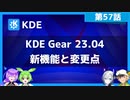
【第57話】KDE Gear 23.04の新機能と変更点・ファイルマネージャーやスクリーンキャプチャーの改良など
【動画の説明】
2023年4月20日に「KDE Gear 23.04」がリリースされました。
今回は「KDE Gear 23.04」の新機能と変更点を紹介します。
【サイト】
・ウェブサイト:https://kledgeb.blogspot.com
・Youtube:https://www.youtube.com/@kledgeb
・Twitter:https://twitter.com/kledgeb
【VOICEVOX】
・VOICEVOX:https://voicevox.hiroshiba.jp/
・pixivFANBOX:https://hiho.fanbox.cc(支援サイト)
【CV】
・VOICEVOX:ずんだもん
・VOICEVOX:No.7
・VOICEVOX:白上虎太郎
・VOICEVOX:九州そら
【BGM】
・Lucky Baby:https://dova-s.jp/bgm/play16230.html
・In the Breeze:https://dova-s.jp/bgm/play16963.html
・STARDUST LEMON:https://dova-s.jp/bgm/play16781.html
【第56話】2023年4月のLinuxニュース・Ubuntu 23.04のリリースやUbuntu 23.10の開発、Linux Mint 21.2の開発など

【動画の説明】
今回は2023年4月のLinuxニュースを紹介します。
【サイト】
・ウェブサイト:https://kledgeb.blogspot.com
・Youtube:https://www.youtube.com/@kledgeb
・Twitter:https://twitter.com/kledgeb
【VOICEVOX】
・VOICEVOX:https://voicevox.hiroshiba.jp/
・pixivFANBOX:https://hiho.fanbox.cc(支援サイト)
【CV】
・VOICEVOX:四国めたん
・VOICEVOX:ずんだもん
・VOICEVOX:春日部つむぎ
・VOICEVOX:雨晴はう
・VOICEVOX:波音リツ
・VOICEVOX:玄野武宏
・VOICEVOX:白上虎太郎
・VOICEVOX:青山龍星
・VOICEVOX:冥鳴ひまり
・VOICEVOX:九州そら
・VOICEVOX:もち子(cv 明日葉よもぎ)
・VOICEVOX:剣崎雌雄
・VOICEVOX:WhiteCUL
・VOICEVOX:後鬼
・VOICEVOX:No.7
・VOICEVOX:櫻歌ミコ
・VOICEVOX:小夜/SAYO
・VOICEVOX:ナースロボ_タイプT
・VOICEVOX:†聖騎士 紅桜†
・VOICEVOX:雀松朱司
・VOICEVOX:麒ヶ島宗麟
・VOICEVOX:春歌ナナ
・VOICEVOX:猫使アル
・VOICEVOX:猫使ビィ
【BGM】
・番組オープニング:https://dova-s.jp/bgm/play12413.html
・Sporting News:https://dova-s.jp/bgm/play16683.html
・Radio:https://dova-s.jp/bgm/play16432.html
【第62話】2023年5月のLinuxニュース・VisionFive 2向けUbuntuのリリースやSnap版Ubuntu Desktopのアナウンス、Linux Mint 21.2のデザイン改良など

【動画の説明】
今回は2023年5月のLinuxニュースを紹介します。
主にUbuntuのニュースを紹介しています。
VisionFive 2向けUbuntuのリリースやSnap版Ubuntu Desktopのアナウンス、Linux Mint 21.2のデザイン改良等のニュースを紹介しています。
【サイト】
・ウェブサイト:https://kledgeb.blogspot.com
・Youtube:https://www.youtube.com/@kledgeb
・Twitter:https://twitter.com/kledgeb
【VOICEVOX】
・VOICEVOX:https://voicevox.hiroshiba.jp/
・pixivFANBOX:https://hiho.fanbox.cc(支援サイト)
【CV】
・VOICEVOX:四国めたん
・VOICEVOX:ずんだもん
・VOICEVOX:春日部つむぎ
・VOICEVOX:雨晴はう
・VOICEVOX:波音リツ
・VOICEVOX:玄野武宏
・VOICEVOX:白上虎太郎
・VOICEVOX:青山龍星
・VOICEVOX:冥鳴ひまり
・VOICEVOX:九州そら
・VOICEVOX:もち子(cv 明日葉よもぎ)
・VOICEVOX:WhiteCUL
・VOICEVOX:後鬼
・VOICEVOX:No.7
・VOICEVOX:櫻歌ミコ
・VOICEVOX:小夜/SAYO
・VOICEVOX:ナースロボ_タイプT
・VOICEVOX:春歌ナナ
・VOICEVOX:猫使アル
・VOICEVOX:猫使ビィ
【BGM】
・番組オープニング:https://dova-s.jp/bgm/play12413.html
・Sporting News:https://dova-s.jp/bgm/play16683.html
・Radio:https://dova-s.jp/bgm/play16432.html
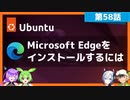
【第58話】UbuntuにMicrosoft Edgeをインストールするには
【動画の説明】
今回は「Ubuntu」に「Microsoft Edge」をインストールする方法を紹介します。
「Microsoft Edge」は「Windows」にプリインストールされているデフォルトのブラウザーですが、「Ubuntu」でも利用できます。
【サイト】
・ウェブサイト:https://kledgeb.blogspot.com
・Youtube:https://www.youtube.com/@kledgeb
・Twitter:https://twitter.com/kledgeb
【VOICEVOX】
・VOICEVOX:https://voicevox.hiroshiba.jp/
・pixivFANBOX:https://hiho.fanbox.cc(支援サイト)
【CV】
・VOICEVOX:ずんだもん
・VOICEVOX:No.7
・VOICEVOX:白上虎太郎
・VOICEVOX:九州そら
【BGM】
・Lucky Baby:https://dova-s.jp/bgm/play16230.html
・お菓子作り:https://dova-s.jp/bgm/play17037.html
・STARDUST LEMON:https://dova-s.jp/bgm/play16781.html
【第51話】GNOME 44の新機能と変更点(前編)

【動画の説明】
「GNOME 44」の新機能と変更点を紹介します。
今回の動画は「前編」です。
【サイト】
・ウェブサイト:https://kledgeb.blogspot.com
・Youtube:https://www.youtube.com/@kledgeb
・Twitter:https://twitter.com/kledgeb
【VOICEVOX】
・VOICEVOX:https://voicevox.hiroshiba.jp/
・pixivFANBOX:https://hiho.fanbox.cc(支援サイト)
【CV】
・VOICEVOX:後鬼
・VOICEVOX:白上虎太郎
・VOICEVOX:No.7
・VOICEVOX:もち子(cv 明日葉よもぎ)
【BGM】
・Lucky Baby:https://dova-s.jp/bgm/play16230.html
・Wind Motion:https://dova-s.jp/bgm/play16724.html
・夜のバーでライブしている劇中歌っぽいジャズBGM:https://dova-s.jp/bgm/play16362.html
【第64話】オススメのGNOME Shell拡張機能・第一弾

【動画の説明】
今回はオススメのGNOME Shell拡張機能を紹介します。
GNOME Shell拡張機能はUbuntuのデスクトップを拡張するソフトウェアです。
【サイト】
・ウェブサイト:https://kledgeb.blogspot.com
・Youtube:https://www.youtube.com/@kledgeb
・Twitter:https://twitter.com/kledgeb
【VOICEVOX】
・VOICEVOX:https://voicevox.hiroshiba.jp/
・pixivFANBOX:https://hiho.fanbox.cc(支援サイト)
【CV】
・VOICEVOX:ずんだもん
・VOICEVOX:No.7
・VOICEVOX:白上虎太郎
・VOICEVOX:九州そら
【BGM】
・Lucky Baby:https://dova-s.jp/bgm/play16230.html
・お菓子作り:https://dova-s.jp/bgm/play17037.html
・STARDUST LEMON:https://dova-s.jp/bgm/play16781.html
【第52話】GNOME 44の新機能と変更点(後編)

【動画の説明】
「GNOME 44」の新機能と変更点を紹介します。
今回の動画は「後編」です。
【サイト】
・ウェブサイト:https://kledgeb.blogspot.com
・Youtube:https://www.youtube.com/@kledgeb
・Twitter:https://twitter.com/kledgeb
【VOICEVOX】
・VOICEVOX:https://voicevox.hiroshiba.jp/
・pixivFANBOX:https://hiho.fanbox.cc(支援サイト)
【CV】
・VOICEVOX:後鬼
・VOICEVOX:白上虎太郎
・VOICEVOX:No.7
・VOICEVOX:もち子(cv 明日葉よもぎ)
【BGM】
・Lucky Baby:https://dova-s.jp/bgm/play16230.html
・お菓子作り:https://dova-s.jp/bgm/play17037.html
・STARDUST LEMON:https://dova-s.jp/bgm/play16781.html
【第61話】ArcMenuの紹介・カスタマイズ性に優れたアプリケーションメニュー

【動画の説明】
今回は「ArcMenu」を紹介します。
「ArcMenu」はカスタマイズ性に優れたアプリケーションメニューです。
Ubuntuでアプリケーションメニューを探しているなら、まず「ArcMenu」を試してみてはいかがでしょうか。
【サイト】
・ウェブサイト:https://kledgeb.blogspot.com
・Youtube:https://www.youtube.com/@kledgeb
・Twitter:https://twitter.com/kledgeb
【VOICEVOX】
・VOICEVOX:https://voicevox.hiroshiba.jp/
・pixivFANBOX:https://hiho.fanbox.cc(支援サイト)
【CV】
・VOICEVOX:ずんだもん
・VOICEVOX:No.7
・VOICEVOX:白上虎太郎
・VOICEVOX:九州そら
【BGM】
・Lucky Baby:https://dova-s.jp/bgm/play16230.html
・お菓子作り:https://dova-s.jp/bgm/play17037.html
・STARDUST LEMON:https://dova-s.jp/bgm/play16781.html