
タグ GLM が登録されている動画 : 3 件中 1 - 3 件目
種類:
- タグ
- キーワード
対象:
【VocaDuo2024】 lover damage【team lover damage】

【VocaDuo2024】 lover damage【team lover damage】
ー にげたい、いたい、やめられない愛 ー
「lover damage」
《MUSIC》
Vocal:天音
Music&Lyric:かんき
Arrange&Mix&Mastering:とーず
Bass:セナ
《MOVIE》
Illustration:Mulu
Movie:ぼうし
Produced by GOD LUCKY MUSIC
《天音》
X(Twitter)
https://x.com/ama_32547?s=21&t=QgTiQR_tbw0yZZgA1l_5SA
《かんき》
X(Twitter)
https://x.com/kanki_godlucky?s=21&t=QgTiQR_tbw0yZZgA1l_5SA
《とーず》
X(Twitter)
https://twitter.com/tomatoze_?s=21
YouTube
https://www.youtube.com/user/ice524bass
《セナ》
X(Twitter)
https://x.com/chosdesuyo?s=21&t=QgTiQR_tbw0yZZgA1l_5SA
《Mulu》
X(Twitter)
https://x.com/mulu_001?s=21&t=QgTiQR_tbw0yZZgA1l_5SA
《ぼうし》
X(Twitter)
https://x.com/boushi344?s=21&t=QgTiQR_tbw0yZZgA1l_5SA
《GOD LUCKY MUSIC》
All Link
https://lit.link/GLM
X(Twitter)
https://x.com/god_lucky_music?s=21&t=QgTiQR_tbw0yZZgA1l_5SA
#VocaDuo2024
#ボカデュオ2024
#ボカデュオ
.
【VocaDuo2024】 夏の終わり、恋の終わり【team 夏×恋】

【VocaDuo2024】 夏の終わり、恋の終わり【team 夏×恋】
ー 本当に終われるなら、もっと楽なのにな ー
「夏の終わり、恋の終わり」
《MUSIC》
Vocal&Acoustic guitar:+h
Music&Arrange&Mix&Mastering:れじろ
Lyric:猫道はる
《MOVIE》
Illustration:あおのうる
Movie:ぼうし
Produced by GOD LUCKY MUSIC
《+h》
X(Twitter)
https://x.com/purasu_h?s=21&t=QgTiQR_tbw0yZZgA1l_5SA
《れじろ》
YouTube
https://www.youtube.com/@rejiro026
X(Twitter)
https://x.com/reijyoc?s=21&t=QgTiQR_tbw0yZZgA1l_5SA
《猫道はる》
X(Twitter)
https://x.com/nekomichi_haru?s=21&t=QgTiQR_tbw0yZZgA1l_5SA
《あおのうる》
X(Twitter)
https://x.com/aono_uru?s=21&t=QgTiQR_tbw0yZZgA1l_5SA
Instagram
https://www.instagram.com/aono_uru/
《ぼうし》
X(Twitter)
https://x.com/boushi344?s=21&t=QgTiQR_tbw0yZZgA1l_5SA
《GOD LUCKY MUSIC》
All Link
https://lit.link/GLM
X(Twitter)
https://x.com/god_lucky_music?s=21&t=QgTiQR_tbw0yZZgA1l_5SA
#VocaDuo2024
#ボカデュオ2024
#ボカデュオ
.
ポンを小一時間で作ってみたGL【プログラミング実況】
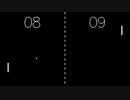
OpenGL (C/C++) で、ポンを0から作りました。
編集無しの一発撮りです。
freeglut と、OpenGL Mathematics (GLM) を使用しています。
【freeglut のお手軽導入】
下記リンクから freeglut.zip(お手軽版)ダウンロードをダウンロードし、各ファイルをプロジェクトフォルダーに放り込めば、freeglut を利用可能です。
https://gameprogrammingunit.web.fc2.com/gl/freeglut.htm (GPU - OpenGL - freeglutのセットアップ)
【GLM の導入方法】
http://glm.g-truc.net/ から glm-*.*.*.*.zip をダウンロードして、展開してglm-*.*.*.*.zip\glm\glm フォルダーをプロジェクトのフォルダーにコピーして下さい。
【マイリスト】mylist/70904879
【高画質版】https://youtu.be/bZ5uDZkYERs