
タグ Ubuntu が登録されている動画 : 343 件中 33 - 64 件目
種類:
- タグ
- キーワード
対象:
【第67話】2023年6月のLinuxニュース・Ubuntu Desktopの開発状況やLinux Mint 21.2 β版のリリースなど

【動画の説明】
今回は2023年6月のLinuxニュースを紹介します。
主にUbuntuのニュースを紹介しています。
Ubuntu Desktopの開発状況やLinux Mint 21.2 β版のリリース等のニュースを紹介しています。
【サイト】
・ウェブサイト:https://kledgeb.blogspot.com
・Youtube:https://www.youtube.com/@kledgeb
・Twitter:https://twitter.com/kledgeb
【VOICEVOX】
・VOICEVOX:https://voicevox.hiroshiba.jp/
・pixivFANBOX:https://hiho.fanbox.cc(支援サイト)
【CV】
・VOICEVOX:四国めたん
・VOICEVOX:ずんだもん
・VOICEVOX:春日部つむぎ
・VOICEVOX:雨晴はう
・VOICEVOX:波音リツ
・VOICEVOX:冥鳴ひまり
・VOICEVOX:九州そら
・VOICEVOX:もち子(cv 明日葉よもぎ)
・VOICEVOX:WhiteCUL
・VOICEVOX:後鬼
・VOICEVOX:No.7
・VOICEVOX:櫻歌ミコ
・VOICEVOX:小夜/SAYO
・VOICEVOX:ナースロボ_タイプT
【BGM】
・番組オープニング:https://dova-s.jp/bgm/play12413.html
・Sporting News:https://dova-s.jp/bgm/play16683.html
・Radio:https://dova-s.jp/bgm/play16432.html
【第66話】軽さと機能性と使い勝手に優れたOS・Xubuntuの紹介(後編)

【動画の説明】
今回はXubuntuを紹介します。
XubuntuはUbuntu公式フレーバーであり、軽さと機能性と使い勝手に優れたOSです。
今回の紹介動画は後編です。
【サイト】
・ウェブサイト:https://kledgeb.blogspot.com
・Youtube:https://www.youtube.com/@kledgeb
・Twitter:https://twitter.com/kledgeb
【VOICEVOX】
・VOICEVOX:https://voicevox.hiroshiba.jp/
・pixivFANBOX:https://hiho.fanbox.cc(支援サイト)
【CV】
・VOICEVOX:ずんだもん
・VOICEVOX:No.7
・VOICEVOX:白上虎太郎
・VOICEVOX:九州そら
【BGM】
・Lucky Baby:https://dova-s.jp/bgm/play16230.html
・お菓子作り:https://dova-s.jp/bgm/play17037.html
・STARDUST LEMON:https://dova-s.jp/bgm/play16781.html
【第65話】軽さと機能性と使い勝手に優れたOS・Xubuntuの紹介(前編)

【動画の説明】
今回はXubuntuを紹介します。
XubuntuはUbuntu公式フレーバーであり、軽さと機能性と使い勝手に優れたOSです。
今回の紹介動画は前編です。
【サイト】
・ウェブサイト:https://kledgeb.blogspot.com
・Youtube:https://www.youtube.com/@kledgeb
・Twitter:https://twitter.com/kledgeb
【VOICEVOX】
・VOICEVOX:https://voicevox.hiroshiba.jp/
・pixivFANBOX:https://hiho.fanbox.cc(支援サイト)
【CV】
・VOICEVOX:ずんだもん
・VOICEVOX:No.7
・VOICEVOX:白上虎太郎
・VOICEVOX:九州そら
【BGM】
・Lucky Baby:https://dova-s.jp/bgm/play16230.html
・お菓子作り:https://dova-s.jp/bgm/play17037.html
・STARDUST LEMON:https://dova-s.jp/bgm/play16781.html
【第64話】オススメのGNOME Shell拡張機能・第一弾

【動画の説明】
今回はオススメのGNOME Shell拡張機能を紹介します。
GNOME Shell拡張機能はUbuntuのデスクトップを拡張するソフトウェアです。
【サイト】
・ウェブサイト:https://kledgeb.blogspot.com
・Youtube:https://www.youtube.com/@kledgeb
・Twitter:https://twitter.com/kledgeb
【VOICEVOX】
・VOICEVOX:https://voicevox.hiroshiba.jp/
・pixivFANBOX:https://hiho.fanbox.cc(支援サイト)
【CV】
・VOICEVOX:ずんだもん
・VOICEVOX:No.7
・VOICEVOX:白上虎太郎
・VOICEVOX:九州そら
【BGM】
・Lucky Baby:https://dova-s.jp/bgm/play16230.html
・お菓子作り:https://dova-s.jp/bgm/play17037.html
・STARDUST LEMON:https://dova-s.jp/bgm/play16781.html
【第63話】Ubuntu Desktop 23.10に搭載予定の新機能や変更点を見てみよう・Ubuntu Desktop開発チームの取り組み

【動画の説明】
今回は「Ubuntu Desktop 23.10」に搭載予定の新機能や変更点を紹介します。
加えて「Ubuntu Desktop開発チーム」の取り組みも紹介します。
「Ubuntu Desktop 23.10」は現在開発中の次期メジャーバージョンの「Ubuntu Desktop」です。
「Ubuntu 23.10」の開発が始まってから約1ヶ月程しか経っていませんが、開発方針のいくつかが明らかになっています。
【サイト】
・ウェブサイト:https://kledgeb.blogspot.com
・Youtube:https://www.youtube.com/@kledgeb
・Twitter:https://twitter.com/kledgeb
【VOICEVOX】
・VOICEVOX:https://voicevox.hiroshiba.jp/
・pixivFANBOX:https://hiho.fanbox.cc(支援サイト)
【CV】
・VOICEVOX:ずんだもん
・VOICEVOX:No.7
・VOICEVOX:白上虎太郎
・VOICEVOX:九州そら
【BGM】
・Lucky Baby:https://dova-s.jp/bgm/play16230.html
・お菓子作り:https://dova-s.jp/bgm/play17037.html
・STARDUST LEMON:https://dova-s.jp/bgm/play16781.html
【第62話】2023年5月のLinuxニュース・VisionFive 2向けUbuntuのリリースやSnap版Ubuntu Desktopのアナウンス、Linux Mint 21.2のデザイン改良など

【動画の説明】
今回は2023年5月のLinuxニュースを紹介します。
主にUbuntuのニュースを紹介しています。
VisionFive 2向けUbuntuのリリースやSnap版Ubuntu Desktopのアナウンス、Linux Mint 21.2のデザイン改良等のニュースを紹介しています。
【サイト】
・ウェブサイト:https://kledgeb.blogspot.com
・Youtube:https://www.youtube.com/@kledgeb
・Twitter:https://twitter.com/kledgeb
【VOICEVOX】
・VOICEVOX:https://voicevox.hiroshiba.jp/
・pixivFANBOX:https://hiho.fanbox.cc(支援サイト)
【CV】
・VOICEVOX:四国めたん
・VOICEVOX:ずんだもん
・VOICEVOX:春日部つむぎ
・VOICEVOX:雨晴はう
・VOICEVOX:波音リツ
・VOICEVOX:玄野武宏
・VOICEVOX:白上虎太郎
・VOICEVOX:青山龍星
・VOICEVOX:冥鳴ひまり
・VOICEVOX:九州そら
・VOICEVOX:もち子(cv 明日葉よもぎ)
・VOICEVOX:WhiteCUL
・VOICEVOX:後鬼
・VOICEVOX:No.7
・VOICEVOX:櫻歌ミコ
・VOICEVOX:小夜/SAYO
・VOICEVOX:ナースロボ_タイプT
・VOICEVOX:春歌ナナ
・VOICEVOX:猫使アル
・VOICEVOX:猫使ビィ
【BGM】
・番組オープニング:https://dova-s.jp/bgm/play12413.html
・Sporting News:https://dova-s.jp/bgm/play16683.html
・Radio:https://dova-s.jp/bgm/play16432.html
【第61話】ArcMenuの紹介・カスタマイズ性に優れたアプリケーションメニュー

【動画の説明】
今回は「ArcMenu」を紹介します。
「ArcMenu」はカスタマイズ性に優れたアプリケーションメニューです。
Ubuntuでアプリケーションメニューを探しているなら、まず「ArcMenu」を試してみてはいかがでしょうか。
【サイト】
・ウェブサイト:https://kledgeb.blogspot.com
・Youtube:https://www.youtube.com/@kledgeb
・Twitter:https://twitter.com/kledgeb
【VOICEVOX】
・VOICEVOX:https://voicevox.hiroshiba.jp/
・pixivFANBOX:https://hiho.fanbox.cc(支援サイト)
【CV】
・VOICEVOX:ずんだもん
・VOICEVOX:No.7
・VOICEVOX:白上虎太郎
・VOICEVOX:九州そら
【BGM】
・Lucky Baby:https://dova-s.jp/bgm/play16230.html
・お菓子作り:https://dova-s.jp/bgm/play17037.html
・STARDUST LEMON:https://dova-s.jp/bgm/play16781.html
【第60話】Lubuntuのインストールと日本語環境のセットアップ・LXQt 1.2へメジャーバージョンアップするには
【動画の説明】
今回は「Lubuntu 22.04 LTS」のインストール方法や、
日本語入力など日本語環境のセットアップ方法を紹介します。
また「Lubuntu 22.04 LTS」で「LXQt 1.2」へメジャーバージョンアップする方法も紹介します。
【サイト】
・ウェブサイト:https://kledgeb.blogspot.com
・Youtube:https://www.youtube.com/@kledgeb
・Twitter:https://twitter.com/kledgeb
【VOICEVOX】
・VOICEVOX:https://voicevox.hiroshiba.jp/
・pixivFANBOX:https://hiho.fanbox.cc(支援サイト)
【CV】
・VOICEVOX:ずんだもん
・VOICEVOX:No.7
・VOICEVOX:白上虎太郎
・VOICEVOX:九州そら
【BGM】
・Lucky Baby:https://dova-s.jp/bgm/play16230.html
・お菓子作り:https://dova-s.jp/bgm/play17037.html
・STARDUST LEMON:https://dova-s.jp/bgm/play16781.html
【第59話】Ubuntu公式フレーバー最速・最軽量のOS、Lubuntuの紹介
【動画の説明】
今回はUbuntu公式フレーバー最速・最軽量のOS、「Lubuntu」を紹介します。
プリインストールされているアプリやパネルの機能も紹介しています。
【サイト】
・ウェブサイト:https://kledgeb.blogspot.com
・Youtube:https://www.youtube.com/@kledgeb
・Twitter:https://twitter.com/kledgeb
【VOICEVOX】
・VOICEVOX:https://voicevox.hiroshiba.jp/
・pixivFANBOX:https://hiho.fanbox.cc(支援サイト)
【CV】
・VOICEVOX:ずんだもん
・VOICEVOX:No.7
・VOICEVOX:白上虎太郎
・VOICEVOX:九州そら
【BGM】
・Lucky Baby:https://dova-s.jp/bgm/play16230.html
・お菓子作り:https://dova-s.jp/bgm/play17037.html
・STARDUST LEMON:https://dova-s.jp/bgm/play16781.html
【第58話】UbuntuにMicrosoft Edgeをインストールするには
【動画の説明】
今回は「Ubuntu」に「Microsoft Edge」をインストールする方法を紹介します。
「Microsoft Edge」は「Windows」にプリインストールされているデフォルトのブラウザーですが、「Ubuntu」でも利用できます。
【サイト】
・ウェブサイト:https://kledgeb.blogspot.com
・Youtube:https://www.youtube.com/@kledgeb
・Twitter:https://twitter.com/kledgeb
【VOICEVOX】
・VOICEVOX:https://voicevox.hiroshiba.jp/
・pixivFANBOX:https://hiho.fanbox.cc(支援サイト)
【CV】
・VOICEVOX:ずんだもん
・VOICEVOX:No.7
・VOICEVOX:白上虎太郎
・VOICEVOX:九州そら
【BGM】
・Lucky Baby:https://dova-s.jp/bgm/play16230.html
・お菓子作り:https://dova-s.jp/bgm/play17037.html
・STARDUST LEMON:https://dova-s.jp/bgm/play16781.html
【第57話】KDE Gear 23.04の新機能と変更点・ファイルマネージャーやスクリーンキャプチャーの改良など
【動画の説明】
2023年4月20日に「KDE Gear 23.04」がリリースされました。
今回は「KDE Gear 23.04」の新機能と変更点を紹介します。
【サイト】
・ウェブサイト:https://kledgeb.blogspot.com
・Youtube:https://www.youtube.com/@kledgeb
・Twitter:https://twitter.com/kledgeb
【VOICEVOX】
・VOICEVOX:https://voicevox.hiroshiba.jp/
・pixivFANBOX:https://hiho.fanbox.cc(支援サイト)
【CV】
・VOICEVOX:ずんだもん
・VOICEVOX:No.7
・VOICEVOX:白上虎太郎
・VOICEVOX:九州そら
【BGM】
・Lucky Baby:https://dova-s.jp/bgm/play16230.html
・In the Breeze:https://dova-s.jp/bgm/play16963.html
・STARDUST LEMON:https://dova-s.jp/bgm/play16781.html
【第56話】2023年4月のLinuxニュース・Ubuntu 23.04のリリースやUbuntu 23.10の開発、Linux Mint 21.2の開発など

【動画の説明】
今回は2023年4月のLinuxニュースを紹介します。
【サイト】
・ウェブサイト:https://kledgeb.blogspot.com
・Youtube:https://www.youtube.com/@kledgeb
・Twitter:https://twitter.com/kledgeb
【VOICEVOX】
・VOICEVOX:https://voicevox.hiroshiba.jp/
・pixivFANBOX:https://hiho.fanbox.cc(支援サイト)
【CV】
・VOICEVOX:四国めたん
・VOICEVOX:ずんだもん
・VOICEVOX:春日部つむぎ
・VOICEVOX:雨晴はう
・VOICEVOX:波音リツ
・VOICEVOX:玄野武宏
・VOICEVOX:白上虎太郎
・VOICEVOX:青山龍星
・VOICEVOX:冥鳴ひまり
・VOICEVOX:九州そら
・VOICEVOX:もち子(cv 明日葉よもぎ)
・VOICEVOX:剣崎雌雄
・VOICEVOX:WhiteCUL
・VOICEVOX:後鬼
・VOICEVOX:No.7
・VOICEVOX:櫻歌ミコ
・VOICEVOX:小夜/SAYO
・VOICEVOX:ナースロボ_タイプT
・VOICEVOX:†聖騎士 紅桜†
・VOICEVOX:雀松朱司
・VOICEVOX:麒ヶ島宗麟
・VOICEVOX:春歌ナナ
・VOICEVOX:猫使アル
・VOICEVOX:猫使ビィ
【BGM】
・番組オープニング:https://dova-s.jp/bgm/play12413.html
・Sporting News:https://dova-s.jp/bgm/play16683.html
・Radio:https://dova-s.jp/bgm/play16432.html
【第55話】Ubuntu 23.04の新機能と変更点・Ubuntu 23.04へアップグレードするには
【動画の説明】
2023年4月20日に「Ubuntu 23.04」がリリースされました。
今回は「Ubuntu 23.04」の新機能と変更点を紹介します。
また「Ubuntu 23.04」へアップグレードする方法も紹介します。
【サイト】
・ウェブサイト:https://kledgeb.blogspot.com
・Youtube:https://www.youtube.com/@kledgeb
・Twitter:https://twitter.com/kledgeb
【VOICEVOX】
・VOICEVOX:https://voicevox.hiroshiba.jp/
・pixivFANBOX:https://hiho.fanbox.cc(支援サイト)
【CV】
・VOICEVOX:ずんだもん
・VOICEVOX:No.7
・VOICEVOX:白上虎太郎
・VOICEVOX:九州そら
【BGM】
・Lucky Baby:https://dova-s.jp/bgm/play16230.html
・In the Breeze:https://dova-s.jp/bgm/play16963.html
・STARDUST LEMON:https://dova-s.jp/bgm/play16781.html
【第54話】GNOME Shell拡張機能をアプリから管理するには
【動画の説明】
GNOME Shell拡張機能をアプリから管理する方法を紹介します。
またGNOME Shell拡張機能を管理するアプリをインストールする方法も紹介します。
【サイト】
・ウェブサイト:https://kledgeb.blogspot.com
・Youtube:https://www.youtube.com/@kledgeb
・Twitter:https://twitter.com/kledgeb
【VOICEVOX】
・VOICEVOX:https://voicevox.hiroshiba.jp/
・pixivFANBOX:https://hiho.fanbox.cc(支援サイト)
【CV】
・VOICEVOX:ずんだもん
・VOICEVOX:春日部つむぎ
・VOICEVOX:白上虎太郎
・VOICEVOX:九州そら
【BGM】
・Lucky Baby:https://dova-s.jp/bgm/play16230.html
・お菓子作り:https://dova-s.jp/bgm/play17037.html
・STARDUST LEMON:https://dova-s.jp/bgm/play16781.html
【第53話】2023年3月のLinuxニュース・Ubuntu 23.04 β版のリリースやGNOME 44のリリースなど

【動画の説明】
今回は2023年3月のLinuxニュースを紹介します。
【サイト】
・ウェブサイト:https://kledgeb.blogspot.com
・Youtube:https://www.youtube.com/@kledgeb
・Twitter:https://twitter.com/kledgeb
【VOICEVOX】
・VOICEVOX:https://voicevox.hiroshiba.jp/
・pixivFANBOX:https://hiho.fanbox.cc(支援サイト)
【CV】
・VOICEVOX:四国めたん
・VOICEVOX:ずんだもん
・VOICEVOX:春日部つむぎ
・VOICEVOX:雨晴はう
・VOICEVOX:波音リツ
・VOICEVOX:玄野武宏
・VOICEVOX:白上虎太郎
・VOICEVOX:青山龍星
・VOICEVOX:冥鳴ひまり
・VOICEVOX:九州そら
・VOICEVOX:もち子(cv 明日葉よもぎ)
・VOICEVOX:剣崎雌雄
・VOICEVOX:WhiteCUL
・VOICEVOX:後鬼
・VOICEVOX:No.7
・VOICEVOX:櫻歌ミコ
・VOICEVOX:小夜/SAYO
・VOICEVOX:ナースロボ_タイプT
・VOICEVOX:†聖騎士 紅桜†
・VOICEVOX:雀松朱司
・VOICEVOX:麒ヶ島宗麟
・VOICEVOX:春歌ナナ
・VOICEVOX:猫使アル
・VOICEVOX:猫使ビィ
【BGM】
・番組オープニング:https://dova-s.jp/bgm/play12413.html
・Sporting News:https://dova-s.jp/bgm/play16683.html
・Radio:https://dova-s.jp/bgm/play16432.html
【第52話】GNOME 44の新機能と変更点(後編)

【動画の説明】
「GNOME 44」の新機能と変更点を紹介します。
今回の動画は「後編」です。
【サイト】
・ウェブサイト:https://kledgeb.blogspot.com
・Youtube:https://www.youtube.com/@kledgeb
・Twitter:https://twitter.com/kledgeb
【VOICEVOX】
・VOICEVOX:https://voicevox.hiroshiba.jp/
・pixivFANBOX:https://hiho.fanbox.cc(支援サイト)
【CV】
・VOICEVOX:後鬼
・VOICEVOX:白上虎太郎
・VOICEVOX:No.7
・VOICEVOX:もち子(cv 明日葉よもぎ)
【BGM】
・Lucky Baby:https://dova-s.jp/bgm/play16230.html
・お菓子作り:https://dova-s.jp/bgm/play17037.html
・STARDUST LEMON:https://dova-s.jp/bgm/play16781.html
【第51話】GNOME 44の新機能と変更点(前編)
【動画の説明】
「GNOME 44」の新機能と変更点を紹介します。
今回の動画は「前編」です。
【サイト】
・ウェブサイト:https://kledgeb.blogspot.com
・Youtube:https://www.youtube.com/@kledgeb
・Twitter:https://twitter.com/kledgeb
【VOICEVOX】
・VOICEVOX:https://voicevox.hiroshiba.jp/
・pixivFANBOX:https://hiho.fanbox.cc(支援サイト)
【CV】
・VOICEVOX:後鬼
・VOICEVOX:白上虎太郎
・VOICEVOX:No.7
・VOICEVOX:もち子(cv 明日葉よもぎ)
【BGM】
・Lucky Baby:https://dova-s.jp/bgm/play16230.html
・Wind Motion:https://dova-s.jp/bgm/play16724.html
・夜のバーでライブしている劇中歌っぽいジャズBGM:https://dova-s.jp/bgm/play16362.html
その周辺機器、Linuxで使える? ~ずんだもんのLinux「使ってみた」第4回~

皆さんが普段利用しているマウスやキーボード、プリンター。これらは果たしてLinuxでも性能を発揮してくれるのでしょうか?今回は8つの周辺機器に焦点を当ててLinuxと周辺機器の関係に迫っていきます。
使用させていただいている音声、素材
Voicevox:ずんだもん
Voicevox: 九州そら
Official - https://voicevox.hiroshiba.jp/
FANBOX - https://hiho.fanbox.cc/
ずんだもん立ち絵素材:坂本アヒル 様
https://seiga.nicovideo.jp/seiga/im10...
九州そら立ち絵素材:坂本アヒル 様
https://seiga.nicovideo.jp/seiga/im10924061
BGM
Good Morning Sky
ISAo様
https://dova-s.jp/bgm/play1800.html
曇った宝石
かずち様
https://dova-s.jp/bgm/play2831.html
休日ショッピング的なBGM
タカオマサキ様
https://dova-s.jp/bgm/play2883.html
MusMus 様
効果音:効果音ラボ様
https://soundeffect-lab.info/sound/anime/
画像:pixabay 様
https://pixabay.com/ja/
ニコニ・コモンズ
https://commons.nicovideo.jp/?service_list
イラスト:いらすとや様
https://www.irasutoya.com/
Windows10サポート終了後、OSなに使えばいい? Steamが対応したUbuntuを試してみた。
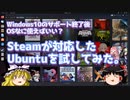
タイトルの通りです。
雨だったのでお家でできる動画を作ってみました。
晴れてたら出かけてました。(´;ω;`)
動画メインのチャンネル https://www.youtube.com/channel/UCXy8mFb02EQLz7cllABu4kg
配信メインのチャンネル https://www.youtube.com/channel/UCxla-fynTn3G6uxj-EuETsw
Twitter始めました https://twitter.com/U1_dayo
仕事などの依頼はメールもしくはTwitterのDMまでお願いします。
[email protected]
https://twitter.com/U1_dayo
【 個人的な質問など、お答えできないことがありますのでご了承ください。 】
~~立ち絵~~
新島秋一(軟弱者)さん からお借りしてます。
https://seiga.nicovideo.jp/seiga/im7007793
音楽:魔王魂
U1イラスト製作者(桃井龍之介)

「スマホ」×「Linux」のココがすごい‼ ~ずんだもんのLinux「使ってみた」第3回~

パソコンとスマートフォンを連携させている人って少ないのではと思い動画を作成しました。KDE Connectはとても多機能なうえWindowsやMacOSでも使えるのでぜひ使ってみてください。
目次
00:00 導入
00:52 1,有線接続の場合
03:01 2,アプリ「KDE Connect」で簡単連携‼
05:22 3,おすすめLinux「Sakura Linux」
06:34 4,終わりに
KDE Connect
https://kdeconnect.kde.org/
SakuraLinux公式ホームページ
https://sites.google.com/view/official-sakura-linux?authuser=0
桜咲ヒロさん
https://twitter.com/Royal_EP
使用させていただいている音声、素材
VOICEVOX:ずんだもん
VOICEPEAK:彩澄しゅお
Official - https://voicevox.hiroshiba.jp/
FANBOX - https://hiho.fanbox.cc/
ずんだもん立ち絵素材:坂本アヒル 様
https://seiga.nicovideo.jp/seiga/im10...
彩澄姉妹立ち絵素材
https://seiga.nicovideo.jp/seiga/im11129508
BGM
Good Morning Sky
ISAo様
https://dova-s.jp/bgm/play1800.html
Surprise Place
MFP様
https://dova-s.jp/bgm/play18490.html
休日ショッピング的なBGM
タカオマサキ様
https://dova-s.jp/bgm/play2883.html
効果音:効果音ラボ様
https://soundeffect-lab.info/sound/anime/
画像:pixabay 様
https://pixabay.com/ja/
【第50話】Ubuntu Desktop 22.04 LTSのデスクトップとドックをカスタマイズしよう(後編)
【動画の説明】
「Ubuntu Desktop 22.04 LTS」のデスクトップやドックを、設定アプリからカスタマイズする方法を紹介します。
今回の動画は「後編」です。
【サイト】
・ウェブサイト:https://kledgeb.blogspot.com
・Youtube:https://www.youtube.com/@kledgeb
・Twitter:https://twitter.com/kledgeb
【VOICEVOX】
・VOICEVOX:https://voicevox.hiroshiba.jp/
・pixivFANBOX:https://hiho.fanbox.cc(支援サイト)
【CV】
・VOICEVOX:後鬼
・VOICEVOX:白上虎太郎
・VOICEVOX:No.7
・VOICEVOX:もち子(cv 明日葉よもぎ)
【BGM】
・Lucky Baby:https://dova-s.jp/bgm/play16230.html
・お菓子作り:https://dova-s.jp/bgm/play17037.html
・STARDUST LEMON:https://dova-s.jp/bgm/play16781.html
【第49話】Ubuntu Desktop 22.04 LTSのデスクトップとドックをカスタマイズしよう(中編)
【動画の説明】
「Ubuntu Desktop 22.04 LTS」のデスクトップやドックを、設定アプリからカスタマイズする方法を紹介します。
今回の動画は「中編」です。
【サイト】
・ウェブサイト:https://kledgeb.blogspot.com
・Youtube:https://www.youtube.com/@kledgeb
・Twitter:https://twitter.com/kledgeb
【VOICEVOX】
・VOICEVOX:https://voicevox.hiroshiba.jp/
・pixivFANBOX:https://hiho.fanbox.cc(支援サイト)
【CV】
・VOICEVOX:後鬼
・VOICEVOX:白上虎太郎
・VOICEVOX:No.7
・VOICEVOX:もち子(cv 明日葉よもぎ)
【BGM】
・Lucky Baby:https://dova-s.jp/bgm/play16230.html
・お菓子作り:https://dova-s.jp/bgm/play17037.html
・STARDUST LEMON:https://dova-s.jp/bgm/play16781.html
【第48話】Ubuntu Desktop 22.04 LTSのデスクトップとドックをカスタマイズしよう(前編)
【動画の説明】
今回の動画は「Ubuntu Desktop 22.04 LTS」のデスクトップやドックを、設定アプリからカスタマイズする方法を紹介します。
今回の動画は「前編」です。
【サイト】
・ウェブサイト:https://kledgeb.blogspot.com
・Youtube:https://www.youtube.com/@kledgeb
・Twitter:https://twitter.com/kledgeb
【VOICEVOX】
・VOICEVOX:https://voicevox.hiroshiba.jp/
・pixivFANBOX:https://hiho.fanbox.cc(支援サイト)
【CV】
・VOICEVOX:後鬼
・VOICEVOX:白上虎太郎
・VOICEVOX:No.7
・VOICEVOX:もち子(cv 明日葉よもぎ)
【BGM】
・Lucky Baby:https://dova-s.jp/bgm/play16230.html
・お菓子作り:https://dova-s.jp/bgm/play17037.html
・STARDUST LEMON:https://dova-s.jp/bgm/play16781.html
【第47話】2023年2月のLinuxニュース・Linux Mint 21.2の開発作業やUbuntu 22.04.2 LTS リリースなど
【動画の説明】
今回は2023年2月のLinuxニュースを紹介します。
【サイト】
・ウェブサイト:https://kledgeb.blogspot.com
・Youtube:https://www.youtube.com/@kledgeb
・Twitter:https://twitter.com/kledgeb
【VOICEVOX】
・VOICEVOX:https://voicevox.hiroshiba.jp/
・pixivFANBOX:https://hiho.fanbox.cc(支援サイト)
【CV】
・VOICEVOX:四国めたん
・VOICEVOX:ずんだもん
【BGM】
・番組オープニング:https://dova-s.jp/bgm/play12413.html
・Sporting News:https://dova-s.jp/bgm/play16683.html
・Radio:https://dova-s.jp/bgm/play16432.html
【第46話】Ubuntu DesktopにGoogle Chromeをインストールしよう

【動画の説明】
今回の動画は「Ubuntu Desktop」に「Google Chrome」をインストールする方法を紹介します。
【サイト】
・ウェブサイト:https://kledgeb.blogspot.com
・Youtube:https://www.youtube.com/@kledgeb
・Twitter:https://twitter.com/kledgeb
【VOICEVOX】
・VOICEVOX:https://voicevox.hiroshiba.jp/
・pixivFANBOX:https://hiho.fanbox.cc(支援サイト)
【CV】
・VOICEVOX:後鬼
・VOICEVOX:白上虎太郎
・VOICEVOX:No.7
・VOICEVOX:もち子(cv 明日葉よもぎ)
【BGM】
・Lucky Baby:https://dova-s.jp/bgm/play16230.html
・In the Breeze:https://dova-s.jp/bgm/play16963.html
・夏色スムージー:https://dova-s.jp/bgm/play16984.html
・Bright Daytime:https://dova-s.jp/bgm/play16789.html
・Wind Motion:https://dova-s.jp/bgm/play16724.html
・STARDUST LEMON:https://dova-s.jp/bgm/play16781.html
【第45話】Ubuntu Desktopをもっと便利に・GNOME Shell拡張機能の利用方法
【動画の説明】
今回の動画では、GNOME Shell拡張機能のインストールなど利用方法を紹介します。
デスクトップに機能を追加して、もっと便利に「Ubuntu Desktop」を活用しましょう。
【サイト】
・ウェブサイト:https://kledgeb.blogspot.com
・Youtube:https://www.youtube.com/@kledgeb
・Twitter:https://twitter.com/kledgeb
【VOICEVOX】
・VOICEVOX:https://voicevox.hiroshiba.jp/
・pixivFANBOX:https://hiho.fanbox.cc(支援サイト)
【CV】
・VOICEVOX:後鬼
・VOICEVOX:白上虎太郎
・VOICEVOX:No.7
【Credits】
・Ubuntu:https://ubuntu.com/
【BGM】
・Lucky Baby:https://dova-s.jp/bgm/play16230.html
・お菓子作り:https://dova-s.jp/bgm/play17037.html
・STARDUST LEMON:https://dova-s.jp/bgm/play16781.html
【第44話】KDE Plasma 5.27の新機能と変更点・ウィンドウのカスタムタイリングが可能に
【動画の説明】
今回の動画は「KDE Plasma 5.27」の新機能と変更点を紹介します。
ユーザーにとって魅力的な新機能が追加されています。
【サイト】
・ウェブサイト:https://kledgeb.blogspot.com
・Youtube:https://www.youtube.com/@kledgeb
・Twitter:https://twitter.com/kledgeb
【VOICEVOX】
・VOICEVOX:https://voicevox.hiroshiba.jp/
・pixivFANBOX:https://hiho.fanbox.cc(支援サイト)
【CV】
・VOICEVOX:後鬼
・VOICEVOX:白上虎太郎
・VOICEVOX:No.7
【Credits】
・Ubuntu:https://ubuntu.com/
【BGM】
・Lucky Baby:https://dova-s.jp/bgm/play16230.html
・お菓子作り:https://dova-s.jp/bgm/play17037.html
・STARDUST LEMON:https://dova-s.jp/bgm/play16781.html
【第43話】Ubuntu Desktopに無料枠のUbuntu Proを導入してみよう
【動画の説明】
今回の動画は、「Ubuntu Desktop」に無料枠の「Ubuntu Pro」の導入方法を紹介します。
また「Ubuntu Pro」を管理するコマンドも紹介しています。
【サイト】
・ウェブサイト:https://kledgeb.blogspot.com
・Youtube:https://www.youtube.com/@kledgeb
・Twitter:https://twitter.com/kledgeb
【VOICEVOX】
・VOICEVOX:https://voicevox.hiroshiba.jp/
・pixivFANBOX:https://hiho.fanbox.cc(支援サイト)
【CV】
・VOICEVOX:後鬼
・VOICEVOX:白上虎太郎
・VOICEVOX:No.7
【Credits】
・Ubuntu:https://ubuntu.com/
【BGM】
・Lucky Baby:https://dova-s.jp/bgm/play16230.html
・お菓子作り:https://dova-s.jp/bgm/play17037.html
・STARDUST LEMON:https://dova-s.jp/bgm/play16781.html
【第42話】Ubuntu Proの紹介・10年サポートやカーネルのライブパッチなど高度なサポートサービスを提供
【動画の説明】
今回の動画は、10年のサポートやカーネルのライブパッチなど「Ubuntu」に高度なサポートサービスを提供する「Ubuntu Pro」を紹介します。
【サイト】
・ウェブサイト:https://kledgeb.blogspot.com
・Youtube:https://www.youtube.com/@kledgeb
・Twitter:https://twitter.com/kledgeb
【VOICEVOX】
・VOICEVOX:https://voicevox.hiroshiba.jp/
・pixivFANBOX:https://hiho.fanbox.cc(支援サイト)
【CV】
・VOICEVOX:後鬼
・VOICEVOX:白上虎太郎
・VOICEVOX:No.7
【Credits】
・Ubuntu:https://ubuntu.com/
【BGM】
・Lucky Baby:https://dova-s.jp/bgm/play16230.html
・お菓子作り:https://dova-s.jp/bgm/play17037.html
・STARDUST LEMON:https://dova-s.jp/bgm/play16781.html
Xubuntu+TwisterUIでつくる「初心者向けLinuxデスクトップ」 ~ずんだもんのLinux「使ってみた」第2回~

Linuxを使い始めてみたいけど、どうしたらいいのか分からない...今回はそんな「Linux初心者」の方でもインストールすればスグに使えるLinuxのインストール手順について解説します。この動画を見て皆さんもLinuxライフを始めましょう!㊙⁉な機能もお教えします...
目次
1,今回インストールするOSについて
2,用意するもの
3,必要なファイルのダウンロード
4,ライブUSBメモリーの作成
5,BIOS・UEFIの設定
6,ライブUSBの起動、インストール
7.TwisterUIの適用
8,環境設定
9,TwisterUIの操作方法、インストールされているアプリ
10,㊙機能⁉ 「Theme Twister」
まとめ
Xubuntu公式サイト
https://xubuntu.org/
TwisterUI
https://twisteros.com/twisterui.html
Balena Etcher
https://www.balena.io/etcher
使用させていただいている音声、素材
Voicevox:ずんだもん
Voicevox:春日部つむぎ
https://voicevox.hiroshiba.jp/
https://hiho.fanbox.cc/
ずんだもん立ち絵素材:坂本アヒル 様
https://seiga.nicovideo.jp/seiga/im10...
春日部つむぎ:坂本アヒル 様
https://seiga.nicovideo.jp/seiga/im10849150
BGM
Good Morning Sky
ISAo様
https://dova-s.jp/bgm/play1800.html
曇った宝石
かずち様
https://dova-s.jp/bgm/play2831.html
休日ショッピング的なBGM
タカオマサキ様
https://dova-s.jp/bgm/play2883.html
彗星に乗って
yuhei komatsu様
https://dova-s.jp/bgm/play18183.html
効果音:効果音ラボ様
https://soundeffect-lab.info/sound/anime/
画像:pixabay 様
https://pixabay.com/ja/
イラスト:いらすとや様
https://www.irasutoya.com/
クッパ大魔王はさよひなと一緒にLinuxを学ぶようです 第1回
新企画!さよひなと一緒にLinuxを学ぶシリーズ!
Linuxにハマりつつあるうp主が、さよひなと一緒にLinuxの使い方を書籍と一緒に学んでいくシリーズです
とは言ってもまだかじり始めなので、沢山間違い等ありますのでそこはご了承ください
使用している書籍→https://bookclub.kodansha.co.jp/product?item=0000194950
※この動画の構想自体は去年の夏あたりから構想してましたが、生憎出張と重なり投稿がスタートが大幅に遅れました
既にUbuntu 22.04 LTSが配布されておりますが、次回からは22.04 LTSで撮影する予定ですのでご了承ください
Linuxマイリスト→mylist/74714993