
タグ Ubuntu が登録されている動画 : 343 件中 1 - 32 件目
種類:
- タグ
- キーワード
対象:
【第61話】ArcMenuの紹介・カスタマイズ性に優れたアプリケーションメニュー

【動画の説明】
今回は「ArcMenu」を紹介します。
「ArcMenu」はカスタマイズ性に優れたアプリケーションメニューです。
Ubuntuでアプリケーションメニューを探しているなら、まず「ArcMenu」を試してみてはいかがでしょうか。
【サイト】
・ウェブサイト:https://kledgeb.blogspot.com
・Youtube:https://www.youtube.com/@kledgeb
・Twitter:https://twitter.com/kledgeb
【VOICEVOX】
・VOICEVOX:https://voicevox.hiroshiba.jp/
・pixivFANBOX:https://hiho.fanbox.cc(支援サイト)
【CV】
・VOICEVOX:ずんだもん
・VOICEVOX:No.7
・VOICEVOX:白上虎太郎
・VOICEVOX:九州そら
【BGM】
・Lucky Baby:https://dova-s.jp/bgm/play16230.html
・お菓子作り:https://dova-s.jp/bgm/play17037.html
・STARDUST LEMON:https://dova-s.jp/bgm/play16781.html
【第52話】GNOME 44の新機能と変更点(後編)
【動画の説明】
「GNOME 44」の新機能と変更点を紹介します。
今回の動画は「後編」です。
【サイト】
・ウェブサイト:https://kledgeb.blogspot.com
・Youtube:https://www.youtube.com/@kledgeb
・Twitter:https://twitter.com/kledgeb
【VOICEVOX】
・VOICEVOX:https://voicevox.hiroshiba.jp/
・pixivFANBOX:https://hiho.fanbox.cc(支援サイト)
【CV】
・VOICEVOX:後鬼
・VOICEVOX:白上虎太郎
・VOICEVOX:No.7
・VOICEVOX:もち子(cv 明日葉よもぎ)
【BGM】
・Lucky Baby:https://dova-s.jp/bgm/play16230.html
・お菓子作り:https://dova-s.jp/bgm/play17037.html
・STARDUST LEMON:https://dova-s.jp/bgm/play16781.html
【第64話】オススメのGNOME Shell拡張機能・第一弾

【動画の説明】
今回はオススメのGNOME Shell拡張機能を紹介します。
GNOME Shell拡張機能はUbuntuのデスクトップを拡張するソフトウェアです。
【サイト】
・ウェブサイト:https://kledgeb.blogspot.com
・Youtube:https://www.youtube.com/@kledgeb
・Twitter:https://twitter.com/kledgeb
【VOICEVOX】
・VOICEVOX:https://voicevox.hiroshiba.jp/
・pixivFANBOX:https://hiho.fanbox.cc(支援サイト)
【CV】
・VOICEVOX:ずんだもん
・VOICEVOX:No.7
・VOICEVOX:白上虎太郎
・VOICEVOX:九州そら
【BGM】
・Lucky Baby:https://dova-s.jp/bgm/play16230.html
・お菓子作り:https://dova-s.jp/bgm/play17037.html
・STARDUST LEMON:https://dova-s.jp/bgm/play16781.html
【第51話】GNOME 44の新機能と変更点(前編)
【動画の説明】
「GNOME 44」の新機能と変更点を紹介します。
今回の動画は「前編」です。
【サイト】
・ウェブサイト:https://kledgeb.blogspot.com
・Youtube:https://www.youtube.com/@kledgeb
・Twitter:https://twitter.com/kledgeb
【VOICEVOX】
・VOICEVOX:https://voicevox.hiroshiba.jp/
・pixivFANBOX:https://hiho.fanbox.cc(支援サイト)
【CV】
・VOICEVOX:後鬼
・VOICEVOX:白上虎太郎
・VOICEVOX:No.7
・VOICEVOX:もち子(cv 明日葉よもぎ)
【BGM】
・Lucky Baby:https://dova-s.jp/bgm/play16230.html
・Wind Motion:https://dova-s.jp/bgm/play16724.html
・夜のバーでライブしている劇中歌っぽいジャズBGM:https://dova-s.jp/bgm/play16362.html
【第58話】UbuntuにMicrosoft Edgeをインストールするには
【動画の説明】
今回は「Ubuntu」に「Microsoft Edge」をインストールする方法を紹介します。
「Microsoft Edge」は「Windows」にプリインストールされているデフォルトのブラウザーですが、「Ubuntu」でも利用できます。
【サイト】
・ウェブサイト:https://kledgeb.blogspot.com
・Youtube:https://www.youtube.com/@kledgeb
・Twitter:https://twitter.com/kledgeb
【VOICEVOX】
・VOICEVOX:https://voicevox.hiroshiba.jp/
・pixivFANBOX:https://hiho.fanbox.cc(支援サイト)
【CV】
・VOICEVOX:ずんだもん
・VOICEVOX:No.7
・VOICEVOX:白上虎太郎
・VOICEVOX:九州そら
【BGM】
・Lucky Baby:https://dova-s.jp/bgm/play16230.html
・お菓子作り:https://dova-s.jp/bgm/play17037.html
・STARDUST LEMON:https://dova-s.jp/bgm/play16781.html
【第62話】2023年5月のLinuxニュース・VisionFive 2向けUbuntuのリリースやSnap版Ubuntu Desktopのアナウンス、Linux Mint 21.2のデザイン改良など

【動画の説明】
今回は2023年5月のLinuxニュースを紹介します。
主にUbuntuのニュースを紹介しています。
VisionFive 2向けUbuntuのリリースやSnap版Ubuntu Desktopのアナウンス、Linux Mint 21.2のデザイン改良等のニュースを紹介しています。
【サイト】
・ウェブサイト:https://kledgeb.blogspot.com
・Youtube:https://www.youtube.com/@kledgeb
・Twitter:https://twitter.com/kledgeb
【VOICEVOX】
・VOICEVOX:https://voicevox.hiroshiba.jp/
・pixivFANBOX:https://hiho.fanbox.cc(支援サイト)
【CV】
・VOICEVOX:四国めたん
・VOICEVOX:ずんだもん
・VOICEVOX:春日部つむぎ
・VOICEVOX:雨晴はう
・VOICEVOX:波音リツ
・VOICEVOX:玄野武宏
・VOICEVOX:白上虎太郎
・VOICEVOX:青山龍星
・VOICEVOX:冥鳴ひまり
・VOICEVOX:九州そら
・VOICEVOX:もち子(cv 明日葉よもぎ)
・VOICEVOX:WhiteCUL
・VOICEVOX:後鬼
・VOICEVOX:No.7
・VOICEVOX:櫻歌ミコ
・VOICEVOX:小夜/SAYO
・VOICEVOX:ナースロボ_タイプT
・VOICEVOX:春歌ナナ
・VOICEVOX:猫使アル
・VOICEVOX:猫使ビィ
【BGM】
・番組オープニング:https://dova-s.jp/bgm/play12413.html
・Sporting News:https://dova-s.jp/bgm/play16683.html
・Radio:https://dova-s.jp/bgm/play16432.html
【第56話】2023年4月のLinuxニュース・Ubuntu 23.04のリリースやUbuntu 23.10の開発、Linux Mint 21.2の開発など

【動画の説明】
今回は2023年4月のLinuxニュースを紹介します。
【サイト】
・ウェブサイト:https://kledgeb.blogspot.com
・Youtube:https://www.youtube.com/@kledgeb
・Twitter:https://twitter.com/kledgeb
【VOICEVOX】
・VOICEVOX:https://voicevox.hiroshiba.jp/
・pixivFANBOX:https://hiho.fanbox.cc(支援サイト)
【CV】
・VOICEVOX:四国めたん
・VOICEVOX:ずんだもん
・VOICEVOX:春日部つむぎ
・VOICEVOX:雨晴はう
・VOICEVOX:波音リツ
・VOICEVOX:玄野武宏
・VOICEVOX:白上虎太郎
・VOICEVOX:青山龍星
・VOICEVOX:冥鳴ひまり
・VOICEVOX:九州そら
・VOICEVOX:もち子(cv 明日葉よもぎ)
・VOICEVOX:剣崎雌雄
・VOICEVOX:WhiteCUL
・VOICEVOX:後鬼
・VOICEVOX:No.7
・VOICEVOX:櫻歌ミコ
・VOICEVOX:小夜/SAYO
・VOICEVOX:ナースロボ_タイプT
・VOICEVOX:†聖騎士 紅桜†
・VOICEVOX:雀松朱司
・VOICEVOX:麒ヶ島宗麟
・VOICEVOX:春歌ナナ
・VOICEVOX:猫使アル
・VOICEVOX:猫使ビィ
【BGM】
・番組オープニング:https://dova-s.jp/bgm/play12413.html
・Sporting News:https://dova-s.jp/bgm/play16683.html
・Radio:https://dova-s.jp/bgm/play16432.html
【第57話】KDE Gear 23.04の新機能と変更点・ファイルマネージャーやスクリーンキャプチャーの改良など
【動画の説明】
2023年4月20日に「KDE Gear 23.04」がリリースされました。
今回は「KDE Gear 23.04」の新機能と変更点を紹介します。
【サイト】
・ウェブサイト:https://kledgeb.blogspot.com
・Youtube:https://www.youtube.com/@kledgeb
・Twitter:https://twitter.com/kledgeb
【VOICEVOX】
・VOICEVOX:https://voicevox.hiroshiba.jp/
・pixivFANBOX:https://hiho.fanbox.cc(支援サイト)
【CV】
・VOICEVOX:ずんだもん
・VOICEVOX:No.7
・VOICEVOX:白上虎太郎
・VOICEVOX:九州そら
【BGM】
・Lucky Baby:https://dova-s.jp/bgm/play16230.html
・In the Breeze:https://dova-s.jp/bgm/play16963.html
・STARDUST LEMON:https://dova-s.jp/bgm/play16781.html
【第53話】2023年3月のLinuxニュース・Ubuntu 23.04 β版のリリースやGNOME 44のリリースなど

【動画の説明】
今回は2023年3月のLinuxニュースを紹介します。
【サイト】
・ウェブサイト:https://kledgeb.blogspot.com
・Youtube:https://www.youtube.com/@kledgeb
・Twitter:https://twitter.com/kledgeb
【VOICEVOX】
・VOICEVOX:https://voicevox.hiroshiba.jp/
・pixivFANBOX:https://hiho.fanbox.cc(支援サイト)
【CV】
・VOICEVOX:四国めたん
・VOICEVOX:ずんだもん
・VOICEVOX:春日部つむぎ
・VOICEVOX:雨晴はう
・VOICEVOX:波音リツ
・VOICEVOX:玄野武宏
・VOICEVOX:白上虎太郎
・VOICEVOX:青山龍星
・VOICEVOX:冥鳴ひまり
・VOICEVOX:九州そら
・VOICEVOX:もち子(cv 明日葉よもぎ)
・VOICEVOX:剣崎雌雄
・VOICEVOX:WhiteCUL
・VOICEVOX:後鬼
・VOICEVOX:No.7
・VOICEVOX:櫻歌ミコ
・VOICEVOX:小夜/SAYO
・VOICEVOX:ナースロボ_タイプT
・VOICEVOX:†聖騎士 紅桜†
・VOICEVOX:雀松朱司
・VOICEVOX:麒ヶ島宗麟
・VOICEVOX:春歌ナナ
・VOICEVOX:猫使アル
・VOICEVOX:猫使ビィ
【BGM】
・番組オープニング:https://dova-s.jp/bgm/play12413.html
・Sporting News:https://dova-s.jp/bgm/play16683.html
・Radio:https://dova-s.jp/bgm/play16432.html
【第54話】GNOME Shell拡張機能をアプリから管理するには
【動画の説明】
GNOME Shell拡張機能をアプリから管理する方法を紹介します。
またGNOME Shell拡張機能を管理するアプリをインストールする方法も紹介します。
【サイト】
・ウェブサイト:https://kledgeb.blogspot.com
・Youtube:https://www.youtube.com/@kledgeb
・Twitter:https://twitter.com/kledgeb
【VOICEVOX】
・VOICEVOX:https://voicevox.hiroshiba.jp/
・pixivFANBOX:https://hiho.fanbox.cc(支援サイト)
【CV】
・VOICEVOX:ずんだもん
・VOICEVOX:春日部つむぎ
・VOICEVOX:白上虎太郎
・VOICEVOX:九州そら
【BGM】
・Lucky Baby:https://dova-s.jp/bgm/play16230.html
・お菓子作り:https://dova-s.jp/bgm/play17037.html
・STARDUST LEMON:https://dova-s.jp/bgm/play16781.html
【第55話】Ubuntu 23.04の新機能と変更点・Ubuntu 23.04へアップグレードするには
【動画の説明】
2023年4月20日に「Ubuntu 23.04」がリリースされました。
今回は「Ubuntu 23.04」の新機能と変更点を紹介します。
また「Ubuntu 23.04」へアップグレードする方法も紹介します。
【サイト】
・ウェブサイト:https://kledgeb.blogspot.com
・Youtube:https://www.youtube.com/@kledgeb
・Twitter:https://twitter.com/kledgeb
【VOICEVOX】
・VOICEVOX:https://voicevox.hiroshiba.jp/
・pixivFANBOX:https://hiho.fanbox.cc(支援サイト)
【CV】
・VOICEVOX:ずんだもん
・VOICEVOX:No.7
・VOICEVOX:白上虎太郎
・VOICEVOX:九州そら
【BGM】
・Lucky Baby:https://dova-s.jp/bgm/play16230.html
・In the Breeze:https://dova-s.jp/bgm/play16963.html
・STARDUST LEMON:https://dova-s.jp/bgm/play16781.html
【第63話】Ubuntu Desktop 23.10に搭載予定の新機能や変更点を見てみよう・Ubuntu Desktop開発チームの取り組み

【動画の説明】
今回は「Ubuntu Desktop 23.10」に搭載予定の新機能や変更点を紹介します。
加えて「Ubuntu Desktop開発チーム」の取り組みも紹介します。
「Ubuntu Desktop 23.10」は現在開発中の次期メジャーバージョンの「Ubuntu Desktop」です。
「Ubuntu 23.10」の開発が始まってから約1ヶ月程しか経っていませんが、開発方針のいくつかが明らかになっています。
【サイト】
・ウェブサイト:https://kledgeb.blogspot.com
・Youtube:https://www.youtube.com/@kledgeb
・Twitter:https://twitter.com/kledgeb
【VOICEVOX】
・VOICEVOX:https://voicevox.hiroshiba.jp/
・pixivFANBOX:https://hiho.fanbox.cc(支援サイト)
【CV】
・VOICEVOX:ずんだもん
・VOICEVOX:No.7
・VOICEVOX:白上虎太郎
・VOICEVOX:九州そら
【BGM】
・Lucky Baby:https://dova-s.jp/bgm/play16230.html
・お菓子作り:https://dova-s.jp/bgm/play17037.html
・STARDUST LEMON:https://dova-s.jp/bgm/play16781.html
初心者が無料OS(Ubuntu)を使って自作ストレージPCを組み立ててみた。
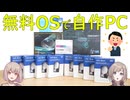
誰も作らないだろう構成の自作PCを組み立ててみました。
★組み立てに使った自作Pパーツ
[CPU] Intel Celeron G6900
https://amzn.to/3UZXtsL
[マザーボード] BIOSTAR B660 GTA
https://amzn.to/3wFBsFn
[M.2 SSD] Western Digital 500GB WD Blue SN570
https://amzn.to/4bUtEzL
[ATX電源] FSP Hydro GSM Lite PRO 750W
https://amzn.to/49RlIOc
[メモリ] Fractal Design Define R6
https://amzn.to/3wr5axS
[PCケース] Fractal Design Define R6(FD-CA-DEF-R6-GY)
https://amzn.to/4tlmIUX
※Youtubeで2023年12月28日に公開した動画となります。
元動画はこちら → https://youtu.be/c81q5W1ffVE
----------
★Youtubeメインチャンネル「LIGHTNING_GADGET」 https://www.youtube.com/channel/UCW0gd_bcIcleo_3u6OHINBg
★ブログ:note「LIGHTNING_GADGET」
https://note.com/lighting2564
★X(旧twitter)
https://x.com/lightning_dream


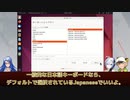
【第30話】Ubuntu Desktop 22.04 LTSをインストールするには(Part 3)
【動画の説明】
「Ubuntu Desktop 22.04 LTS」のインストール方法を紹介します。
今回は「Part 3」です。
【サイト】
・ウェブサイト:https://kledgeb.blogspot.com
・Youtube:http://bit.ly/3zpwuKT
・Twitter:https://twitter.com/kledgeb
【VOICEVOX】
・VOICEVOX:https://voicevox.hiroshiba.jp/
・pixivFANBOX:https://hiho.fanbox.cc(支援サイト)
【CV】
・VOICEVOX:後鬼
・VOICEVOX:白上虎太郎
・VOICEVOX:No.7
【Credits】
・Ubuntu:https://ubuntu.com/
・Pixabay:https://pixabay.com/
・Pixels Videos & Pixels Photos:https://www.pexels.com・videvo.net Stock footage provided by Videvo, downloaded from videvo.net :https://www.videvo.net/profile/videvohttps://www.videvo.net
【BGM】
・Lucky Baby:https://dova-s.jp/bgm/play16230.html
・In the Breeze:https://dova-s.jp/bgm/play16963.html
・夏色スムージー:https://dova-s.jp/bgm/play16984.html
・Bright Daytime:https://dova-s.jp/bgm/play16789.html
・STARDUST LEMON:https://dova-s.jp/bgm/play16781.html
【第49話】Ubuntu Desktop 22.04 LTSのデスクトップとドックをカスタマイズしよう(中編)
【動画の説明】
「Ubuntu Desktop 22.04 LTS」のデスクトップやドックを、設定アプリからカスタマイズする方法を紹介します。
今回の動画は「中編」です。
【サイト】
・ウェブサイト:https://kledgeb.blogspot.com
・Youtube:https://www.youtube.com/@kledgeb
・Twitter:https://twitter.com/kledgeb
【VOICEVOX】
・VOICEVOX:https://voicevox.hiroshiba.jp/
・pixivFANBOX:https://hiho.fanbox.cc(支援サイト)
【CV】
・VOICEVOX:後鬼
・VOICEVOX:白上虎太郎
・VOICEVOX:No.7
・VOICEVOX:もち子(cv 明日葉よもぎ)
【BGM】
・Lucky Baby:https://dova-s.jp/bgm/play16230.html
・お菓子作り:https://dova-s.jp/bgm/play17037.html
・STARDUST LEMON:https://dova-s.jp/bgm/play16781.html
【第46話】Ubuntu DesktopにGoogle Chromeをインストールしよう
【動画の説明】
今回の動画は「Ubuntu Desktop」に「Google Chrome」をインストールする方法を紹介します。
【サイト】
・ウェブサイト:https://kledgeb.blogspot.com
・Youtube:https://www.youtube.com/@kledgeb
・Twitter:https://twitter.com/kledgeb
【VOICEVOX】
・VOICEVOX:https://voicevox.hiroshiba.jp/
・pixivFANBOX:https://hiho.fanbox.cc(支援サイト)
【CV】
・VOICEVOX:後鬼
・VOICEVOX:白上虎太郎
・VOICEVOX:No.7
・VOICEVOX:もち子(cv 明日葉よもぎ)
【BGM】
・Lucky Baby:https://dova-s.jp/bgm/play16230.html
・In the Breeze:https://dova-s.jp/bgm/play16963.html
・夏色スムージー:https://dova-s.jp/bgm/play16984.html
・Bright Daytime:https://dova-s.jp/bgm/play16789.html
・Wind Motion:https://dova-s.jp/bgm/play16724.html
・STARDUST LEMON:https://dova-s.jp/bgm/play16781.html
【第67話】2023年6月のLinuxニュース・Ubuntu Desktopの開発状況やLinux Mint 21.2 β版のリリースなど

【動画の説明】
今回は2023年6月のLinuxニュースを紹介します。
主にUbuntuのニュースを紹介しています。
Ubuntu Desktopの開発状況やLinux Mint 21.2 β版のリリース等のニュースを紹介しています。
【サイト】
・ウェブサイト:https://kledgeb.blogspot.com
・Youtube:https://www.youtube.com/@kledgeb
・Twitter:https://twitter.com/kledgeb
【VOICEVOX】
・VOICEVOX:https://voicevox.hiroshiba.jp/
・pixivFANBOX:https://hiho.fanbox.cc(支援サイト)
【CV】
・VOICEVOX:四国めたん
・VOICEVOX:ずんだもん
・VOICEVOX:春日部つむぎ
・VOICEVOX:雨晴はう
・VOICEVOX:波音リツ
・VOICEVOX:冥鳴ひまり
・VOICEVOX:九州そら
・VOICEVOX:もち子(cv 明日葉よもぎ)
・VOICEVOX:WhiteCUL
・VOICEVOX:後鬼
・VOICEVOX:No.7
・VOICEVOX:櫻歌ミコ
・VOICEVOX:小夜/SAYO
・VOICEVOX:ナースロボ_タイプT
【BGM】
・番組オープニング:https://dova-s.jp/bgm/play12413.html
・Sporting News:https://dova-s.jp/bgm/play16683.html
・Radio:https://dova-s.jp/bgm/play16432.html
【マイクラ】うちの鯖、紹介します。【ディスコードボットの紹介も!】

入りたい人いるかな...?
〇クレジット
BGM/SE:魔王魂 DOVA-SYNDROME
フォントジェネレーター│https://ja.textstudio.com/
〇YouTube版
https://youtu.be/6h2lcPzG4Xw
〇サムネイル
協力してくれた友人:Rkun(さいほうへいき) Renon99 SupremeCourt0521
https://www.youtube.com/@saihou-heiki
【第12話】□Ubuntuのサポート期間ってどうなってるの?□Ubuntuのアップグレード方針ってどうなってるの?
□【動画の説明】
□Ubuntuのサポート期間は、LTSリリースと通常リリースで異なります。
それぞれのリリースのサポート期間を紹介します。
□サポート期間が異なるLTSリリースと通常リリースのアップグレード方針や、ユーザーにおすすめするアップグレード方針を紹介します。
□【Twitter】
https://twitter.com/kledgeb
□【Website】
https://kledgeb.blogspot.com
□【Credits】
□Ubuntu
https://ubuntu.com/
-----------------
□VOICEVOX:玄野武宏
https://voicevox.hiroshiba.jp/
□VOICEVOX:白上虎太郎
https://voicevox.hiroshiba.jp/
-----------------
□Openclipart
https://openclipart.org/
□Pixels Videos & Pixels Photos
https://www.pexels.com
□いらすとや
https://www.irasutoya.com/
-----------------
□In the Breeze
https://dova-s.jp/bgm/play16963.html
□Lucky Baby
https://dova-s.jp/bgm/play16230.html
□wind of tomorrow
https://dova-s.jp/bgm/play15036.html
□夏色スムージー
https://dova-s.jp/bgm/play16984.html
□Bright Daytime
https://dova-s.jp/bgm/play16789.html
□STARDUST LEMON
https://dova-s.jp/bgm/play16781.html
【第31話】Ubuntu Desktop 22.04 LTSをインストールするには(Part 4)
【動画の説明】
「Ubuntu Desktop 22.04 LTS」のインストール方法を紹介します。
今回は「Part 4」です。ラストパートです。
【サイト】
・ウェブサイト:https://kledgeb.blogspot.com
・Youtube:http://bit.ly/3zpwuKT
・Twitter:https://twitter.com/kledgeb
【VOICEVOX】
・VOICEVOX:https://voicevox.hiroshiba.jp/
・pixivFANBOX:https://hiho.fanbox.cc(支援サイト)
【CV】
・VOICEVOX:後鬼
・VOICEVOX:白上虎太郎
・VOICEVOX:No.7
【Credits】
・Ubuntu:https://ubuntu.com/
・Pixabay:https://pixabay.com/
・Pixels Videos & Pixels Photos:https://www.pexels.com
・videvo.net Stock footage provided by Videvo, downloaded from videvo.net :https://www.videvo.net/profile/videvohttps://www.videvo.net
【BGM】
・Lucky Baby:https://dova-s.jp/bgm/play16230.html
・In the Breeze:https://dova-s.jp/bgm/play16963.html
・夏色スムージー:https://dova-s.jp/bgm/play16984.html
・Bright Daytime:https://dova-s.jp/bgm/play16789.html
・STARDUST LEMON:https://dova-s.jp/bgm/play16781.html
【第14話】UbuntuをカスタマイズしたOS、Ubuntu公式フレーバーとは
【動画の説明】
UbuntuにはUbuntu公式フレーバーと呼ばれるOSがあります。
Ubuntu公式フレーバーはUbuntuをカスタマイズしたOSであり、異なるデスクトップ環境を採用したり特定のワークフローに最適化したOSを提供しています。
【Twitter】
https://twitter.com/kledgeb
【Website】
https://kledgeb.blogspot.com
【Credits】
・Ubuntu
https://ubuntu.com/
-----------------
・VOICEVOX:玄野武宏
https://voicevox.hiroshiba.jp/
・VOICEVOX:白上虎太郎
https://voicevox.hiroshiba.jp/
-----------------
・Openclipart
https://openclipart.org/
・Pixels Videos & Pixels Photos
https://www.pexels.com
・いらすとや
https://www.irasutoya.com/
・videvo.net
Stock footage provided by Videvo, downloaded from videvo.nethttps://www.videvo.net/profile/videvohttps://www.videvo.net
-----------------
・In the Breeze
https://dova-s.jp/bgm/play16963.html
・Lucky Baby
https://dova-s.jp/bgm/play16230.html
・wind of tomorrow
https://dova-s.jp/bgm/play15036.html
・夏色スムージー
https://dova-s.jp/bgm/play16984.html
・STARDUST LEMON
https://dova-s.jp/bgm/play16781.html
【第44話】KDE Plasma 5.27の新機能と変更点・ウィンドウのカスタムタイリングが可能に
【動画の説明】
今回の動画は「KDE Plasma 5.27」の新機能と変更点を紹介します。
ユーザーにとって魅力的な新機能が追加されています。
【サイト】
・ウェブサイト:https://kledgeb.blogspot.com
・Youtube:https://www.youtube.com/@kledgeb
・Twitter:https://twitter.com/kledgeb
【VOICEVOX】
・VOICEVOX:https://voicevox.hiroshiba.jp/
・pixivFANBOX:https://hiho.fanbox.cc(支援サイト)
【CV】
・VOICEVOX:後鬼
・VOICEVOX:白上虎太郎
・VOICEVOX:No.7
【Credits】
・Ubuntu:https://ubuntu.com/
【BGM】
・Lucky Baby:https://dova-s.jp/bgm/play16230.html
・お菓子作り:https://dova-s.jp/bgm/play17037.html
・STARDUST LEMON:https://dova-s.jp/bgm/play16781.html
【第50話】Ubuntu Desktop 22.04 LTSのデスクトップとドックをカスタマイズしよう(後編)
【動画の説明】
「Ubuntu Desktop 22.04 LTS」のデスクトップやドックを、設定アプリからカスタマイズする方法を紹介します。
今回の動画は「後編」です。
【サイト】
・ウェブサイト:https://kledgeb.blogspot.com
・Youtube:https://www.youtube.com/@kledgeb
・Twitter:https://twitter.com/kledgeb
【VOICEVOX】
・VOICEVOX:https://voicevox.hiroshiba.jp/
・pixivFANBOX:https://hiho.fanbox.cc(支援サイト)
【CV】
・VOICEVOX:後鬼
・VOICEVOX:白上虎太郎
・VOICEVOX:No.7
・VOICEVOX:もち子(cv 明日葉よもぎ)
【BGM】
・Lucky Baby:https://dova-s.jp/bgm/play16230.html
・お菓子作り:https://dova-s.jp/bgm/play17037.html
・STARDUST LEMON:https://dova-s.jp/bgm/play16781.html
【第35話】2022年12月のLinuxニュース・Xfce 4.18やLinux Mint 21.1、KDE Gear 22.12のリリースなど
【動画の説明】
今回は2022年12月のLinuxニュースを紹介します。
【サイト】
・ウェブサイト:https://kledgeb.blogspot.com
・Youtube:https://www.youtube.com/@kledgeb
・Twitter:https://twitter.com/kledgeb
【VOICEVOX】
・VOICEVOX:https://voicevox.hiroshiba.jp/
・pixivFANBOX:https://hiho.fanbox.cc(支援サイト)
【CV】
・VOICEVOX:四国めたん
・VOICEVOX:ずんだもん
・VOICEVOX:春日部つむぎ
・VOICEVOX:雨晴はう
・VOICEVOX:波音リツ
・VOICEVOX:玄野武宏
・VOICEVOX:白上虎太郎
・VOICEVOX:青山龍星
・VOICEVOX:冥鳴ひまり
・VOICEVOX:九州そら
・VOICEVOX:もち子(cv 明日葉よもぎ)
・VOICEVOX:剣崎雌雄
・VOICEVOX:WhiteCUL
・VOICEVOX:後鬼
・VOICEVOX:No.7
【Credits】
・Ubuntu:https://ubuntu.com/
・Linux Mint:https://linuxmint.com/
・Pixabay:https://pixabay.com/
・Pixels Videos & Pixels Photos:https://www.pexels.com
・videvo.net Stock footage provided by Videvo, downloaded from videvo.net :https://www.videvo.net/profile/videvohttps://www.videvo.net
【BGM】
・番組オープニング:https://dova-s.jp/bgm/play12413.html
・Sporting News:https://dova-s.jp/bgm/play16683.html
・Radio:https://dova-s.jp/bgm/play16432.html
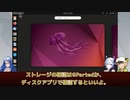
【第29話】Ubuntu Desktop 22.04 LTSをインストールするには(Part 2)
【動画の説明】
「Ubuntu Desktop 22.04 LTS」のインストール方法を紹介します。
今回は「Part 2」です。
【サイト】
・ウェブサイト:https://kledgeb.blogspot.com
・Youtube:http://bit.ly/3zpwuKT
・Twitter:https://twitter.com/kledgeb
【VOICEVOX】
・VOICEVOX:https://voicevox.hiroshiba.jp/
・pixivFANBOX:https://hiho.fanbox.cc(支援サイト)
【CV】
・VOICEVOX:後鬼
・VOICEVOX:白上虎太郎
・VOICEVOX:No.7
【Credits】
・Ubuntu:https://ubuntu.com/
・Pixabay:https://pixabay.com/
・Pixels Videos & Pixels Photos:https://www.pexels.com・videvo.net Stock footage provided by Videvo, downloaded from videvo.net :https://www.videvo.net/profile/videvohttps://www.videvo.net
【BGM】
・Lucky Baby:https://dova-s.jp/bgm/play16230.html
・夏色スムージー:https://dova-s.jp/bgm/play16984.html
・Bright Daytime:https://dova-s.jp/bgm/play16789.html
・STARDUST LEMON:https://dova-s.jp/bgm/play16781.html
【第11話】□Ubuntuのバージョンってどうなってるの?□Jammy Jellyfishってなんなの?□Ubuntuとバージョンと開発コードの法則
□【動画の説明】
□Ubuntuのバージョンは、一般的なソフトウェアのバージョンとは付け方が異なります。
Ubuntuのバージョンがどのように付けられているのかを紹介します。
□Ubuntuの各メジャーバージョンには開発コードが付けられています。
Ubuntuの開発コードはある法則に沿って付けられています。
Ubuntuの開発コードがどのように付けられているのかを紹介します。
□【Twitter】
https://twitter.com/kledgeb
□【Website】
https://kledgeb.blogspot.com
□【Credits】
□Ubuntu
https://ubuntu.com/
-----------------
□VOICEVOX:玄野武宏
https://voicevox.hiroshiba.jp/
□VOICEVOX:白上虎太郎
https://voicevox.hiroshiba.jp/
-----------------
□Openclipart
https://openclipart.org/
□Pixels Videos & Pixels Photos
https://www.pexels.com
□いらすとや
https://www.irasutoya.com/
-----------------
□In the Breeze
https://dova-s.jp/bgm/play16963.html
□Lucky Baby
https://dova-s.jp/bgm/play16230.html
□wind of tomorrow
https://dova-s.jp/bgm/play15036.html
□夏色スムージー
https://dova-s.jp/bgm/play16984.html
□STARDUST LEMON
https://dova-s.jp/bgm/play16781.html
【第13話】□2022年8月のLinuxニュース
□【動画の説明】
□2022年8月のLinuxニュースを紹介します。
□【Twitter】
https://twitter.com/kledgeb
□【Website】
https://kledgeb.blogspot.com
□【Credits】
□Ubuntu
https://ubuntu.com/
□Linux Mint
https://linuxmint.com/
□Kubuntu
https://kubuntu.org/
-----------------
□Dell
https://www.dell.com
□Kubuntu Focus
https://kfocus.org/
□.NET
https://dotnet.microsoft.com/ja-jp/
-----------------
□VOICEVOX:玄野武宏
https://voicevox.hiroshiba.jp/
□VOICEVOX:白上虎太郎
https://voicevox.hiroshiba.jp/
-----------------
□Openclipart
https://openclipart.org/
□Pixels Videos & Pixels Photos
https://www.pexels.com
□いらすとや
https://www.irasutoya.com/
□videvo.net
Stock footage provided by Videvo, downloaded from videvo.nethttps://www.videvo.net/profile/videvohttps://www.videvo.net
-----------------
□番組オープニング
https://dova-s.jp/bgm/play12413.html
□ニュース速報 モダン
https://dova-s.jp/bgm/play12152.html
□STARDUST LEMON
https://dova-s.jp/bgm/play16781.html
【第26話】LXQt 1.2の新機能と変更点の紹介
【動画の説明】
今回は2022年11月5日にリリースされた「LXQt 1.2」の新機能と変更点の紹介します。
「LXQt」はデスクトップ環境です。
「Lubuntu」で採用されているデスクトップ環境としても有名でしょう。
【サイト】
・ウェブサイト:https://kledgeb.blogspot.com
・Youtube:http://bit.ly/3zpwuKT
・Twitter:https://twitter.com/kledgeb
【VOICEVOX】
・VOICEVOX:https://voicevox.hiroshiba.jp/
・pixivFANBOX:https://hiho.fanbox.cc(支援サイト)
【CV】
・VOICEVOX:後鬼
・VOICEVOX:白上虎太郎
・VOICEVOX:No.7
【Credits】
・Ubuntu:https://ubuntu.com/
・Pixabay:https://pixabay.com/
・Pixels Videos & Pixels Photos:https://www.pexels.com・videvo.net Stock footage provided by Videvo, downloaded from videvo.net :https://www.videvo.net/profile/videvohttps://www.videvo.net
【BGM】
・Lucky Baby:https://dova-s.jp/bgm/play16230.html
・Wind Motion:https://dova-s.jp/bgm/play16724.html
・Bright Daytime:https://dova-s.jp/bgm/play16789.html
・STARDUST LEMON:https://dova-s.jp/bgm/play16781.html
【第48話】Ubuntu Desktop 22.04 LTSのデスクトップとドックをカスタマイズしよう(前編)
【動画の説明】
今回の動画は「Ubuntu Desktop 22.04 LTS」のデスクトップやドックを、設定アプリからカスタマイズする方法を紹介します。
今回の動画は「前編」です。
【サイト】
・ウェブサイト:https://kledgeb.blogspot.com
・Youtube:https://www.youtube.com/@kledgeb
・Twitter:https://twitter.com/kledgeb
【VOICEVOX】
・VOICEVOX:https://voicevox.hiroshiba.jp/
・pixivFANBOX:https://hiho.fanbox.cc(支援サイト)
【CV】
・VOICEVOX:後鬼
・VOICEVOX:白上虎太郎
・VOICEVOX:No.7
・VOICEVOX:もち子(cv 明日葉よもぎ)
【BGM】
・Lucky Baby:https://dova-s.jp/bgm/play16230.html
・お菓子作り:https://dova-s.jp/bgm/play17037.html
・STARDUST LEMON:https://dova-s.jp/bgm/play16781.html