
キーワード Direct が含まれる動画 : 5070 件中 33 - 64 件目
種類:
- タグ
- キーワード
対象:

【H.264】つよきすOPデモ【低ビットレートテスト】

高画質化スレでお題が出たので。つよきすOPデモの低ビットレートです。
もう何というかビットレートが足りなくてどうしようも無いですね。
これ以上画質を上げたいのなら、解像度落とすかフレームレート落とすかする以外に方法が思いつきません。
設定とか: V:512x384 29.97fps 170kbps A:AAC_LC 128kbps
↓詳細
--bitrate 170 --pass 3 --stats ".x264.stats" --qpstep 20 --scenecut 54 --min-keyint 1 --keyint 300 --8x8dct --partitions "p8x8,b8x8,i4x4" --bframes 16 --b-pyramid --bime --direct "auto" --subme 7 --me "tesa" --merange 32 --ref 16 --mixed-refs --threads "auto" --trellis 2 --nr 2 --cqm "flat" --no-fast-pskip --no-dct-decimate --output nul
【Celemony】和音を自由に編集できる新技術【Melodyne】

独Celemony、和音を自由に編集できる新技術「Direct Note Access」を発表http://journal.mycom.co.jp/news/2008/03/13/040/ (2008/03/13) Melodyneを使用した作品:Melodyneで遊んでみた① 「宇多田ヒカルとAIの共演」(sm1356895)
【MAD】[涼宮ハルヒの憂鬱] squall
![【MAD】[涼宮ハルヒの憂鬱] squall](https://nicovideo.cdn.nimg.jp/thumbnails/2655497/2655497)
※こちらは800kbpsです。さらに高画質1Mbpsはこちら→sm5544774
---
エンコ殺しの動画でどこまでいけるかテストしてみました第一弾
動画の製作者ルリシスさん
パラメータ→3pass、シャープ、ノイズ、色調補正フィルタ適宜、音声AAC-LC64kbps --bitrate 736 --pass 3 --stats ".x264.stats" --qpstep 8 --scenecut 75 --min-keyint 1 --8x8dct --partitions "p8x8,b8x8,i8x8,i4x4" --bframes 2 --bime --weightb --direct "auto" --subme 7 --me "tesa" --merange 16 --ref 4 --mixed-refs --trellis 2 --cqm "flat" --no-fast-pskip --no-dct-decimate
その他→http://www.nicovideo.jp/mylist/5525261
ノートPC CPU換装(CeleronM430/1.73G→Core2DuoT7200/2G)
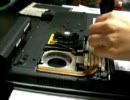
ノートPCのCPUを換装したので自分の備忘録用に交換手順をビデオにしました。自作や改造の経験はないのですが、このノートパソコン(Epson Direct Endeavor NA702)はCPUへのアクセスが簡単だったので、Celeron M 430からCore2Duo T7200に交換しました。(この機種は簡単だったので私のような人間でも交換できましたが、ノートPCのCPU 交換は難しいことも多いようです。また、故障の原因になったり、保証も切れるので、参 考にしていただく際は自己責任でお願いします)グリスが堅くてヒートシンクが取れない時は無理をせず、高負荷のプログラムを動かすな どしてCPUを温めると良いようです。http://ii.la/narida/cpu.html↑こちらのページに簡単な解説書いてます。
GG2 H.264てちゅと

--bitrate 460 --qpmin 16 --qpmax 38 --qpstep 8 --scenecut 54 --min-keyint 1 --keyint 300 --8x8dct --partitions "p8x8,b8x8,i8x8,i4x4" --bframes 4 --b-bias -10 --b-pyramid --bime --weightb --direct "auto" --subme 7 --me "esa" --merange 32 --ref 4 --mixed-refs --trellis 2 --deblock -2:0 --aq-strength 0.2 --aq-sensitivity 8 --aq2-strength 0.2 --aq2-sensitivity 11 --qcomp 0.314
オーディオはソースからそのままコピー

EAPN TOP NEWS 7 (エースコンバット3)

極秘情報入手!緊急報告、ゼネラルリソース社次世代最新戦闘機その全貌!?エースコンバット3 エレクトロスフィア「ACE COMBAT 3 electrosphere : DIRECT AUDIO with AppenDisc」に収録されている。「X-49 ナイトレーベン」に関する流出映像を取り上げるニュース番組提供:ニューコム(Neucom inc.)
やよいの髪とか腕をひっぱってみた

DimP - A Direct Manipulation Video Player http://www.aviz.fr/dimp/ というツールをつかってみました。
西兄貴バーサク狩り

ギロチンを使ってしてみました。
SPは問題なく回せそうです
水コンバータ使い忘れたりグダグダですが
物笑いのタネにどうぞ
--progress --bitrate 760 --pass 3 --stats ".x264.stats" --aq-strength -1.35 --qpmin 18 --qpstep 10 --scenecut 54 --min-keyint 1 --keyint 300 --8x8dct --partitions "all" --bframes 2 --b-pyramid --bime --weightb --direct "spatial" --direct-8x8 0 --subme 7 --me "umh" --merange 16 --ref 2 --mixed-refs --threads "auto" --trellis 2 --deblock 6:-2 --cqm "jvt" --output nul
【痛ギター】100%?ナイナイナイ弾いてみた【らき☆すた】

痛ギターを作った記念に嫁のキャラソンを弾いてみました。もちろん初うpです。今後もちょくちょくうpしようと思うのでヨロシクおねがいします。嫁の顔が腕で隠れてしまうのがなんとも・・・(´・ω・`) マイリストmylist/7335803 新作:GO!GO!MANIAC FULL弾いてみたsm10537687
機材とセッティング教えてというコメがあったので書きます。改行できないから見づらいけど 機材・・・ギター Bill Lawrence BY1R-60G P.U L-500×2 BOSS GT-8 PCライン録り とりあえずカッティング部のセッティング T-Amp crunch gain67 B40 M64 T38 Presence45 Gain SW・・・High Solo SW・・・off SP type・・・4×12 Mic Type・・・DYN421 Mic Dis・・・On Mic Mic Pos・・・2 Mic Level・・・100 Direct Level・・・0 に薄くコンプかけてます
【CABAL】テンションUP BGM in 戦争③

最後、見事にネタばかり集まった感じ(´・ω・)
さすがに20分を超えてくると画質的には厳しくなってくるのかな
動画撮影はFraps、60FPSで撮影、15FPSに変換
以下はわかる人だけ参考に
--bitrate 205 --pass 3 --stats ".x264.stats" --8x8dct --partitions "all" --bframes 2 --b-pyramid --bime --weightb --direct "auto" --subme 7 --me "tesa" --merange 64 --ref 8 --mixed-refs --threads "auto" --trellis 2 --cqm "flat" --no-fast-pskip --no-dct-decimate --output nul
ちなみに20分の動画のエンコに7時間ほどかかります・・・
エンコテスト

--bitrate 755 --ipratio 1.1 --qpmin 26 --qpstep 8 --scenecut 50 --min-keyint 10 --keyint 300 --8x8dct --partitions "p8x8,b8x8,i8x8,i4x4" --bframes 4 --b-pyramid --bime --weightb --direct "auto" --b-rdo --subme 6 --me "umh" --merange 16 --ref 5 --mixed-refs --trellis 2 --cqm "flat" --no-fast-pskip --no-dct-decimate
画質向上した修正版→sm3959302
06/28PvP

今回は動画編集にも少し挑戦してみました。
ただ、中間ファイルを経すぎたせいか、超画質wwwwwになってしまいました・・・
エンコード設定
Dxtory 1024*768を640*480でキャプチャ
後は前回sm3743865とほぼ同じです
--bitrate 752 --pass 3 --stats ".\x264.stats" --aq-strength -1.35 --qpmin 18 --qpstep 10 --scenecut 54 --min-keyint 1 --keyint 300 --8x8dct --partitions "all" --bframes 2 --b-pyramid --bime --weightb --direct "spatial" --direct-8x8 0 --subme 7 --me "umh" --merange 16 --ref 2 --mixed-refs --threads "auto" --trellis 2 --deblock -5:-5 --cqm "jvt" --no-fast-pskip --no-dct-decimate --output nul
ケミとホムで時計塔地下4

ホムが頼りになるのでケミがちんちくりんでも狩りになります。
エンコード設定
1024*768を50%キャプチャ。
--bitrate 752 --pass 3 --stats ".x264.stats" --aq-strength -1.35 --qpmin 18 --qpstep 10 --scenecut 54 --min-keyint 1 --keyint 300 --8x8dct --partitions "all" --bframes 2 --b-pyramid --bime --weightb --direct "spatial" --direct-8x8 0 --subme 7 --me "umh" --merange 16 --ref 2 --mixed-refs --threads "auto" --trellis 2 --deblock -5:-5 --cqm "jvt" --no-fast-pskip --no-dct-decimate --output nul
今回は中間ファイルを作らず一気にMP4を吐きだしてみました。多少画質が良くなってると良いなぁ。
録音設定を忘れてしまったので急遽ローカルの中にあったシャクの合うMP3をはっつけています。
内容とサッパリ有ってませんね。
筋肉少女帯-戦え!何を!?人生を!(筋少の大水銀より)
ホムとケミで山羊狩り

ヘヘ
| ̄ ̄ ̄|
∠|_( ゚Д゚)ゝ<上司がアホやと戦争できひん
エンコード設定
1024*768/50%。シャープフィルタ、色調補正をかけています。
--bitrate 752 --pass 3 --stats ".x264.stats" --aq-strength -1.35 --qpmin 18 --qpstep 10 --scenecut 54 --min-keyint 1 --keyint 300 --8x8dct --partitions "all" --bframes 2 --b-pyramid --bime --weightb --direct "spatial" --direct-8x8 0 --subme 7 --me "umh" --merange 16 --ref 2 --mixed-refs --threads "auto" --trellis 2 --deblock -5:-5 --cqm "jvt" --no-fast-pskip --no-dct-decimate --output nul
即死-The High-Lows(flip flopより)
ホムとケミで崑崙1F

低STRでもシザーズソードが何とかしてくれる。
そう思っていた時期が私にもありました。(行く直前まで)
エンコード設定
1024*768/50%。色調補正はダンジョン内が凄いことになったのでかけていません。シャープフィルタのみかけています。
--bitrate 752 --pass 3 --stats ".\x264.stats" --aq-strength -1.35 --qpmin 18 --qpstep 10 --scenecut 54 --min-keyint 1 --keyint 300 --8x8dct --partitions "all" --bframes 2 --b-pyramid --bime --weightb --direct "spatial" --direct-8x8 0 --subme 7 --me "umh" --merange 16 --ref 2 --mixed-refs --threads "auto" --trellis 2 --deblock -5:-5 --cqm "jvt" --no-fast-pskip --no-dct-decimate --output nul
彼女は言った-斉藤和義(やわらかな日より)
ホムとケミでモスコビアD1。

課金アイテムとSTR装備でSTR70まで上がっています。
がんちくですね
エンコード設定
1024*768/50%。色調補正とシャープフィルタ。
今回から音楽のビットレートを上げてみました。都合映像の分が下がっています
--bitrate 700 --pass 3 --stats ".x264.stats" --aq-strength -1.35 --qpmin 18 --qpstep 10 --scenecut 54 --min-keyint 1 --keyint 300 --8x8dct --partitions "all" --bframes 2 --b-pyramid --bime --weightb --direct "spatial" --direct-8x8 0 --subme 7 --me "umh" --merange 16 --ref 2 --mixed-refs --threads "auto" --trellis 2 --deblock -5:-5 --cqm "jvt" --no-fast-pskip --no-dct-decimate --output nul
春の朝-PUFFY(JET CDより)
H264出力テスト動画(600k)

映像ビットレート - 500k 音声 - AAC-LC 96k 512×384
option
--bitrate 500 --pass 3 --stats ".\x264.stats" --qcomp 0.7 --qpstep 20 --scenecut 75 --min-keyint 1 --keyint 300 --8x8dct --partitions "p8x8,b8x8,i8x8,i4x4" --bframes 2 --weightb --direct "spatial" --subme 7 --me "umh" --merange 64 --ref 3 --mixed-refs --threads "auto" --trellis 2 --deblock -1:-1 --cqm "jvt" --output nul
モーションはサンプルきしめん MMD出力 - 1600×1200 AviUtlにて少々フィルタかけた後2passでエンコード
800k 800*600 >> sm3964781
800k 512*384 >> sm3965087
ケミとホムで亀地上

Do you have a 肉臭?
エンコード設定
シャープフィルタのみ
--bitrate 700 --pass 3 --stats ".\x264.stats" --aq-strength -1.35 --qpmin 18 --qpstep 10 --scenecut 54 --min-keyint 1 --keyint 300 --8x8dct --partitions "all" --bframes 2 --b-pyramid --bime --weightb --direct "spatial" --direct-8x8 0 --subme 7 --me "umh" --merange 16 --ref 2 --mixed-refs --threads "auto" --trellis 2 --deblock -5:-5 --cqm "jvt" --no-fast-pskip --no-dct-decimate --output nul
日曜日からの使者-The High Lows(The High Lowsより)
【PS2版ソース】 BALDR FORCE EXE デモ H.264ver

アス比間違ってたアッー!ということで修正。
--bitrate 755 --qpmin 26 --qpstep 12 --scenecut 50 --min-keyint 10 --keyint 300 --8x8dct --partitions "p8x8,b8x8,i8x8,i4x4" --bframes 3 --b-pyramid --bime --weightb --direct "auto" --b-rdo --subme 7 --me "umh" --merange 32 --ref 5 --mixed-refs --trellis 2 --cqm "flat" --no-fast-pskip --no-dct-decimate
前よりだいぶマシになった。 mylist/4610145
【RO】スリッパではよくあること

私のような貧民にも無限の可能性を与えてくださる
敬愛するスリーパー様への感謝の形としてこのような動画を撮ってみました。続編(?)sm4218728
_,,..,,,,..
/ ヽ
:' ^o^ i というわけでわれをあがめよ
.ノ :'
ノ.. ,,, ..., ヽ..
エンコード設定
--bitrate 700 --pass 3 --stats ".x264.stats" --aq-strength -1.35 --qpmin 18 --qpstep 10 --scenecut 54 --min-keyint 1 --keyint 300 --8x8dct --partitions "all" --bframes 2 --b-pyramid --bime --weightb --direct "spatial" --direct-8x8 0 --subme 7 --me "umh" --merange 16 --ref 2 --mixed-refs --threads "auto" --trellis 2 --deblock -5:-5 --cqm "jvt" --no-fast-pskip --no-dct-decimate --output nul
H264出力テスト動画(800k 800*600)

映像bitlate - 700k 音声 - AAC-LC 96k 800×600
option
--bitrate 700 --pass 3 --stats ".\x264.stats" --qcomp 0.7 --qpstep 20 --scenecut 75 --min-keyint 1 --keyint 300 --8x8dct --partitions "p8x8,b8x8,i8x8,i4x4" --bframes 2 --weightb --direct "spatial" --b-rdo --subme 7 --me "umh" --merange 64 --ref 3 --mixed-refs --threads "auto" --trellis 2 --deblock -1:-1 --cqm "jvt" --output nul
モーションはサンプルきしめん MMD出力 - 1600×1200 AviUtlにて少々フィルタかけた後2passでエンコード
800k 512*384 >> sm3965087
600k 512*384 >> sm3934245
H264出力テスト動画(800k 512*384)

映像bitlate - 700k 音声 - AAC-LC 96k 512×384
option
--bitrate 700 --pass 3 --stats ".\x264.stats" --qcomp 0.7 --qpstep 20 --scenecut 75 --min-keyint 1 --keyint 300 --8x8dct --partitions "p8x8,b8x8,i8x8,i4x4" --bframes 2 --weightb --direct "spatial" --b-rdo --subme 7 --me "umh" --merange 64 --ref 3 --mixed-refs --threads "auto" --trellis 2 --deblock -1:-1 --cqm "jvt" --output nul
モーションはサンプルきしめん MMD出力 - 1600×1200 AviUtlにて少々フィルタかけた後2passでエンコード
800k 800*600 >> sm3964781
600k 512*384 >> sm3934245
動画画質テスト

--bitrate 500 --pass 3 --stats ".\x264.stats" --aq-strength 0 --ipratio 1.6 --qpmin 1 --qpmax 70 --qpstep 32 --scenecut 54 --min-keyint 1 --keyint 300 --8x8dct --partitions "p8x8,b8x8,i4x4" --bframes 16 --b-pyramid --bime --weightb --direct "auto" --direct-8x8 0 --subme 7 --me "esa" --merange 32 --ref 16 --mixed-refs --threads "auto" --trellis 2 --deblock -6:-6 --cqm "jvt" --no-fast-pskip --no-dct-decimate --output nul @@@@@@ 649,378バイト168フレーム20fps
動画画質テスト

--bitrate 480 --pass 3 --stats ".\x264.stats" --aq-strength 0 --ipratio 1.6 --qpmin 1 --qpmax 70 --qpstep 32 --scenecut 54 --min-keyint 1 --keyint 300 --8x8dct --partitions "p8x8,b8x8,i4x4" --bframes 16 --b-pyramid --bime --weightb --direct "auto" --direct-8x8 0 --subme 7 --me "esa" --merange 32 --ref 16 --mixed-refs --threads "auto" --trellis 2 --deblock -6:-6 --cqm "jvt" --no-fast-pskip --no-dct-decimate --output nul @@@@@@@321,780バイト80フレーム20fps
yy's 動画画質テスト

--bitrate 590 --pass 3 --stats ".\x264.stats" --aq-strength 0 --ipratio 1.6 --qpmin 1 --qpmax 51 --qpstep 32 --scenecut 54 --min-keyint 1 --keyint 300 --8x8dct --partitions "p8x8,b8x8,i4x4" --bframes 16 --b-pyramid --bime --weightb --direct "auto" --direct-8x8 0 --subme 7 --me "esa" --merange 32 --ref 16 --mixed-refs --threads "auto" --trellis 2 --deblock -6:-6 --cqm "jvt" --no-fast-pskip --no-dct-decimate --output nul @@@@@@FPSを1/3に修正 -> sm4080333
ベートーヴェン:コリオラン序曲

megui 0.3.0 + x264 r928, 映像3pass 515Kbps 音声AAC 128Kbps
--keyint 300 --min-keyint 30 --ref 6 --mixed-refs --no-fast-pskip --bframes 16 --b-pyramid --b-rdo --bime --weightb --direct auto --subme 7 --trellis 2 --partitions all --8x8dct --me umh --psy-rd 1
カラヤン / ベルリン・フィルハーモニー / 1975年1月
[x264]画質テスト[その2]
![[x264]画質テスト[その2]](https://nicovideo.cdn.nimg.jp/thumbnails/4292619/4292619)
オプションをそのまま貼ってみる
--bitrate 745 --pass 3 --stats ".\x264.stats" --aq-mode 0 --aq-strength 0 --qpmin 1 --qpmax 40 --qpstep 16 --scenecut 54 --min-keyint 1 --keyint 300 --8x8dct --partitions "p8x8,b8x8,i8x8,i4x4" --bframes 2 --b-pyramid --bime --weightb --direct "auto" --b-rdo --subme 7 --me "umh" --merange 64 --ref 5 --mixed-refs --threads "auto" --trellis 2 --cqm "jvt" --no-fast-pskip --no-dct-decimate
なんかいまいち・・・
mylist/7976206
[x264]画質テスト[その3]
![[x264]画質テスト[その3]](https://nicovideo.cdn.nimg.jp/thumbnails/4293505/4293505)
拡張x264出力rev934 OreAQVer使用 10pass
--bitrate 750 --pass 3 --stats ".x264.stats" --aq-strength -0.5 --qpmin 1 --qpmax 32 --qpstep 16 --scenecut 64 --min-keyint 1 --keyint 300 --8x8dct --partitions "p8x8,b8x8,i8x8,i4x4" --bframes 2 --b-pyramid --bime --weightb --direct "auto" --b-rdo --subme 7 --me "umh" --merange 16 --ref 3 --mixed-refs --threads "auto" --trellis 2 --nr 150 --cqm "jvt" --no-fast-pskip --no-dct-decimate
mylist/7976206
[x264]画質テスト(100pass)[その4]
![[x264]画質テスト(100pass)[その4]](https://nicovideo.cdn.nimg.jp/thumbnails/4297365/4297365)
2分の動画で2時間エンコードとか・・・さすがに100passは実用的じゃないw
拡張x264出力 rev934 OreAQver使用 100pass
--bitrate 750 --pass 3 --stats ".\x264.stats" --ipratio 1.3 --pbratio 1.2 --qpmin 1 --qpmax 32 --qpstep 16 --scenecut 64 --min-keyint 1 --keyint 300 --8x8dct --partitions "p8x8,b8x8,i8x8,i4x4" --bframes 2 --b-pyramid --bime --weightb --direct "auto" --b-rdo --subme 7 --me "umh" --merange 32 --ref 3 --mixed-refs --threads "auto" --trellis 2 --nr 200 --cqm "jvt" --no-fast-pskip --no-dct-decimate
mylist/7976206
[x264]画質テスト[その5]
![[x264]画質テスト[その5]](https://nicovideo.cdn.nimg.jp/thumbnails/4307908/4307908)
みんなこれどうやってエンコしてんだ・・・
絶望的にビットレートが足りないorz
なんか効果的なオプションあるんかな(´・ω・`)
拡張x264出力 rev934 OreAQver使用 10pass
--bitrate 775 --pass 3 --stats ".\x264.stats" --aq-mode 0 --aq-strength 0 --qcomp 0.95 --qpmin 1 --qpstep 60 --scenecut 90 --min-keyint 1 --keyint 300 --8x8dct --partitions "all" --bframes 4 --bime --weightb --direct "spatial" --direct-8x8 0 --b-rdo --subme 7 --me "umh" --merange 16 --ref 3 --mixed-refs --threads "auto" --trellis 2 --deblock 2:2 --cqm "jvt" --no-fast-pskip --no-dct-decimate
mylist/7976206