
キーワード Ubuntu が含まれる動画 : 592 件中 33 - 64 件目
種類:
- タグ
- キーワード
対象:
【第14話】UbuntuをカスタマイズしたOS、Ubuntu公式フレーバーとは
【動画の説明】
UbuntuにはUbuntu公式フレーバーと呼ばれるOSがあります。
Ubuntu公式フレーバーはUbuntuをカスタマイズしたOSであり、異なるデスクトップ環境を採用したり特定のワークフローに最適化したOSを提供しています。
【Twitter】
https://twitter.com/kledgeb
【Website】
https://kledgeb.blogspot.com
【Credits】
・Ubuntu
https://ubuntu.com/
-----------------
・VOICEVOX:玄野武宏
https://voicevox.hiroshiba.jp/
・VOICEVOX:白上虎太郎
https://voicevox.hiroshiba.jp/
-----------------
・Openclipart
https://openclipart.org/
・Pixels Videos & Pixels Photos
https://www.pexels.com
・いらすとや
https://www.irasutoya.com/
・videvo.net
Stock footage provided by Videvo, downloaded from videvo.nethttps://www.videvo.net/profile/videvohttps://www.videvo.net
-----------------
・In the Breeze
https://dova-s.jp/bgm/play16963.html
・Lucky Baby
https://dova-s.jp/bgm/play16230.html
・wind of tomorrow
https://dova-s.jp/bgm/play15036.html
・夏色スムージー
https://dova-s.jp/bgm/play16984.html
・STARDUST LEMON
https://dova-s.jp/bgm/play16781.html

【第44話】KDE Plasma 5.27の新機能と変更点・ウィンドウのカスタムタイリングが可能に
【動画の説明】
今回の動画は「KDE Plasma 5.27」の新機能と変更点を紹介します。
ユーザーにとって魅力的な新機能が追加されています。
【サイト】
・ウェブサイト:https://kledgeb.blogspot.com
・Youtube:https://www.youtube.com/@kledgeb
・Twitter:https://twitter.com/kledgeb
【VOICEVOX】
・VOICEVOX:https://voicevox.hiroshiba.jp/
・pixivFANBOX:https://hiho.fanbox.cc(支援サイト)
【CV】
・VOICEVOX:後鬼
・VOICEVOX:白上虎太郎
・VOICEVOX:No.7
【Credits】
・Ubuntu:https://ubuntu.com/
【BGM】
・Lucky Baby:https://dova-s.jp/bgm/play16230.html
・お菓子作り:https://dova-s.jp/bgm/play17037.html
・STARDUST LEMON:https://dova-s.jp/bgm/play16781.html
【第50話】Ubuntu Desktop 22.04 LTSのデスクトップとドックをカスタマイズしよう(後編)
【動画の説明】
「Ubuntu Desktop 22.04 LTS」のデスクトップやドックを、設定アプリからカスタマイズする方法を紹介します。
今回の動画は「後編」です。
【サイト】
・ウェブサイト:https://kledgeb.blogspot.com
・Youtube:https://www.youtube.com/@kledgeb
・Twitter:https://twitter.com/kledgeb
【VOICEVOX】
・VOICEVOX:https://voicevox.hiroshiba.jp/
・pixivFANBOX:https://hiho.fanbox.cc(支援サイト)
【CV】
・VOICEVOX:後鬼
・VOICEVOX:白上虎太郎
・VOICEVOX:No.7
・VOICEVOX:もち子(cv 明日葉よもぎ)
【BGM】
・Lucky Baby:https://dova-s.jp/bgm/play16230.html
・お菓子作り:https://dova-s.jp/bgm/play17037.html
・STARDUST LEMON:https://dova-s.jp/bgm/play16781.html
【第35話】2022年12月のLinuxニュース・Xfce 4.18やLinux Mint 21.1、KDE Gear 22.12のリリースなど
【動画の説明】
今回は2022年12月のLinuxニュースを紹介します。
【サイト】
・ウェブサイト:https://kledgeb.blogspot.com
・Youtube:https://www.youtube.com/@kledgeb
・Twitter:https://twitter.com/kledgeb
【VOICEVOX】
・VOICEVOX:https://voicevox.hiroshiba.jp/
・pixivFANBOX:https://hiho.fanbox.cc(支援サイト)
【CV】
・VOICEVOX:四国めたん
・VOICEVOX:ずんだもん
・VOICEVOX:春日部つむぎ
・VOICEVOX:雨晴はう
・VOICEVOX:波音リツ
・VOICEVOX:玄野武宏
・VOICEVOX:白上虎太郎
・VOICEVOX:青山龍星
・VOICEVOX:冥鳴ひまり
・VOICEVOX:九州そら
・VOICEVOX:もち子(cv 明日葉よもぎ)
・VOICEVOX:剣崎雌雄
・VOICEVOX:WhiteCUL
・VOICEVOX:後鬼
・VOICEVOX:No.7
【Credits】
・Ubuntu:https://ubuntu.com/
・Linux Mint:https://linuxmint.com/
・Pixabay:https://pixabay.com/
・Pixels Videos & Pixels Photos:https://www.pexels.com
・videvo.net Stock footage provided by Videvo, downloaded from videvo.net :https://www.videvo.net/profile/videvohttps://www.videvo.net
【BGM】
・番組オープニング:https://dova-s.jp/bgm/play12413.html
・Sporting News:https://dova-s.jp/bgm/play16683.html
・Radio:https://dova-s.jp/bgm/play16432.html
【第29話】Ubuntu Desktop 22.04 LTSをインストールするには(Part 2)
【動画の説明】
「Ubuntu Desktop 22.04 LTS」のインストール方法を紹介します。
今回は「Part 2」です。
【サイト】
・ウェブサイト:https://kledgeb.blogspot.com
・Youtube:http://bit.ly/3zpwuKT
・Twitter:https://twitter.com/kledgeb
【VOICEVOX】
・VOICEVOX:https://voicevox.hiroshiba.jp/
・pixivFANBOX:https://hiho.fanbox.cc(支援サイト)
【CV】
・VOICEVOX:後鬼
・VOICEVOX:白上虎太郎
・VOICEVOX:No.7
【Credits】
・Ubuntu:https://ubuntu.com/
・Pixabay:https://pixabay.com/
・Pixels Videos & Pixels Photos:https://www.pexels.com・videvo.net Stock footage provided by Videvo, downloaded from videvo.net :https://www.videvo.net/profile/videvohttps://www.videvo.net
【BGM】
・Lucky Baby:https://dova-s.jp/bgm/play16230.html
・夏色スムージー:https://dova-s.jp/bgm/play16984.html
・Bright Daytime:https://dova-s.jp/bgm/play16789.html
・STARDUST LEMON:https://dova-s.jp/bgm/play16781.html
旧市街中心部の探索その2 『The Depth 体験版』HTML5版Javardry
前回に引き続き新マップ旧市街中心部を探索します。
『HTML5版Javardry The Depth体験版』はウィザードリィライクなフリーゲームです。
『The Depth』体験版はここからプレイ出来ます
https://note.com/depth_game/n/n47ca47192186
ゲーム開始にあたって最初にすべき事
https://www.nicovideo.jp/watch/sm42195610
Depth チュートリアルTips
https://note.com/depth_game/n/n105522e3a736
Depth アイテムテキスト Tips
https://note.com/depth_game/n/nc5a8c74fce82
Depth スキルテキスト tips
https://note.com/depth_game/n/nc73686020194
Javardryについて、もっと詳しい事を知りたい方はこちら
【酔生夢死】
http://thu.sakura.ne.jp/games/javardry.htm
フリーゲーム紹介・攻略まとめ 「The Depth ~洞窟都市の深淵に眠る秘宝~」
https://freegame.gamewiki.jp/javardrytactics9-1/
プレイ環境
OS:Ubuntu22.04LTS
ブラウザ:Google Chrome
録画&録音: SimpleScreenRecorder
動画編集 : Kdenlive
推死て参る! プレイ動画
自作ゲームのプレイ動画です。
開発環境:Ubuntu(WSL)+Visual Studio Code 開発支援としてCodexを利用しています。
企画/デザイン(UI・演出・画面制作)/実装および調整まで、基本的に一人で制作しています。
制作期間:現時点で約半月
※数値バランス調整はこれからですが、既知の不具合は可能な範囲で修正しています。
【第11話】□Ubuntuのバージョンってどうなってるの?□Jammy Jellyfishってなんなの?□Ubuntuとバージョンと開発コードの法則
□【動画の説明】
□Ubuntuのバージョンは、一般的なソフトウェアのバージョンとは付け方が異なります。
Ubuntuのバージョンがどのように付けられているのかを紹介します。
□Ubuntuの各メジャーバージョンには開発コードが付けられています。
Ubuntuの開発コードはある法則に沿って付けられています。
Ubuntuの開発コードがどのように付けられているのかを紹介します。
□【Twitter】
https://twitter.com/kledgeb
□【Website】
https://kledgeb.blogspot.com
□【Credits】
□Ubuntu
https://ubuntu.com/
-----------------
□VOICEVOX:玄野武宏
https://voicevox.hiroshiba.jp/
□VOICEVOX:白上虎太郎
https://voicevox.hiroshiba.jp/
-----------------
□Openclipart
https://openclipart.org/
□Pixels Videos & Pixels Photos
https://www.pexels.com
□いらすとや
https://www.irasutoya.com/
-----------------
□In the Breeze
https://dova-s.jp/bgm/play16963.html
□Lucky Baby
https://dova-s.jp/bgm/play16230.html
□wind of tomorrow
https://dova-s.jp/bgm/play15036.html
□夏色スムージー
https://dova-s.jp/bgm/play16984.html
□STARDUST LEMON
https://dova-s.jp/bgm/play16781.html
【第13話】□2022年8月のLinuxニュース
□【動画の説明】
□2022年8月のLinuxニュースを紹介します。
□【Twitter】
https://twitter.com/kledgeb
□【Website】
https://kledgeb.blogspot.com
□【Credits】
□Ubuntu
https://ubuntu.com/
□Linux Mint
https://linuxmint.com/
□Kubuntu
https://kubuntu.org/
-----------------
□Dell
https://www.dell.com
□Kubuntu Focus
https://kfocus.org/
□.NET
https://dotnet.microsoft.com/ja-jp/
-----------------
□VOICEVOX:玄野武宏
https://voicevox.hiroshiba.jp/
□VOICEVOX:白上虎太郎
https://voicevox.hiroshiba.jp/
-----------------
□Openclipart
https://openclipart.org/
□Pixels Videos & Pixels Photos
https://www.pexels.com
□いらすとや
https://www.irasutoya.com/
□videvo.net
Stock footage provided by Videvo, downloaded from videvo.nethttps://www.videvo.net/profile/videvohttps://www.videvo.net
-----------------
□番組オープニング
https://dova-s.jp/bgm/play12413.html
□ニュース速報 モダン
https://dova-s.jp/bgm/play12152.html
□STARDUST LEMON
https://dova-s.jp/bgm/play16781.html
【第26話】LXQt 1.2の新機能と変更点の紹介
【動画の説明】
今回は2022年11月5日にリリースされた「LXQt 1.2」の新機能と変更点の紹介します。
「LXQt」はデスクトップ環境です。
「Lubuntu」で採用されているデスクトップ環境としても有名でしょう。
【サイト】
・ウェブサイト:https://kledgeb.blogspot.com
・Youtube:http://bit.ly/3zpwuKT
・Twitter:https://twitter.com/kledgeb
【VOICEVOX】
・VOICEVOX:https://voicevox.hiroshiba.jp/
・pixivFANBOX:https://hiho.fanbox.cc(支援サイト)
【CV】
・VOICEVOX:後鬼
・VOICEVOX:白上虎太郎
・VOICEVOX:No.7
【Credits】
・Ubuntu:https://ubuntu.com/
・Pixabay:https://pixabay.com/
・Pixels Videos & Pixels Photos:https://www.pexels.com・videvo.net Stock footage provided by Videvo, downloaded from videvo.net :https://www.videvo.net/profile/videvohttps://www.videvo.net
【BGM】
・Lucky Baby:https://dova-s.jp/bgm/play16230.html
・Wind Motion:https://dova-s.jp/bgm/play16724.html
・Bright Daytime:https://dova-s.jp/bgm/play16789.html
・STARDUST LEMON:https://dova-s.jp/bgm/play16781.html
【第48話】Ubuntu Desktop 22.04 LTSのデスクトップとドックをカスタマイズしよう(前編)
【動画の説明】
今回の動画は「Ubuntu Desktop 22.04 LTS」のデスクトップやドックを、設定アプリからカスタマイズする方法を紹介します。
今回の動画は「前編」です。
【サイト】
・ウェブサイト:https://kledgeb.blogspot.com
・Youtube:https://www.youtube.com/@kledgeb
・Twitter:https://twitter.com/kledgeb
【VOICEVOX】
・VOICEVOX:https://voicevox.hiroshiba.jp/
・pixivFANBOX:https://hiho.fanbox.cc(支援サイト)
【CV】
・VOICEVOX:後鬼
・VOICEVOX:白上虎太郎
・VOICEVOX:No.7
・VOICEVOX:もち子(cv 明日葉よもぎ)
【BGM】
・Lucky Baby:https://dova-s.jp/bgm/play16230.html
・お菓子作り:https://dova-s.jp/bgm/play17037.html
・STARDUST LEMON:https://dova-s.jp/bgm/play16781.html
【第66話】軽さと機能性と使い勝手に優れたOS・Xubuntuの紹介(後編)

【動画の説明】
今回はXubuntuを紹介します。
XubuntuはUbuntu公式フレーバーであり、軽さと機能性と使い勝手に優れたOSです。
今回の紹介動画は後編です。
【サイト】
・ウェブサイト:https://kledgeb.blogspot.com
・Youtube:https://www.youtube.com/@kledgeb
・Twitter:https://twitter.com/kledgeb
【VOICEVOX】
・VOICEVOX:https://voicevox.hiroshiba.jp/
・pixivFANBOX:https://hiho.fanbox.cc(支援サイト)
【CV】
・VOICEVOX:ずんだもん
・VOICEVOX:No.7
・VOICEVOX:白上虎太郎
・VOICEVOX:九州そら
【BGM】
・Lucky Baby:https://dova-s.jp/bgm/play16230.html
・お菓子作り:https://dova-s.jp/bgm/play17037.html
・STARDUST LEMON:https://dova-s.jp/bgm/play16781.html
【第45話】Ubuntu Desktopをもっと便利に・GNOME Shell拡張機能の利用方法
【動画の説明】
今回の動画では、GNOME Shell拡張機能のインストールなど利用方法を紹介します。
デスクトップに機能を追加して、もっと便利に「Ubuntu Desktop」を活用しましょう。
【サイト】
・ウェブサイト:https://kledgeb.blogspot.com
・Youtube:https://www.youtube.com/@kledgeb
・Twitter:https://twitter.com/kledgeb
【VOICEVOX】
・VOICEVOX:https://voicevox.hiroshiba.jp/
・pixivFANBOX:https://hiho.fanbox.cc(支援サイト)
【CV】
・VOICEVOX:後鬼
・VOICEVOX:白上虎太郎
・VOICEVOX:No.7
【Credits】
・Ubuntu:https://ubuntu.com/
【BGM】
・Lucky Baby:https://dova-s.jp/bgm/play16230.html
・お菓子作り:https://dova-s.jp/bgm/play17037.html
・STARDUST LEMON:https://dova-s.jp/bgm/play16781.html
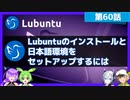
【第60話】Lubuntuのインストールと日本語環境のセットアップ・LXQt 1.2へメジャーバージョンアップするには
【動画の説明】
今回は「Lubuntu 22.04 LTS」のインストール方法や、
日本語入力など日本語環境のセットアップ方法を紹介します。
また「Lubuntu 22.04 LTS」で「LXQt 1.2」へメジャーバージョンアップする方法も紹介します。
【サイト】
・ウェブサイト:https://kledgeb.blogspot.com
・Youtube:https://www.youtube.com/@kledgeb
・Twitter:https://twitter.com/kledgeb
【VOICEVOX】
・VOICEVOX:https://voicevox.hiroshiba.jp/
・pixivFANBOX:https://hiho.fanbox.cc(支援サイト)
【CV】
・VOICEVOX:ずんだもん
・VOICEVOX:No.7
・VOICEVOX:白上虎太郎
・VOICEVOX:九州そら
【BGM】
・Lucky Baby:https://dova-s.jp/bgm/play16230.html
・お菓子作り:https://dova-s.jp/bgm/play17037.html
・STARDUST LEMON:https://dova-s.jp/bgm/play16781.html
[やってみた]古いMacBookAirにUbuntu入れてStudioOneとVOICEVOX入れてみた
![[やってみた]古いMacBookAirにUbuntu入れてStudioOneとVOICEVOX入れてみた](https://nicovideo.cdn.nimg.jp/thumbnails/43987101/43987101.66247041)
[やってみた]古いMacBookAirにUbuntu入れてStudioOneとVOICEVOX入れてみた
音声 VOICEVOX:四国めたん
動画中の使用楽曲 https://www.nicovideo.jp/watch/sm43820904
需要がないとは思いますが、MacBook Air 2013 11inchにLinux(Ubuntu24.04)を入れて、
DawソフトStudio OneとVOICEVOXを入れてみましたので、メモがてら動画投稿します。
(夏休みの宿題みたいなものです。)
また、本動画の内容で不具合のあった場合の責任はもてません。ご了承ください。
X(Twitter)アカウント:https://x.com/rioham123
#Ubuntu,#StudioOne,#四国めたん,#MacBookAir2013,#VOICEVOX,#VOICEVOX3周年文化祭
【第39話】Ubuntu Desktopのプリインストールアプリを見てみよう(後編)
【動画の説明】
今回の動画は「Ubuntu Desktop 22.04 LTS」でプリインストールされるアプリを紹介します。
今回はその「後編」です。
【サイト】
・ウェブサイト:https://kledgeb.blogspot.com
・Youtube:https://www.youtube.com/@kledgeb
・Twitter:https://twitter.com/kledgeb
【VOICEVOX】
・VOICEVOX:https://voicevox.hiroshiba.jp/
・pixivFANBOX:https://hiho.fanbox.cc(支援サイト)
【CV】
・VOICEVOX:後鬼
・VOICEVOX:白上虎太郎
・VOICEVOX:No.7
【Credits】
・Ubuntu:https://ubuntu.com/
【BGM】
・Lucky Baby:https://dova-s.jp/bgm/play16230.html
・In the Breeze:https://dova-s.jp/bgm/play16963.html
・夏色スムージー:https://dova-s.jp/bgm/play16984.html
・Bright Daytime:https://dova-s.jp/bgm/play16789.html
・Wind Motion:https://dova-s.jp/bgm/play16724.html
・STARDUST LEMON:https://dova-s.jp/bgm/play16781.html
ChatGPTとCodexで作ったPC-98 ADVゲームエンジンを実機で動かしてみた
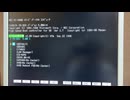
ChatGPTとCodexを活用して開発したPC-98用ADV(ノベル)ゲームエンジンの実機動作動画です。
※キャラクター / 背景画像は手描きで作成しています
実機のPC-98で動作確認を行っています。
■ソースコードとEXE実行ファイル&サンプルを公開しました
[ソースコード]
https://github.com/yarufu/pc98
[EXE実行ファイル&サンプル]
https://github.com/yarufu/pc98/releases
■ 作成環境
・Windows 11
・WSL(Ubuntu)
・ChatGPT / Codex
・C言語(一部アセンブラ)
・ia16-elf-gcc(MS-DOS向けクロスコンパイラ)
■ 動作環境
・PC-9821Ra43(MS-DOS 6.2)
・PC-9821V13(MS-DOS 5.0A-H)
■どうやって作ったかの話
https://pokug.net/entry/2026/05/10/210032
■ エンジン仕様 / スクリプトまとめ
https://pokug.net/entry/2026/05/03/233421
■ 開発環境構築手順
https://pokug.net/entry/2026/03/29/191134
Michael Pedicin - Why Stop Now

アルバム「Why Stop Now … Ubuntu」より パーソネル:Michael Pedicin(ts) Johnnie Valentino(g) Rick Germanson(p) Andy Lalasis(b) Vic Stevens(ds)
ジャンクSwitch Proコンを買ったので色々する

ジャンクでProコントローラを4台買いました!!
4台のプロコンを無事に使えるようにできるのか・・・
センサーのみ(何故かアダルト商品):https://amzn.to/3A3WzhK
スティックまるごと(バッチリ使えた):https://amzn.to/2XhTXyn
TA(作業を知りたいだけならこちら):sm39175830
ようつべ版:https://youtu.be/RJHTvX1IBiA
僅か1GB VRAMのGPUで動作するTinyStable diffusionをUbuntu25.04とGTX1060で動作。ジャンクGPUボードのリサイクルに

僅か1GB VRAM(実際は1.054〜1.123GB前後)で動作するTiny Stable diffusionをUbuntu25.04とGTX1060で動作確認。解像度を256x256まで下げれば1GB VRAMのNVIDIAジャンクグラフィックボードでも動くかもしれません。2年前のソースコードなので色々と調整と修正がインストール作業で必要です。

【第41話】2023年1月のLinuxニュース・Edubuntu復活の取り組みや、Ubuntu 22.04.2 LTSのリリース日変更など

【動画の説明】
今回は2023年1月のLinuxニュースを紹介します。
【サイト】
・ウェブサイト:https://kledgeb.blogspot.com
・Youtube:https://www.youtube.com/@kledgeb
・Twitter:https://twitter.com/kledgeb
【VOICEVOX】
・VOICEVOX:https://voicevox.hiroshiba.jp/
・pixivFANBOX:https://hiho.fanbox.cc(支援サイト)
【CV】
・VOICEVOX:四国めたん
・VOICEVOX:ずんだもん
・VOICEVOX:春日部つむぎ
・VOICEVOX:雨晴はう
・VOICEVOX:白上虎太郎
・VOICEVOX:九州そら
・VOICEVOX:もち子(cv 明日葉よもぎ)
・VOICEVOX:WhiteCUL
・VOICEVOX:後鬼
・VOICEVOX:No.7
【Credits】
・Ubuntu:https://ubuntu.com/
・Linux Mint:https://linuxmint.com/
・Pixabay:https://pixabay.com/
・Pixels Videos & Pixels Photos:https://www.pexels.com
・videvo.net Stock footage provided by Videvo, downloaded from videvo.net :https://www.videvo.net/profile/videvohttps://www.videvo.net
【BGM】
・番組オープニング:https://dova-s.jp/bgm/play12413.html
・Sporting News:https://dova-s.jp/bgm/play16683.html
・Radio:https://dova-s.jp/bgm/play16432.html
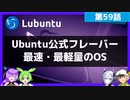
【第59話】Ubuntu公式フレーバー最速・最軽量のOS、Lubuntuの紹介
【動画の説明】
今回はUbuntu公式フレーバー最速・最軽量のOS、「Lubuntu」を紹介します。
プリインストールされているアプリやパネルの機能も紹介しています。
【サイト】
・ウェブサイト:https://kledgeb.blogspot.com
・Youtube:https://www.youtube.com/@kledgeb
・Twitter:https://twitter.com/kledgeb
【VOICEVOX】
・VOICEVOX:https://voicevox.hiroshiba.jp/
・pixivFANBOX:https://hiho.fanbox.cc(支援サイト)
【CV】
・VOICEVOX:ずんだもん
・VOICEVOX:No.7
・VOICEVOX:白上虎太郎
・VOICEVOX:九州そら
【BGM】
・Lucky Baby:https://dova-s.jp/bgm/play16230.html
・お菓子作り:https://dova-s.jp/bgm/play17037.html
・STARDUST LEMON:https://dova-s.jp/bgm/play16781.html
型落ち中古GTX1030 2GBでTiny Stable Diffusion。超小さいVRAMでもGPUリサイクル

実験用に爆安GTX1030 2GBを使いTiny Stable Diffusionで画像生成AI。計算速度は遅いですがとても小さいVRAMでも動く事を実機で検証。古いGPUカードでもStable diffusion出来ました。後もう一息で1GB以下 GPUリサイクル出来る???
ジャンクSwitch Proコンを買ったのでTAする

ジャンクでProコントローラを3台買いました!!
タイムアタックするぞ!
使った部品
センサーのみ(何故かアダルト商品):https://amzn.to/3A3WzhK
スティックまるごと(バッチリ使えた):https://amzn.to/2XhTXyn
本編:sm39175683
ようつべ版:https://youtu.be/cvKlW9Pqhfc
読めないと恥ずかしい!?IT系アルファベットの読み方!!

「GIF」とか「Ubuntu」って、どうやって読むの?
今更聞けないIT系アルファベット用語の読み方。リズムに合わせて、四国めたんとずんだもんと一緒に読んでみよう!
VOICEVOX:四国めたん
VOICEVOX:ずんだもん
https://voicevox.hiroshiba.jp/
立ち絵:坂本アヒル 様
https://seiga.nicovideo.jp/seiga/im10791276
https://seiga.nicovideo.jp/seiga/im10788496
【第43話】Ubuntu Desktopに無料枠のUbuntu Proを導入してみよう
【動画の説明】
今回の動画は、「Ubuntu Desktop」に無料枠の「Ubuntu Pro」の導入方法を紹介します。
また「Ubuntu Pro」を管理するコマンドも紹介しています。
【サイト】
・ウェブサイト:https://kledgeb.blogspot.com
・Youtube:https://www.youtube.com/@kledgeb
・Twitter:https://twitter.com/kledgeb
【VOICEVOX】
・VOICEVOX:https://voicevox.hiroshiba.jp/
・pixivFANBOX:https://hiho.fanbox.cc(支援サイト)
【CV】
・VOICEVOX:後鬼
・VOICEVOX:白上虎太郎
・VOICEVOX:No.7
【Credits】
・Ubuntu:https://ubuntu.com/
【BGM】
・Lucky Baby:https://dova-s.jp/bgm/play16230.html
・お菓子作り:https://dova-s.jp/bgm/play17037.html
・STARDUST LEMON:https://dova-s.jp/bgm/play16781.html
【脱衣】take【オリジナル曲】

どうも脱衣です
どかんドカンやってがちゃがちゃ鳴らしてやったらこうなりました
製作期間は合計で3時間ぐらいです
ほぼマウスですが頑張ります
題名の由来?それはやってみたってことだけだぞ☆
汚い曲マイリストmylist/38443705
ちなみに大まかに好むジャンルはメタルです
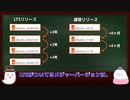
【第10話】□Ubuntuっていつリリースされてるの?□Ubuntuの通常リリースとLTSリリースとポイントリリースの紹介
□【動画の説明】
□Ubuntuのリリースには、通常リリースとLTSリリースとポイントリリースがあります。
それぞれのリリース方針を紹介します。
□【Twitter】
https://twitter.com/kledgeb
□【Website】
https://kledgeb.blogspot.com
□【Credits】
□Ubuntu
https://ubuntu.com/
-----------------
□VOICEVOX:玄野武宏
https://voicevox.hiroshiba.jp/
□VOICEVOX:白上虎太郎
https://voicevox.hiroshiba.jp/
-----------------
□Openclipart
https://openclipart.org/
□Pixels Videos & Pixels Photos
https://www.pexels.com
□いらすとや
https://www.irasutoya.com/
-----------------
□In the Breeze
https://dova-s.jp/bgm/play16963.html
□Lucky Baby
https://dova-s.jp/bgm/play16230.html
□wind of tomorrow
https://dova-s.jp/bgm/play15036.html
□夏色スムージー
https://dova-s.jp/bgm/play16984.html
□STARDUST LEMON
https://dova-s.jp/bgm/play16781.html
【第65話】軽さと機能性と使い勝手に優れたOS・Xubuntuの紹介(前編)

【動画の説明】
今回はXubuntuを紹介します。
XubuntuはUbuntu公式フレーバーであり、軽さと機能性と使い勝手に優れたOSです。
今回の紹介動画は前編です。
【サイト】
・ウェブサイト:https://kledgeb.blogspot.com
・Youtube:https://www.youtube.com/@kledgeb
・Twitter:https://twitter.com/kledgeb
【VOICEVOX】
・VOICEVOX:https://voicevox.hiroshiba.jp/
・pixivFANBOX:https://hiho.fanbox.cc(支援サイト)
【CV】
・VOICEVOX:ずんだもん
・VOICEVOX:No.7
・VOICEVOX:白上虎太郎
・VOICEVOX:九州そら
【BGM】
・Lucky Baby:https://dova-s.jp/bgm/play16230.html
・お菓子作り:https://dova-s.jp/bgm/play17037.html
・STARDUST LEMON:https://dova-s.jp/bgm/play16781.html
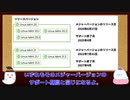
【第8話】□Linux Mintって、いつリリースされているの? □ Linux Mintのサポート期間とアップグレードはどうなってるの?
□【動画の説明】
□ 今回はLinux Mintがいつリリースされるのか、またサポート期間はどうなっているのか、それぞれの方針を紹介します。
□ Linux Mintにはメジャーリリースとポイントリリースとがあります。
それぞれのアップグレード方針を見てみましょう。
□【Twitter】
https://twitter.com/kledgeb
□【Website】
https://kledgeb.blogspot.com
□【Credits】
□Ubuntu
https://ubuntu.com/
□Linux Mint
https://linuxmint.com/
-----------------
□VOICEVOX:玄野武宏
https://voicevox.hiroshiba.jp/
□VOICEVOX:白上虎太郎
https://voicevox.hiroshiba.jp/
-----------------
□Openclipart
https://openclipart.org/
□Pixels Videos & Pixels Photos
https://www.pexels.com
□いらすとや
https://www.irasutoya.com/
□Bright Daytime
https://dova-s.jp/bgm/download16789.html
□In the Breeze
https://dova-s.jp/bgm/play16963.html
□Lucky Baby
https://dova-s.jp/bgm/play16230.html
□wind of tomorrow
https://dova-s.jp/bgm/play15036.html
□夏色スムージー
https://dova-s.jp/bgm/play16984.html
□元気をだして
https://dova-s.jp/bgm/play16864.html
□Wind Motion
https://dova-s.jp/bgm/play16724.html